Users
Who can sign in, what each person may do, and what to do when someone is locked out.
On this page
Users lists everyone who can sign in to your subscription. Here you add a person, give them a role, reset a password, and switch off someone who has left. Only an admin can make changes; everyone else sees the list and can reset their own password.
The screen
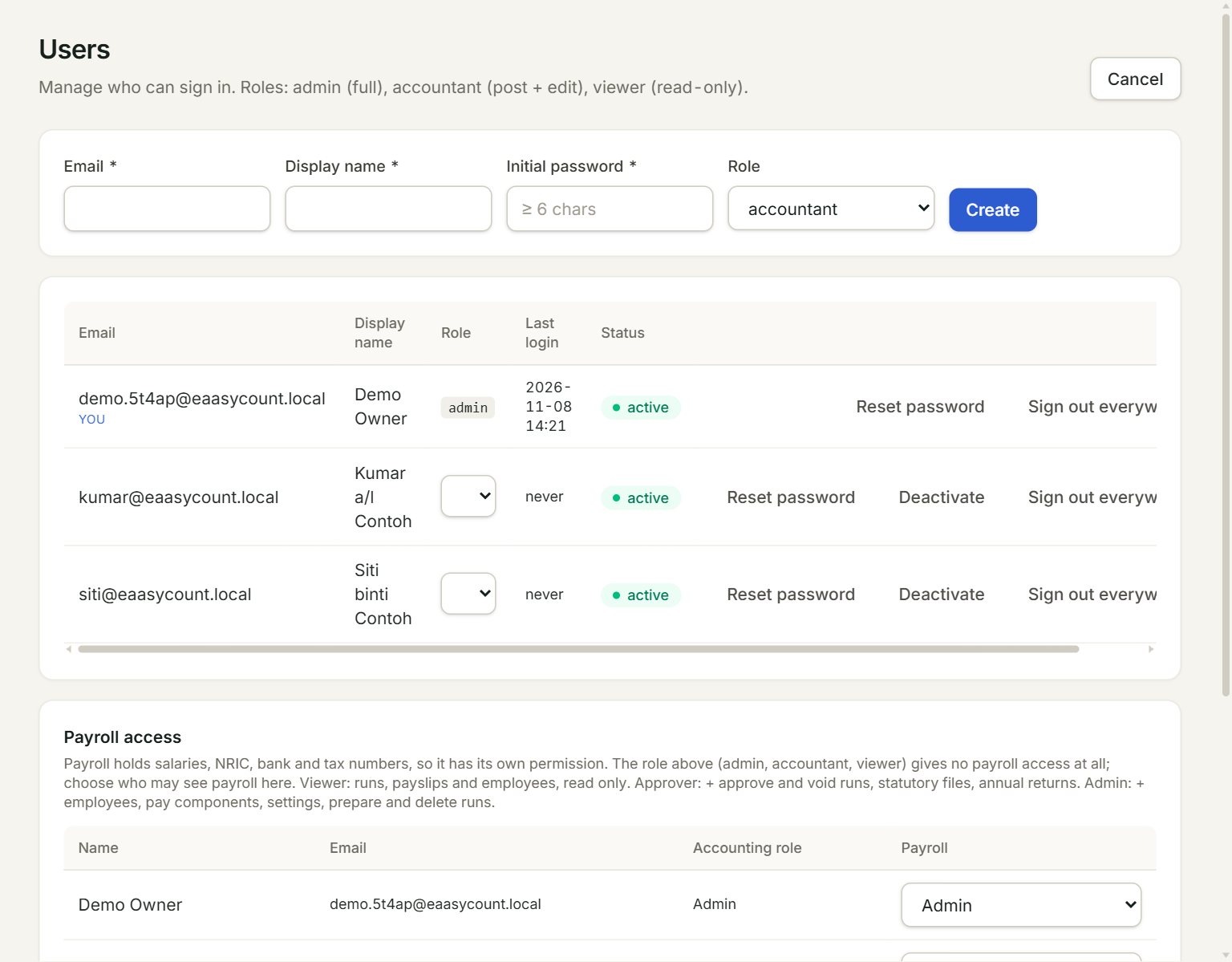
- Email: the address the person signs in with.
- Initial password: at least 6 characters. Give it to the person yourself.
- Role: admin (everything), accountant (post and edit) or viewer (look only).
- Create: adds the user.
- A user's role: choose another one to change it straight away.
- Reset password, Deactivate and Sign out everywhere act on that user.
Add a user
- In the menu, open Settings, then Users, and click + Invite User.
- Key the Email, Display name and an Initial password.
- Choose the Role and click Create.
- Tell the person their email and password. They can change the password with Reset password once they are in.
A new user can open every company. To keep someone out of a company, untick it in Access rights. Payroll is separate: under Payroll access, choose Viewer, Approver or Admin for the people who may see salaries. A role above gives no payroll access at all.
When someone leaves
Click Deactivate on their row. They are signed out everywhere and cannot sign in again. The row stays, greyed, and Reactivate brings them back.
Locked out
After too many wrong passwords, that account is locked from that address for a while. It shows under Sign-in locks. Once you know who it was, click Clear so they can sign in again.
If something goes wrong
- Your free trial includes 3 users. To add more, contact Threecom at …: deactivate someone who no longer needs to sign in, or contact Threecom to add users.
- Email '…' is already in use.: that email already signs in to eaasycount. Use another one.
- Password must be at least 6 characters.: key a longer password.