Trial balance
Every account with its debits, credits and balance on one date, to check the books agree.
The trial balance lists every account that has entries, with all its debits and credits up to one date. The two totals must be equal. Accountants use it to check the books before month end and year end.
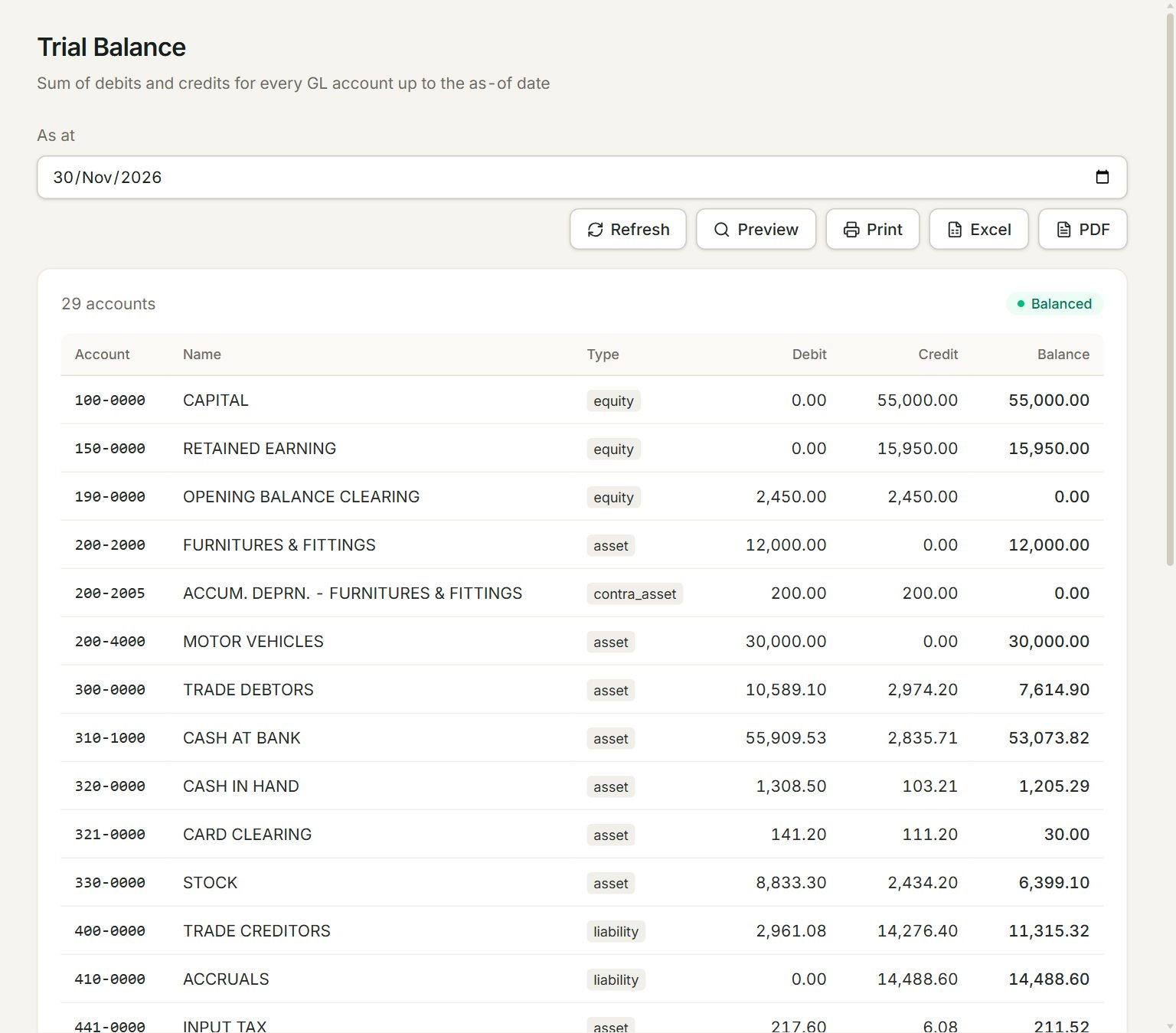
- As at: the report counts everything posted up to this date.
- Balanced when total debits equal total credits. If not, it shows Out by and the difference.
- Debit and Credit: everything debited and credited to the account up to the date. Balance is what is left, on the account's usual side; a minus means it is the other way round.
- Preview, Print, Excel and PDF: look at, print or download the report.
Run the report
- In the menu, open Reports, then Trial balance.
- Set As at, for example the last day of the month. The report runs as soon as you change the date.
- Check that it shows Balanced.
- Click Excel or PDF to keep a copy, or Print.
Totals, at the bottom, adds up the debits and the credits of all the accounts. Type tells you what kind of account each one is, such as asset, liability, income, cogs (cost of sales) or expense. Accounts with no entries are left out.
If something goes wrong
- No postings yet.: nothing has been posted up to the As at date. Check the date.
- An account you expect is missing: it has no entries up to the date, or it is inactive in the Chart of accounts.