Bank accounts
The bank and cash accounts you pay from and receive money into.
Bank accounts lists each bank account and cash float you pay from or receive into, such as your current account and the petty cash. Each one is linked to an account in your chart of accounts, which holds its balance.
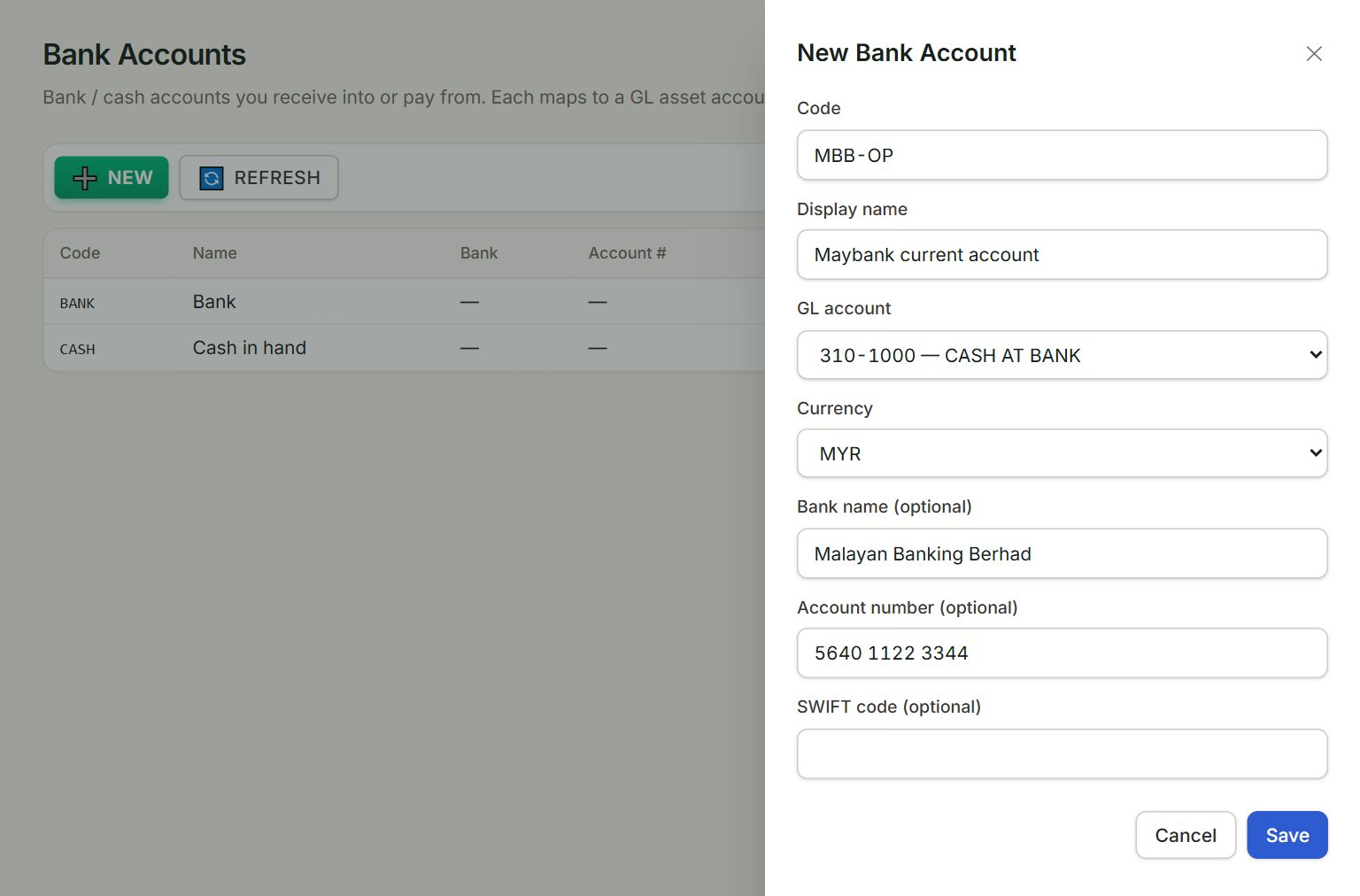
- Code: a short name, for example MBB-OP. Screens such as the Cash book list show it.
- Display name: the full name.
- GL account: the account in your chart that holds this bank's balance.
- Currency: MYR, USD or SGD.
- Bank name, Account number and SWIFT code: optional details of the account.
- Save: adds the bank account.
Add a bank account
- In the menu, open Accounting, then Bank accounts, and click NEW.
- Type the Code and the Display name.
- Choose the GL account and the Currency.
- Add the bank's name and the account number if you like.
- Click Save.
The code, the GL account and the currency cannot be changed after you save. To change the name or the bank details, click the bank account in the list. To stop using one, click it, untick Active and click Save.
If something goes wrong
- The account you want is not in GL account: the list shows only accounts whose code starts with 31 or 32. Add one in the chart of accounts first.
- Bank account code '…' already exists.: choose another code.