Payroll summary
What payroll cost over a range of months, by employee, by month or by department.
The Payroll summary adds up your payroll runs over a range of months: gross pay, the employees' EPF, SOCSO, EIS and PCB, net pay, and what the employer paid on top. Use it to check a year's payroll or to see the cost of staff.
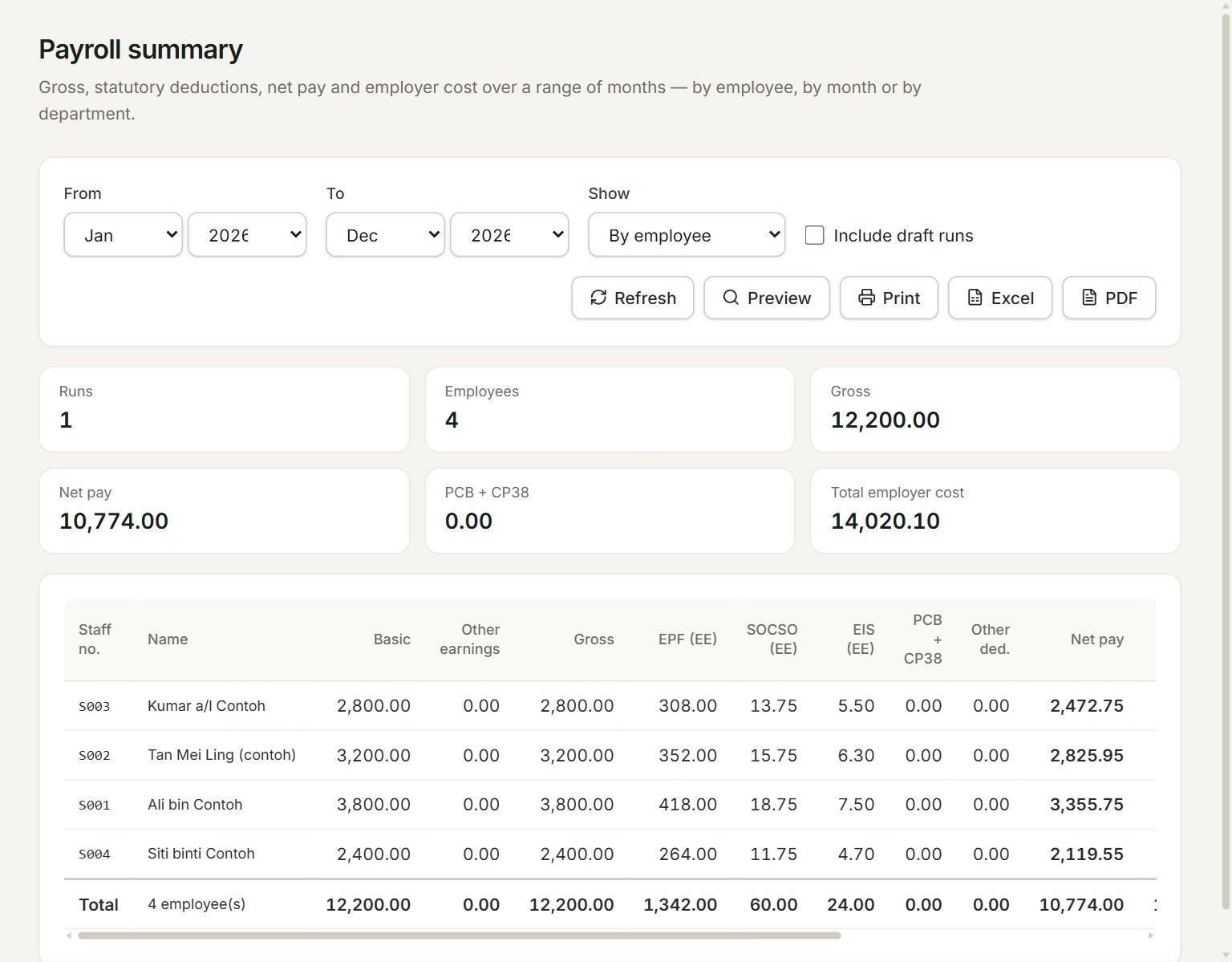
- From: the first month.
- To: the last month.
- Show: By employee, By month or By department.
- Include draft runs: adds the runs not approved yet. Without it, only approved and paid runs count. Voided runs never count.
- Refresh reads the runs again. Preview, Print, Excel and PDF give the same figures as a report or a file.
- Total employer cost: gross pay plus the employer's EPF, SOCSO, EIS and HRD levy. The table's last column, Total cost, gives it for each line.
In the columns, (EE) is the employee's share, taken from their pay, and (ER) is the employer's share, paid on top. PCB + CP38 is the income tax taken from pay.
See a year's payroll
- In the menu, open Payroll, then Payroll summary.
- Set From and To, for example Jan 2026 and Dec 2026.
- Choose what to Show.
- Click Excel or PDF to keep a copy, or Print.
The Department list shows once your employees have a department on their employee form. Choose one to see only its staff.
If something goes wrong
- No approved or paid payroll runs between …: tick Include draft runs, or check From and To.
- "From" is after "To" — nothing to show.: set From to a month before To.