Purchase invoices
Key in a supplier's bill. It records what you owe them, the purchase, the tax and the stock that comes in.
On this page
A purchase invoice is a supplier's bill, keyed in. Posting it records what you owe the supplier, the purchase or expense and the tax, and puts stock items on the shelf at the price you paid.
The list
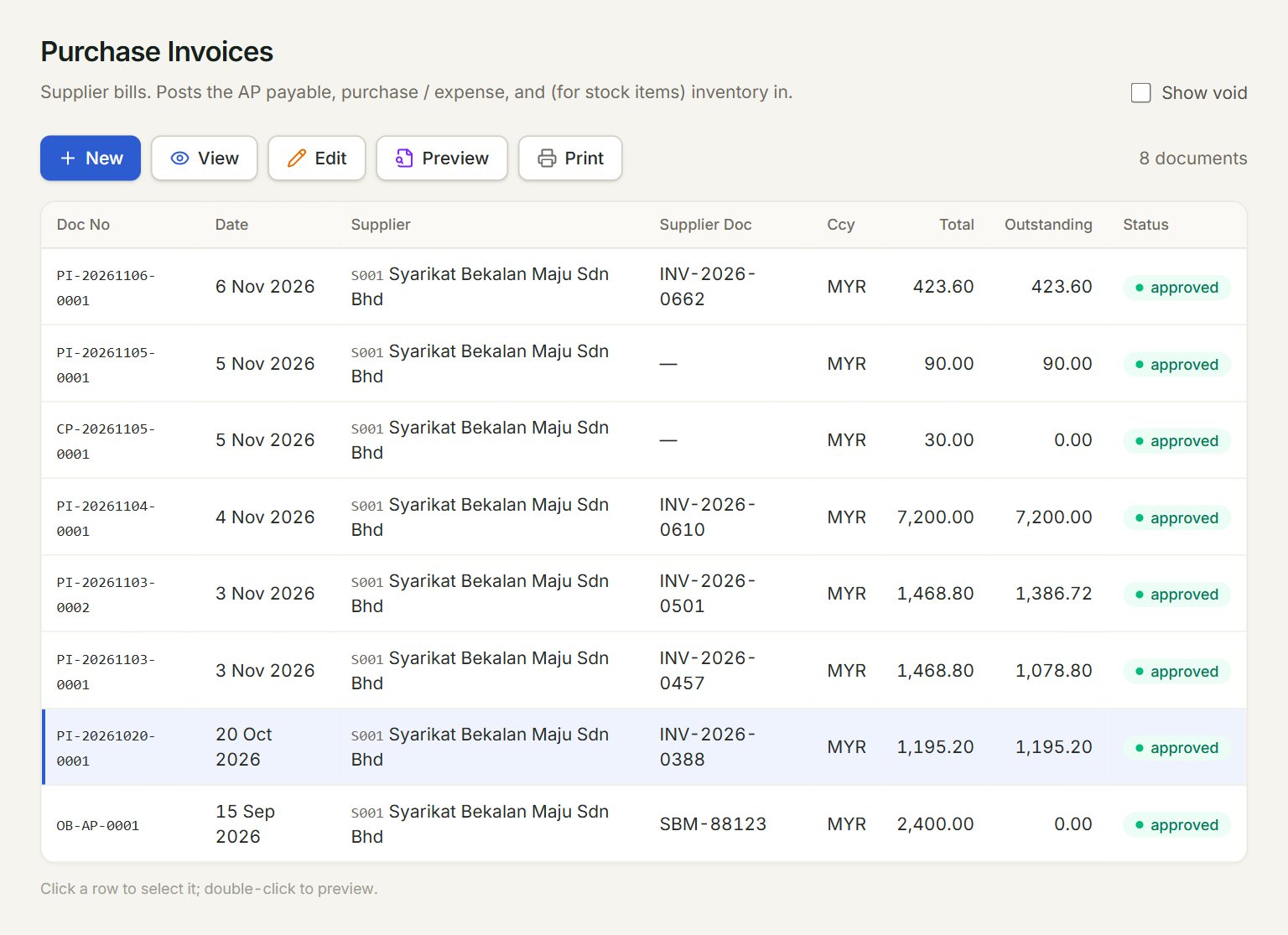
- New: starts a new purchase invoice.
- A row: click it to select the invoice. Double-click it to preview.
- View, Edit, Preview and Print act on the selected invoice.
- Supplier Doc: the number on the supplier's own bill.
- Outstanding: what you still owe on the invoice.
- Show void: lists the old, voided versions too.
Key in a bill
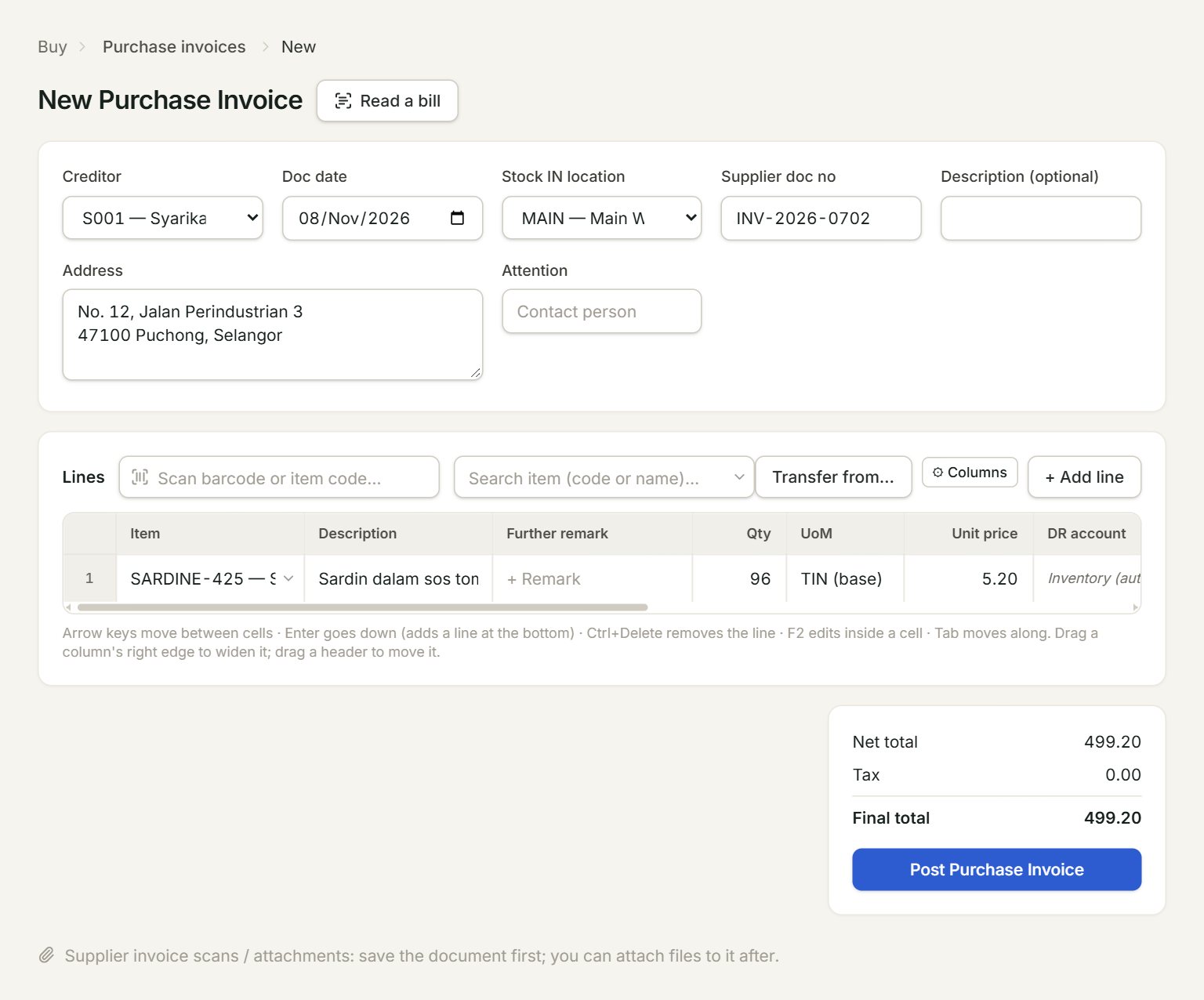
- Read a bill: fills the invoice from a photo or PDF of the supplier's bill.
- Creditor: the supplier. Their address fills in below.
- Stock IN location: where stock items go. The ★ one is your default location.
- Supplier doc no: the number on the supplier's bill, so you can find it later.
- Transfer from…: brings in lines from the supplier's open purchase orders and goods received notes.
- Post Purchase Invoice: saves and posts the invoice.
- In the menu, open Buy, then Purchase invoices, and click New.
- Choose the Creditor. Key the bill's date in Doc date and its number in Supplier doc no.
- Add the lines: scan or type each item code, or click + Add line. Key the Qty, the Unit price and the Tax.
- A line with no item needs a DR account, such as 610-0000. Stock items show Inventory (auto).
- Click Post Purchase Invoice.
Read a bill
Click Read a bill and choose a photo or a PDF of the bill. eaasycount fills in the supplier, date, bill number and lines, and a box above the lines says what it filled: check every field before you post. The next bill from that supplier is filled the way you posted this one. The photo or PDF is attached to the invoice.
Change an invoice
Select it in the list and click Edit: the number stays the same and the old version is kept as void. Goods you send back go on a purchase return.
If something goes wrong
- Post Purchase Invoice is grey: choose the creditor first.
- "Already posted: this is purchase invoice …" after Read a bill: this bill is in already. Do not post it twice.
- "Cannot void — … has been paid via AP payment(s). Void the payment(s) first.": edit that payment in Pay supplier, set its Apply for this invoice to 0, then edit the invoice.