Cash book
Pay out or take in money that is not from a customer or to a supplier, such as bank charges, bills and petty cash.
On this page
The Cash book records money in or out of a bank or cash account that is not from a customer or to a supplier: bank charges, rent, electricity, petty cash, bank interest. A payment voucher (PV) pays money out; an official receipt (OR) takes money in.
Make a payment voucher
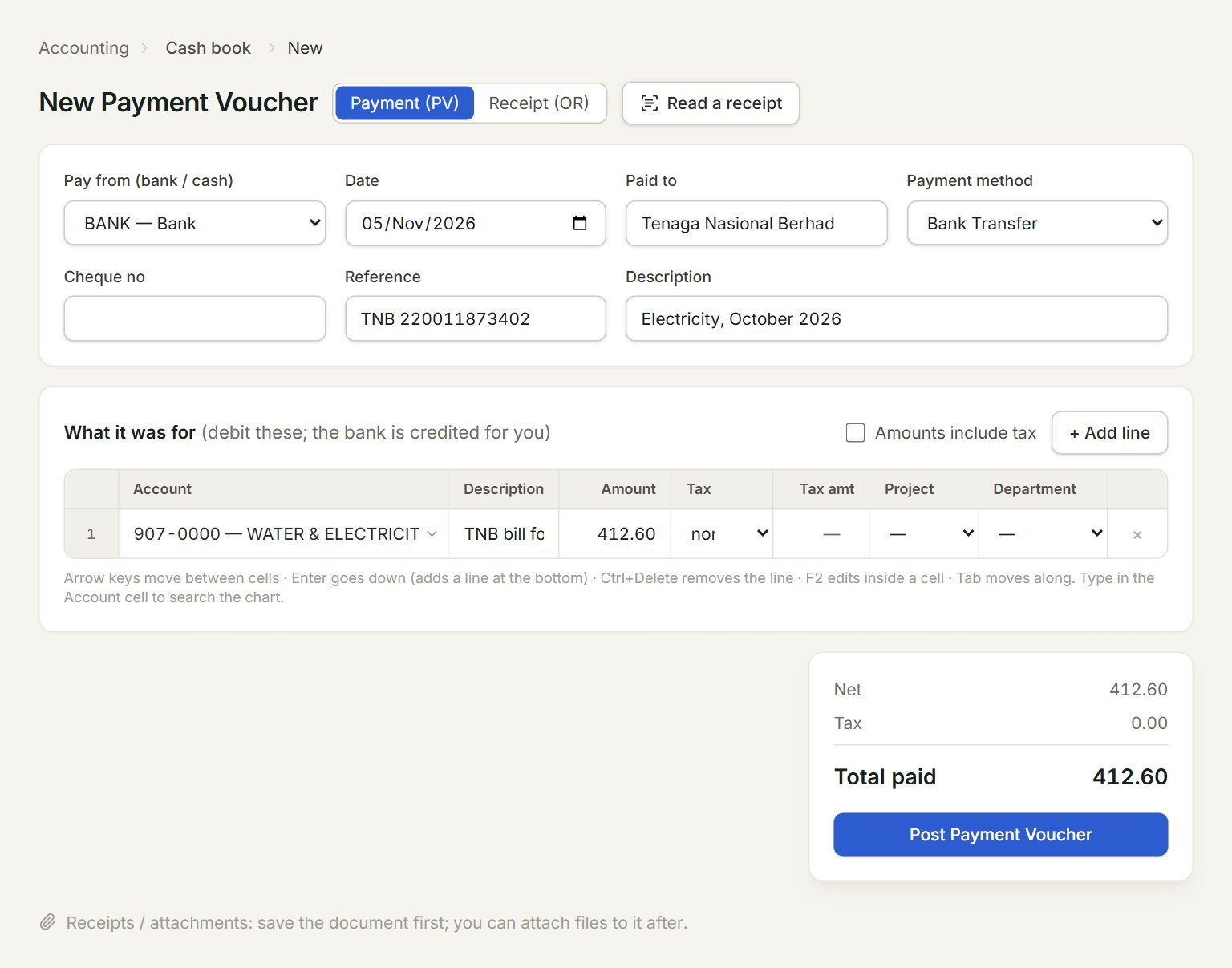
- Payment (PV) for money out, Receipt (OR) for money in.
- Read a receipt: fills the voucher from a photo or PDF of a receipt.
- Pay from (bank / cash): the bank or cash account the money leaves.
- Paid to: who you paid, for example TNB or the landlord.
- Account: what the money was for. Type part of its code or name, press Enter.
- Post Payment Voucher: saves and posts the voucher.
- In the menu, open Accounting, then Cash book, and click New.
- Choose the account in Pay from (bank / cash) and check the Date.
- Fill in Paid to, the Payment method and a Reference, such as the bill number.
- On each line, choose the Account and key the Amount. Pick a Tax code if the bill charges tax.
- Click Post Payment Voucher.
eaasycount takes the total out of the bank for you. Tick Amounts include tax when the bill's amounts include the tax. For money in, click Receipt (OR) first: you then fill Deposit into (bank / cash) and Received from, and click Post Official Receipt.
Read a receipt
Click Read a receipt and choose a photo or a PDF. eaasycount fills Paid to, the Date, the receipt number in Reference, and one line with the total and a likely account. Check every field, then post: the receipt is attached to the voucher. The next receipt from the same shop is filled the way you posted this one.
To change an entry, select it in the list and click Edit; the number stays the same. Void, at the top of an open entry, cancels it.
If something goes wrong
- Line 1: choose the account.: the line has an amount but no account.
- Line 1: enter an amount above 0.: key the amount, or remove the line with ×.
- Already posted: this is payment voucher …: that receipt was posted before. Do not post it twice.