Statutory checker
Work out EPF, SOCSO, EIS, PCB and the HRD levy for one made-up employee and month, with every step shown.
The Statutory checker works out EPF, SOCSO, EIS, PCB and the HRD Corp levy for one made-up employee and month. It uses the same engine as the payroll and shows each step, so you can compare it with LHDN's PCB calculator or the KWSP and PERKESO tables. It saves nothing.
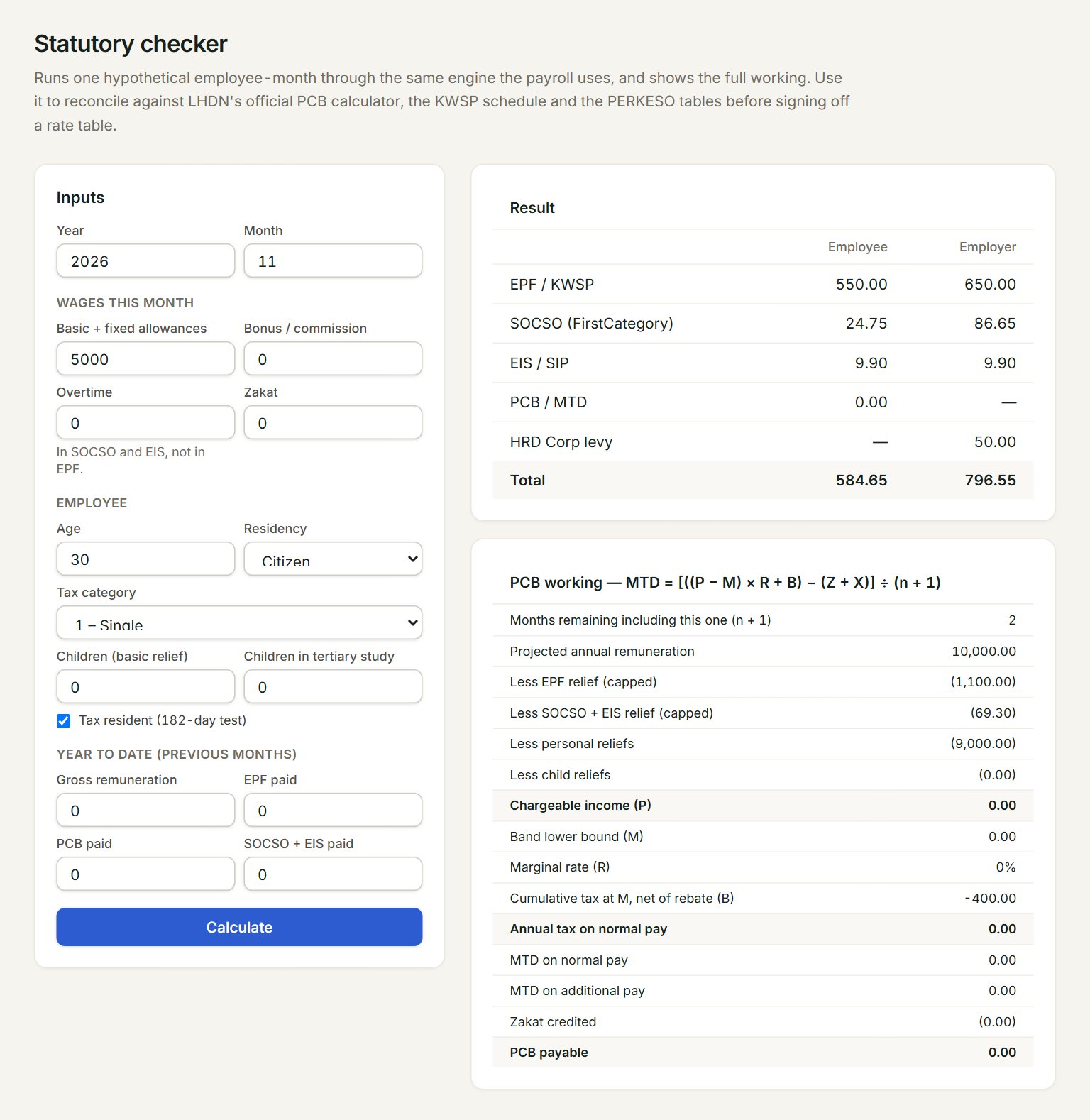
- Basic + fixed allowances: the month's normal pay.
- Bonus / commission: extra pay this month. Overtime and Zakat sit beside it.
- Year to date (previous months): the pay, EPF, PCB and SOCSO + EIS of the earlier months of the year.
- Calculate: works it out with your figures.
- Result: EPF, SOCSO, EIS, PCB and HRD Corp levy, the employee's share and the employer's.
- PCB working: each step of the PCB sum, down to PCB payable.
Check a figure
- In the menu, open Payroll, then Statutory checker.
- Key the Year and Month, and the month's pay under Wages this month.
- Under Employee, set the Age, Residency, Tax category and the number of children.
- Key the Year to date (previous months) figures.
- Click Calculate, then compare the Result with the official calculator or table.
The checker opens with an example already worked out. Change only what you need, then click Calculate again. Any note about your figures shows in amber above the Result.
If something goes wrong
- Month must be 1 to 12.: key the month as a number, for example 11 for November.
- Year must be between 2000 and 2100.: key the full year, for example 2026.