Cash sales
The bills rung up at the counter. Look them up, reprint a receipt, or cancel a bill.
On this page
Cash sales are the bills paid at the counter. They are rung up on the POS and arrive here as soon as they are paid. This screen is for finding a bill, reprinting its receipt and cancelling it: there is no New button, and you cannot ring up a bill here.
The list
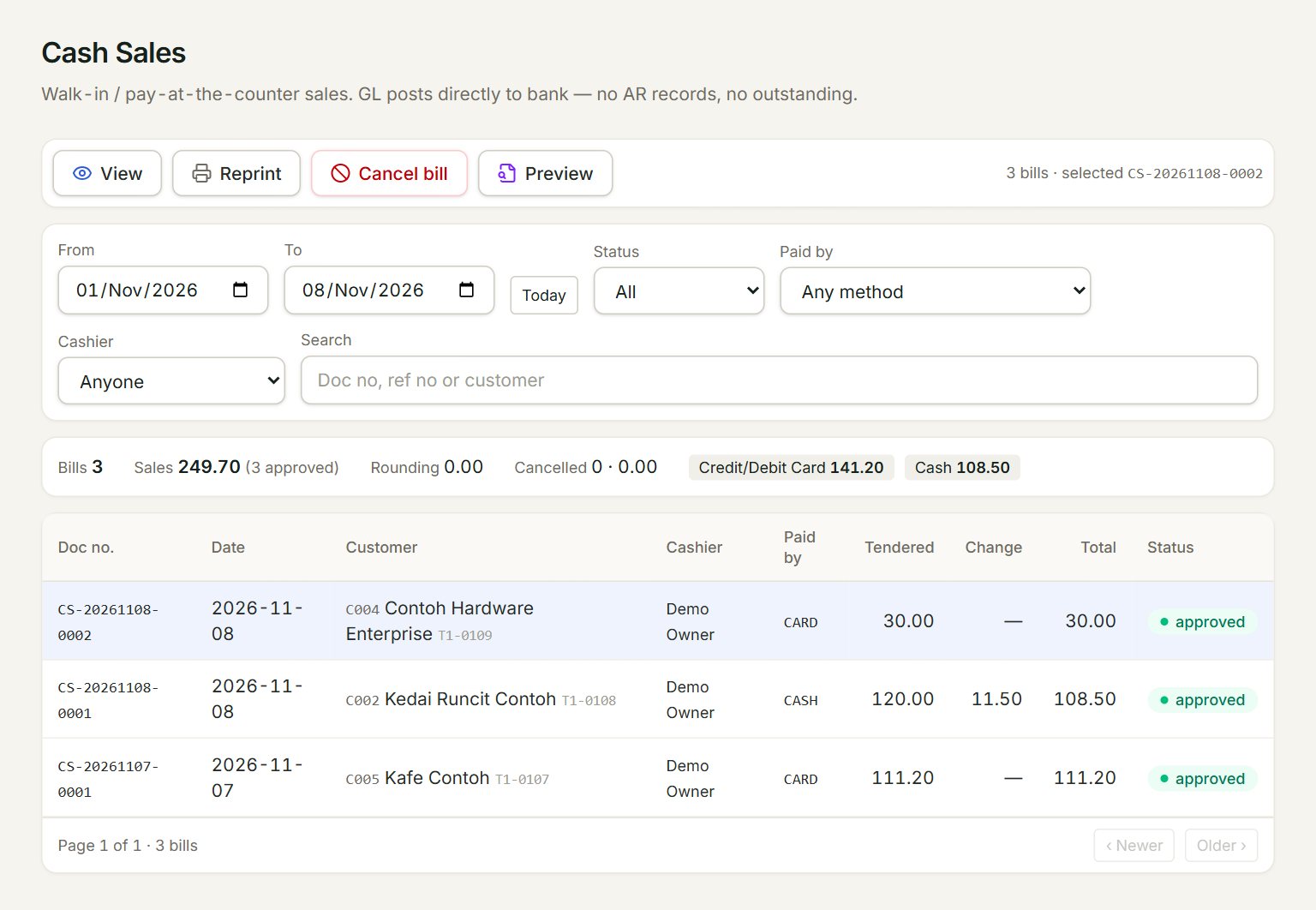
- From and To: the days to list. The list opens on today; Today brings it back.
- Search: a doc no, a ref no or a customer. Status, Paid by and Cashier narrow the list too.
- The totals for every bill listed: Bills, Sales, Rounding, Cancelled, and what was taken by each payment method.
- A bill: click it to select it. Double-click it to see the bill.
- View shows the bill; Reprint prints the customer's receipt again; Preview shows it as an A4 or A5 document.
- Cancel bill: cancels the selected bill. Only an admin sees it.
Reprint a receipt
- In the menu, open Sell, then Cash sales.
- Set From and To to the day of the bill, or type its number in Search.
- Click the bill, then click Reprint. The receipt opens in a new tab, ready to print.
Cancel a bill
Select the bill, click Cancel bill, type the reason and click OK. The payment, the stock and the journals all go back. The bill stays in the list marked VOIDED, with who cancelled it and why. A posted bill cannot be changed: to correct one, cancel it and ring it up again.
If something goes wrong
- "… already has return … against it. Cancel the return first, or leave the bill as it is.": goods from this bill came back. Leave the bill.
- "The card takings on bill … have already been settled to the bank …": void that batch in Card settlements first, then cancel the bill.
- "The receipt is ready but this browser blocked the new tab.": click Open the receipt, and allow pop-ups for eaasycount.