Chart of accounts
The accounts your books post to, grouped into assets, liabilities, equity, income, cost of sales and expenses.
The chart of accounts is the list of accounts your books post to, such as CASH AT BANK, SALES and OFFICE RENTAL. Each account sits in a group, and an account can sit under another one. Every account shows its balance.
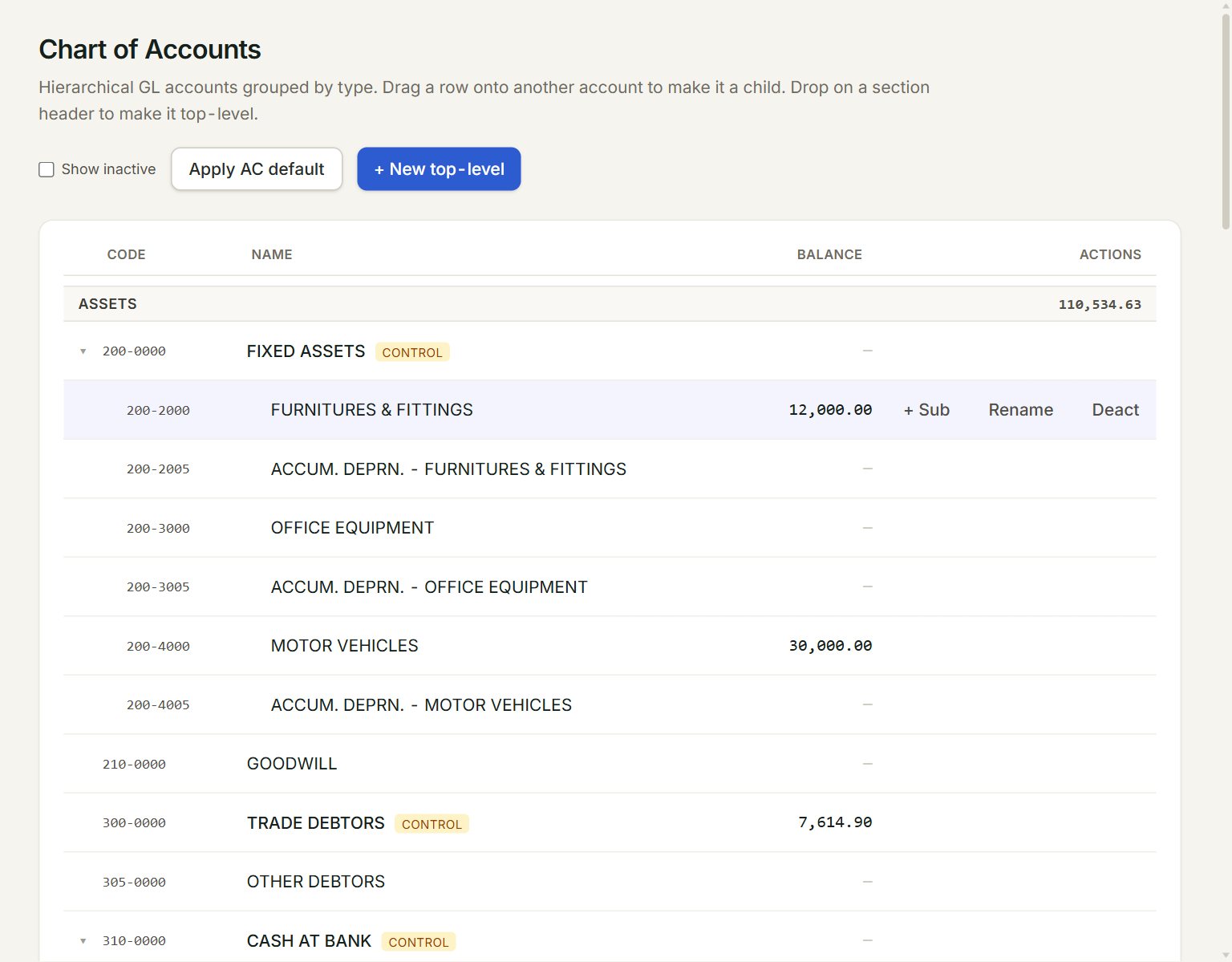
- + New top-level: adds an account at the top of a group.
- A group, such as Assets, with its total.
- An account's balance: click it to see the account's entries.
- + Sub: adds an account under this one. Point at a row to see its buttons.
- Rename: changes the name. Press Enter to save it.
- Deact: hides an account you no longer use. Tick Show inactive to see it again, with React to bring it back.
Add an account
- In the menu, open Accounting, then Chart of accounts.
- Point at the account the new one belongs under, for example 310-0000 CASH AT BANK, and click + Sub.
- Type the Code, for example 310-2000, and the Name.
- Click Create child.
The new account takes its group from the account above it. For an account at the top of a group, click + New top-level, choose the Type, and click Create. The code cannot be changed later, so choose it with care.
To move an account, drag its row onto another account. Drop it on a group's heading to make it top-level again.
Accounts marked control, such as TRADE DEBTORS, TRADE CREDITORS and STOCK, are kept by your documents, so a journal entry cannot post to them.
If something goes wrong
- Account code '…' already exists.: choose another code.
- Code and name are required.: fill in both before you click Create.