When a save is refused
What the red message means when eaasycount will not post or save, and how to put it right.
On this page
When eaasycount refuses a save, nothing is saved. A red box at the top of the screen says why, in plain words, and your entry stays on the screen. Read the message, put the cause right, and click again.
The messages you may meet
| The message says | What to do |
|---|---|
| Cannot post this document dated …: … is closed for this company | Use a date in an open month, or ask an admin to reopen the month in Fiscal periods. |
| … the financial year for 2025 has not been set up yet | Check the date. If it is right, an admin adds the year with + New Fiscal Year. |
| Viewer role is read-only. | Your role can look but not save. Ask an admin to change it in Users. |
| Cannot void — … has been knocked off via payments. Void the payments first. | A receipt or payment pays this invoice. Edit it so it no longer does, then try again. See Void instead of delete. |
| Cannot post a manual journal to control account(s): … | Debtors, creditors and stock move only through their own documents, such as an invoice or Receive payment. |
| … needs the Standard plan or This month's 100 transactions on the Free plan are used | Your plan does not include it. See Plans and the Free plan. |
Where months are closed
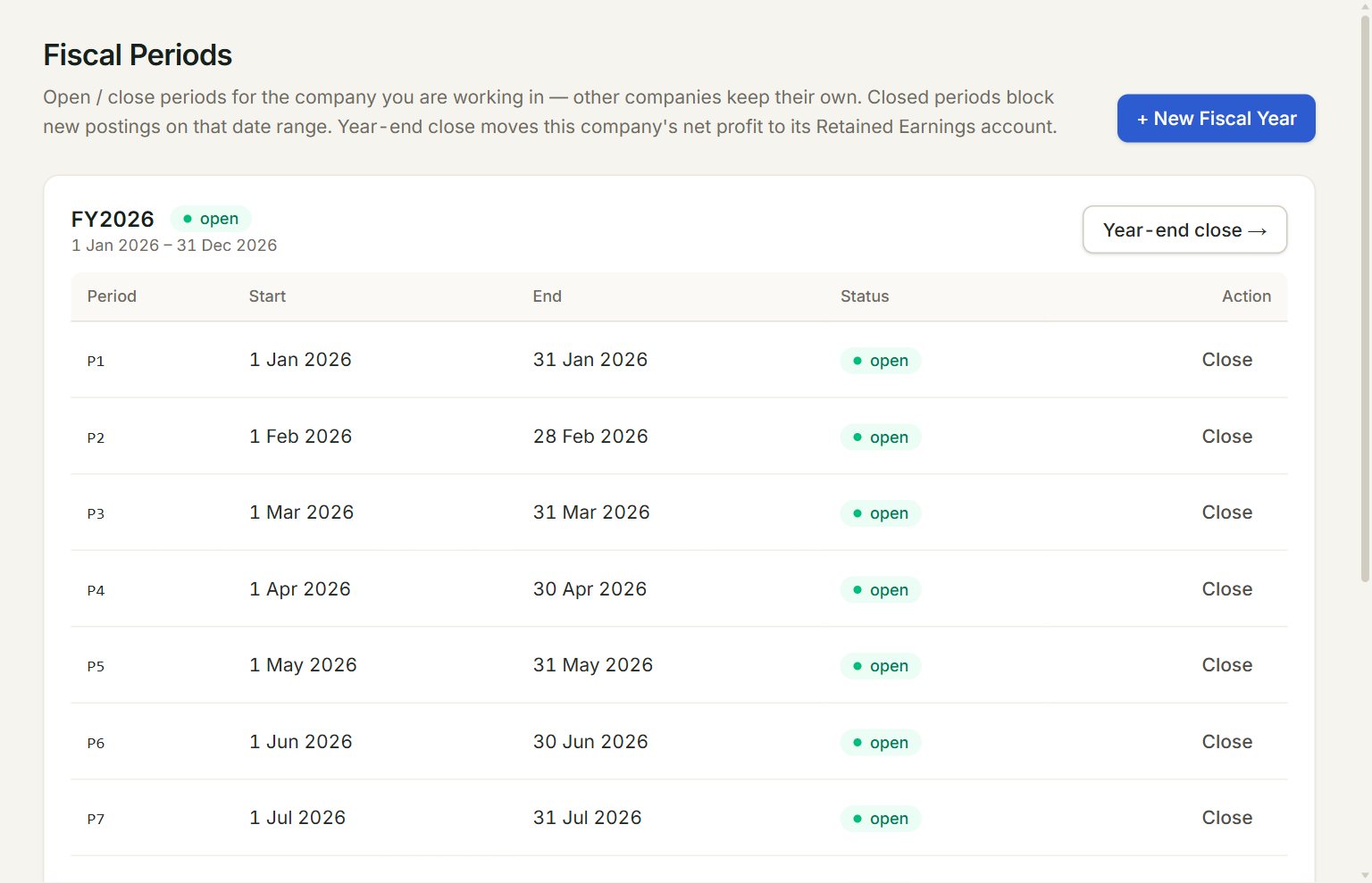
- + New Fiscal Year: adds a year and its months. For a January to December year, eaasycount adds the next year by itself when you first post in it.
- Status: a closed month refuses anything dated in it.
- Close: closes the month. A closed month shows Reopen here instead.
- Year-end close →: closes the whole year and moves its profit to retained earnings.
Only an admin can close or reopen a month.
If something goes wrong
- The Post button is grey: something the document needs is missing, such as the customer or a line with a quantity.
- Can't reach the server. Check your connection and try again. or Failed to fetch: the internet dropped. Nothing was saved; click again when you are back online.
- The sign-in page opens when you save: your session ended. Sign in again and key the entry again: it was not saved.