Purchase orders
Order goods from a supplier, then turn the order into goods received or a purchase invoice.
On this page
A purchase order is what you send a supplier when you order goods. It does not touch your stock or your accounts. When the goods come, you transfer it to goods received or straight to a purchase invoice.
The list
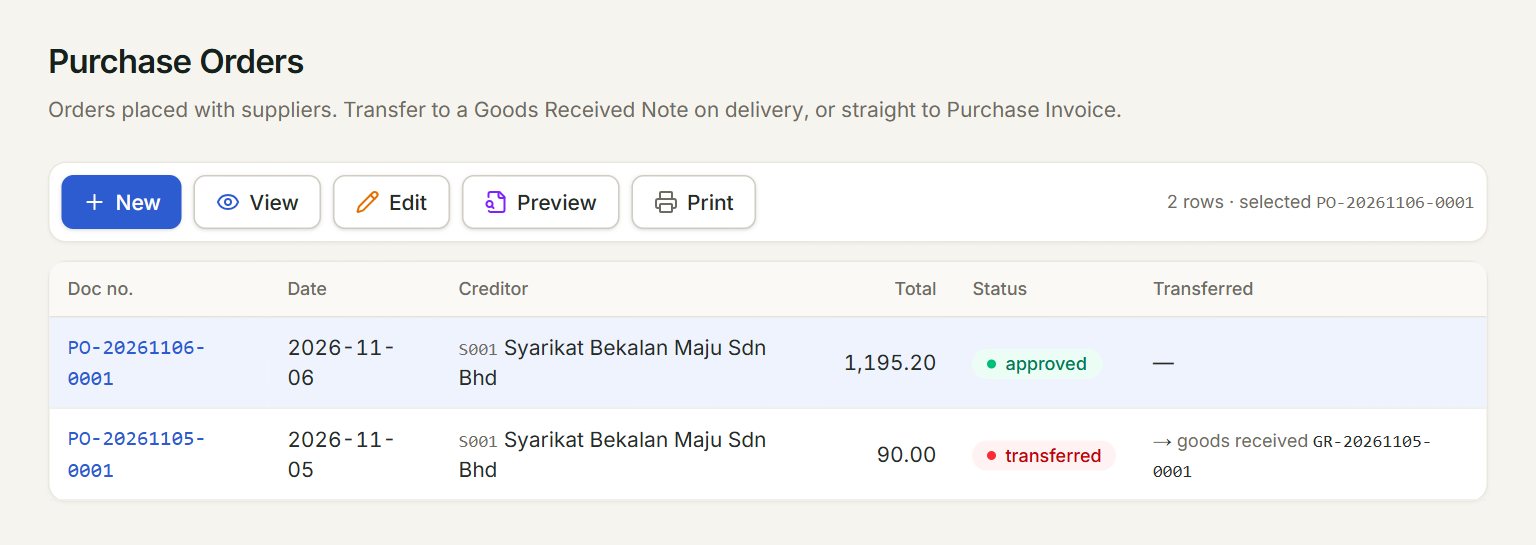
- New: starts a new purchase order.
- A row: click it to select the order. Double-click it to open it.
- View, Edit, Preview and Print act on the selected order.
- Status: approved while the order is open, partial when part of it has been transferred, transferred when all of it has.
- Transferred: the goods received note or invoice the order went to.
Make a purchase order
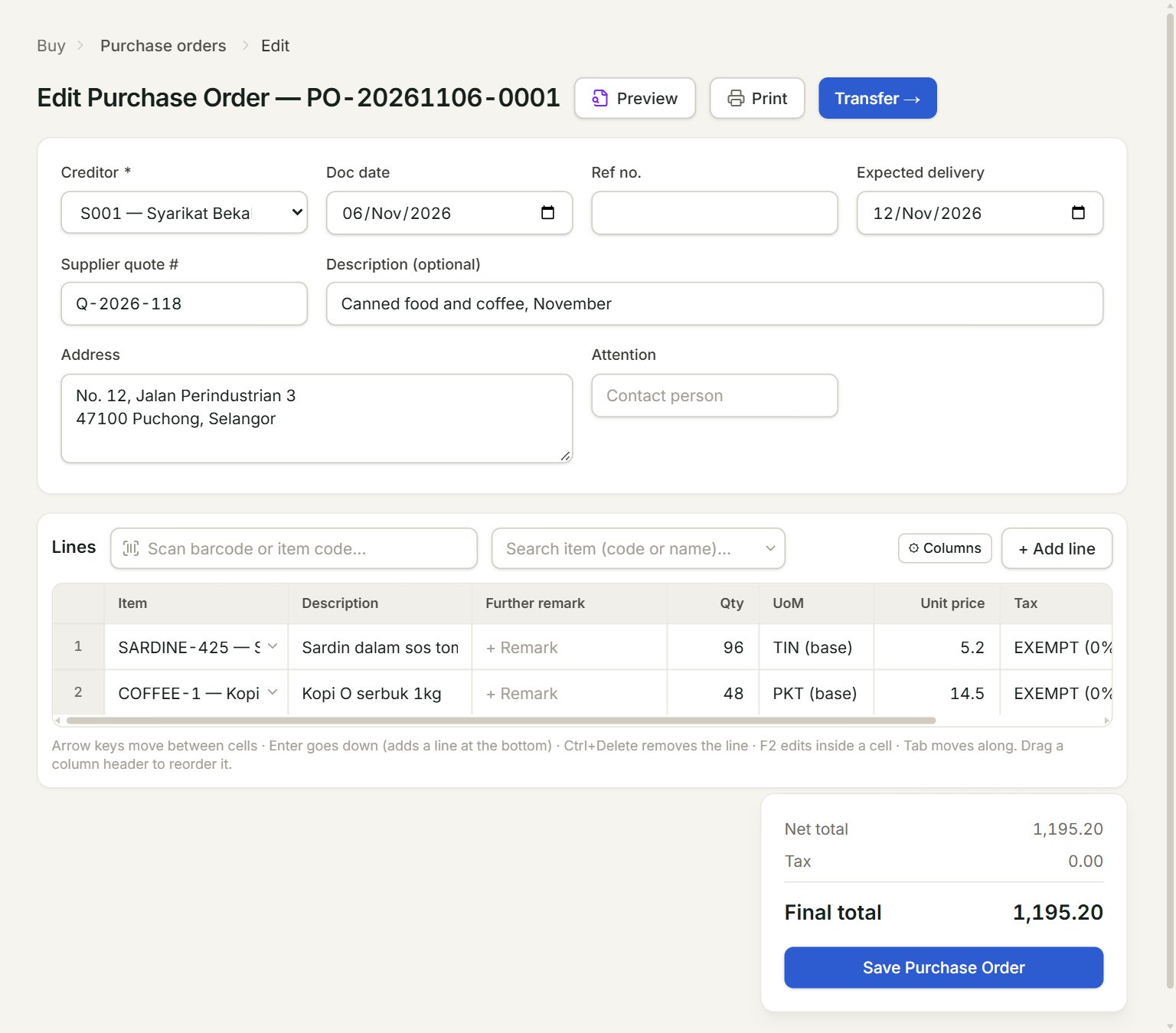
- Creditor: the supplier. Their address and contact person fill in below.
- Expected delivery: the day the goods should come.
- Supplier quote #: the number on the supplier's quotation, if there is one.
- Scan a barcode or type an item code here and press Enter: the line is added.
- Transfer →: turns a saved order into goods received or a purchase invoice.
- Save Purchase Order: saves the order.
- In the menu, open Buy, then Purchase orders, and click New.
- Choose the Creditor and check the Doc date.
- Add the lines: scan or type each item code, or click + Add line. Key the Qty and the Unit price.
- Click Save Purchase Order.
- In the box that opens, click Preview or Print to send the order to the supplier.
When the goods come
Select the order in the list, click Edit, then Transfer →. In Transfer to, choose Goods Received or Purchase Invoice. Each line's Transfer Now starts at what is left; lower it for a part delivery, or set it to 0 to skip a line. Click Transfer.
A part delivery leaves the order partial, with its lines locked; Transfer remaining → moves the rest later. Or start from the other end: Transfer from… on a new purchase invoice brings in the supplier's open orders.
If something goes wrong
- Save Purchase Order is grey: choose the creditor first.
- "Add at least one line.": each line needs a description and a quantity.
- The boxes are grey and there is no Save button: the order has been transferred. Change the goods received note or the invoice instead.