Day end
Close the counter for the day. See what was taken, then count the cash drawer.
Day end closes the counter for one day. It shows what was taken by each payment method and how much cash should be in the drawer. Then you count the drawer and post the count: any cash over or short is booked for you.
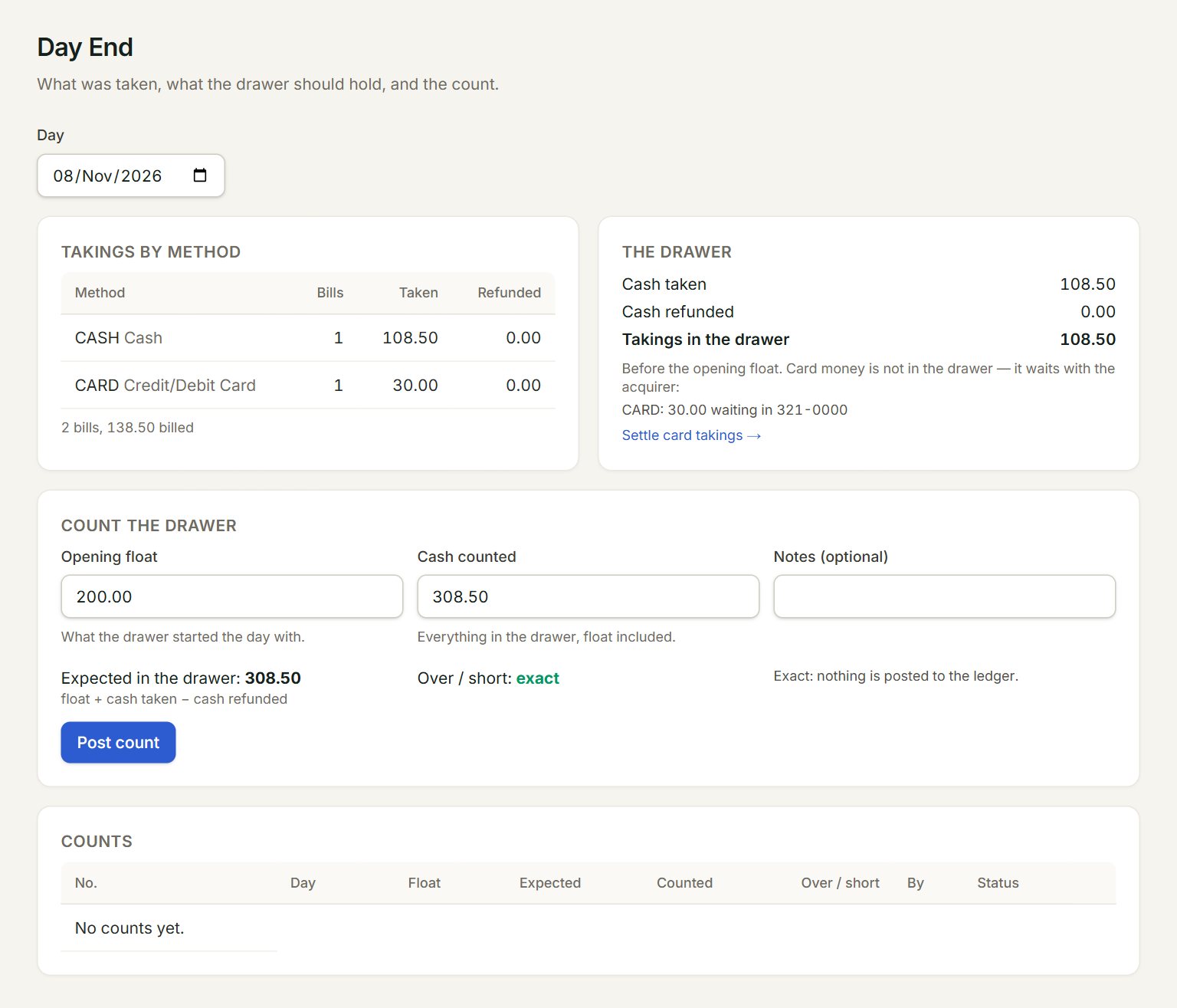
- Day: the day you are closing. It opens on today.
- Takings by method: the bills and the money taken for each payment method, and any refunds.
- Takings in the drawer: the cash taken less the cash refunded, before the opening float. Card money is not in the drawer: it waits with the card company.
- Opening float: the cash the drawer started the day with.
- Cash counted: everything in the drawer at closing, float included. Expected in the drawer and Over / short work out as you type.
- Post count: posts the count. The day then shows under Counts.
Count the drawer
- In the menu, open Sell, then Day end, and check the Day.
- Count all the cash in the drawer, float included.
- Key the Opening float and the Cash counted.
- Look at Over / short. If it is not exact, count again, and say why in Notes (optional).
- Click Post count.
An exact count posts nothing to the ledger. When the drawer is over or short, the difference is booked against cash in hand, and the screen shows the entry before you post.
Card takings are not counted here. When the card company pays them into your bank, enter the batch in Card settlements. The Settle card takings → link takes you there.
If something goes wrong
- "This day is already counted (…). Void it below to count again.": under Counts, click Void on that day's count, give the reason, then count again.
- "Only an admin or an accountant can post a count.": ask one of them to post it.
- Post count is grey: key both the Opening float (0 if the drawer started empty) and the Cash counted.