Balance sheet
What the business owns, what it owes and what belongs to its owners, on one date.
The balance sheet is a snapshot on one date: what the business owns (Assets), what it owes (Liabilities) and what belongs to its owners (Equity). Use it at month end and at year end.
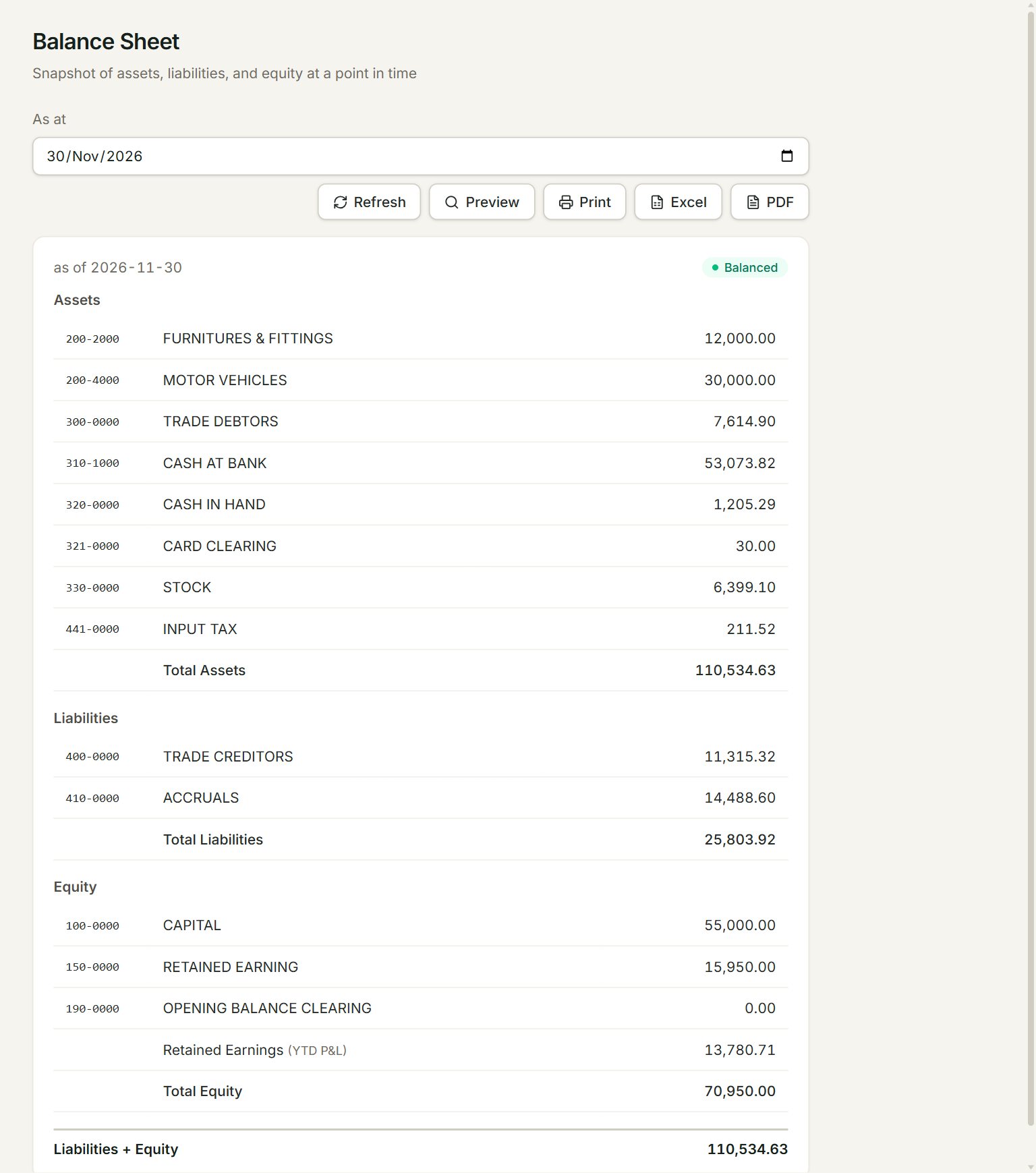
- As at: the date of the snapshot.
- Balanced: assets equal liabilities plus equity. If not, it shows Out by and the difference.
- Total Assets: everything the business owns or is owed.
- Retained Earnings (YTD P&L): this year's profit or loss so far, from the profit and loss.
- Liabilities + Equity: the same figure as Total Assets when the books balance.
- Preview, Print, Excel and PDF: look at, print or download the report.
Run the report
- In the menu, open Reports, then Balance sheet.
- Set As at, for example the last day of the month. The report runs as soon as you change the date.
- Check that it shows Balanced.
- Click Excel or PDF to keep a copy, or Print.
Each group lists its accounts with their balance on that date. Bank and cash, debtors (what customers owe you), stock and fixed assets are under Assets. Creditors (what you owe suppliers) and accruals are under Liabilities.
If something goes wrong
- OPENING BALANCE CLEARING is not 0.00: your opening balances do not agree yet. Finish them in Opening balances.
- A balance looks wrong: click Refresh, then look at the account's entries in Account inquiry.