Audit log
See who changed what, and when. Every save, every sign-in and every refused attempt is kept.
On this page
The Audit log records every change anyone makes in the company, and every sign-in. Use it to find out who added, changed or deleted something, and when. Only an admin can see it.
The screen
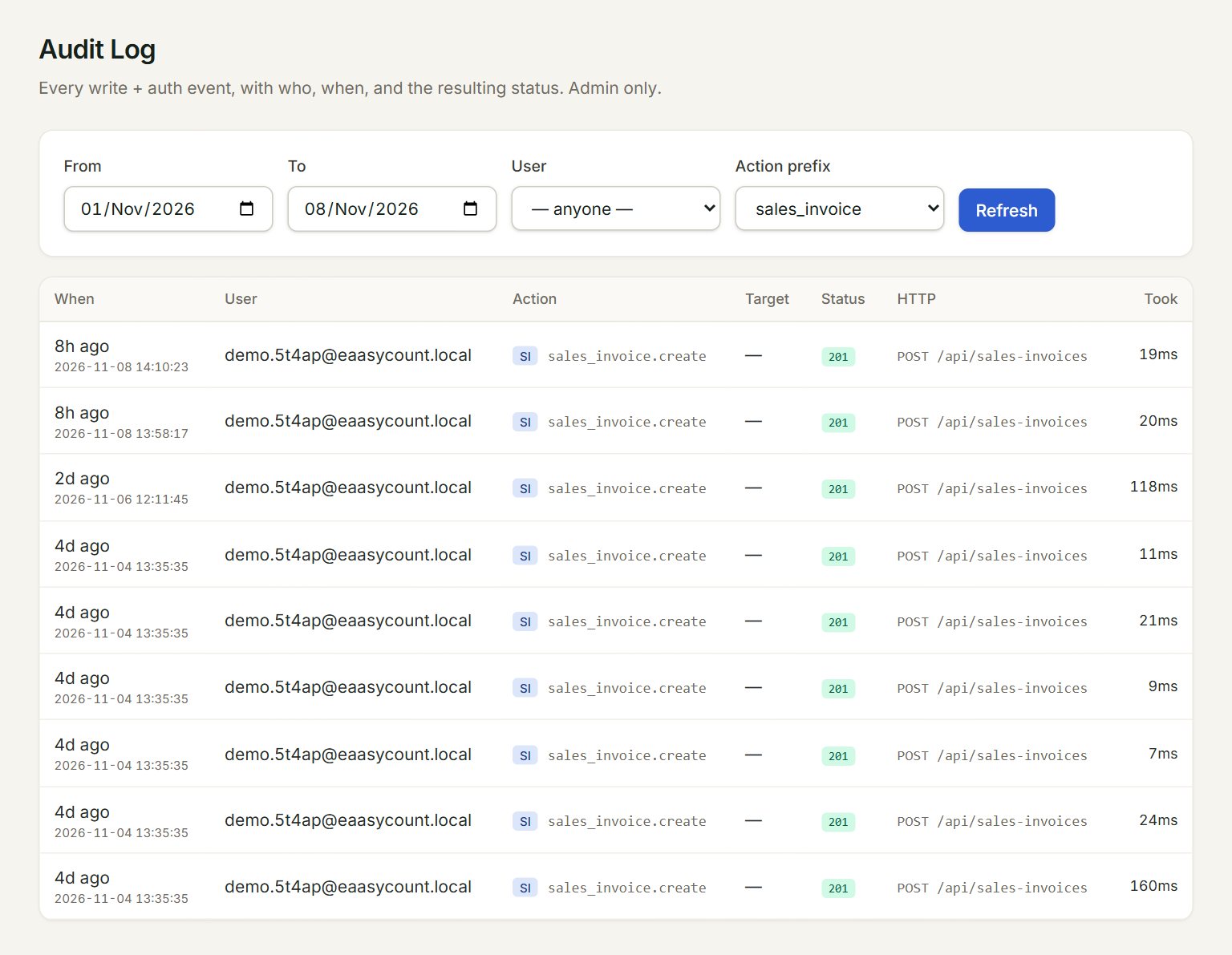
- From and To: the dates to look at. The screen opens on the last seven days.
- User: one person's events only.
- Action prefix: one kind only, for example sales_invoice for sales invoices.
- A row: When, User, and the Action, such as sales_invoice.create. Click it for the Event detail.
- Status: green (under 400) means it was done; red means it was refused.
- Refresh: loads the newest events.
Find who changed something
- In the menu, open Settings, then Audit log.
- Set From and To around the day it happened.
- Choose the Action prefix, for example sales_invoice, and the User if you know who.
- Read the Action: .create is something new, .edit a change, .delete a deletion.
- Click the row. Event detail shows the exact time, the Target id of the record, and the IP it came from.
To see wrong passwords typed for your users, choose auth.login_failed (only) under Action prefix.
If something goes wrong
- Admin role required to view audit log.: only an admin can open this screen. Ask your admin to look for you.
- No events in this range.: widen From and To, or set Action prefix back to — anything —.
- The kind you want is not in Action prefix: the list shows only the kinds found in the dates chosen. Widen the dates first.