Customer statements
A statement of account for one customer, with every invoice and payment and what they still owe. Print it or email it.
On this page
A customer statement shows one debtor (customer) everything on their account for a period, and what they still owe. Send one with each month's reminder.
The screen
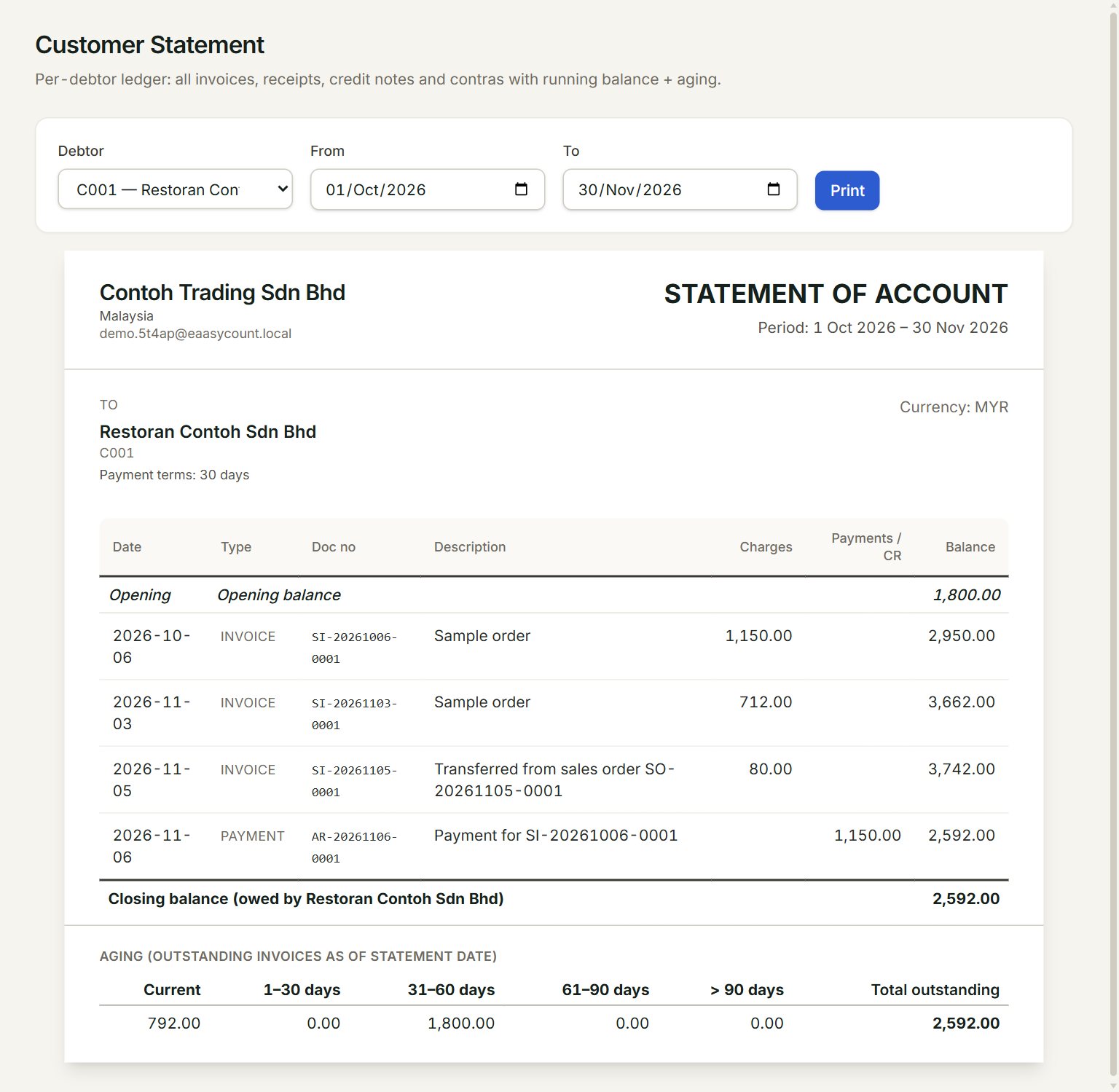
- Debtor: the customer.
- From and To: the statement period.
- Print: prints the statement on its own, without the menu.
- Opening balance: what the customer owed before From. Each invoice adds to the Balance; each payment or credit note takes away.
- Closing balance: what they owe at To.
- Aging: how old the unpaid invoices are.
The customer sees your company name, address and contact details at the top, then the lines and the closing balance. Your bank details and footer note print at the bottom when they are filled in, in Company profile.
Print a statement
- In the menu, open Reports, then Customer statements.
- Choose the Debtor.
- Set From and To, for example the first and last day of last month.
- Check the statement that appears below.
- Click Print. To keep a file, choose Save as PDF as the printer.
Email a statement
An Email button shows beside Print once the mail gateway is on and Customer/Supplier Statement is ticked there. It opens a short message with the closing balance in it. The statement itself is not attached, so attach the PDF you saved if the customer needs the lines.
If something goes wrong
- Print is grey: choose a Debtor first.
- No transactions in this period.: nothing happened between From and To. The opening and closing balances still show what is owed.
- There is no Email button: turn on the mail gateway and tick Customer/Supplier Statement in Mail gateway.