Pay components
The pay items payroll knows, and whether EPF, SOCSO, EIS, the HRD levy and PCB apply to each.
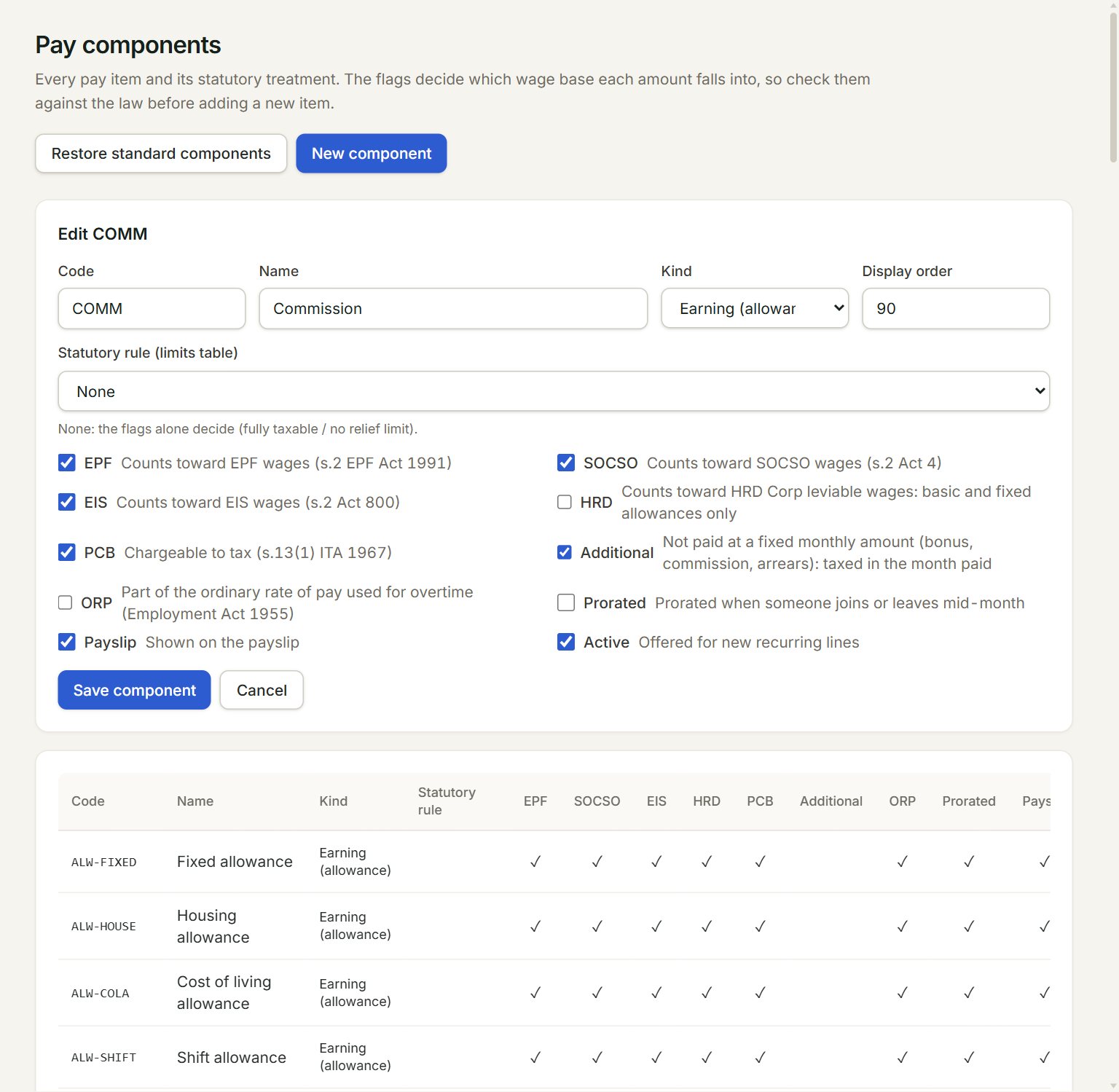
Pay components are the pay items payroll knows: allowances, overtime, bonus, commission, claims, deductions, benefits in kind and TP1 reliefs. Each one says which of EPF, SOCSO, EIS, the HRD Corp levy and PCB apply to it. The standard Malaysian items are there already.
- New component: adds your own pay item.
- Restore standard components: puts back any standard item that is missing.
- Kind: Earning (allowance), Deduction, Employer cost, Benefit in kind or TP1 relief (optional deduction).
- The ticks: which wage bases the item counts in (EPF, SOCSO, EIS, HRD, PCB), and how it is paid (Additional, ORP, Prorated, Payslip). Each tick's meaning is beside it.
- Save component: saves the item.
- A component. Click Edit on it to open it. A faded row is not active.
Add your own item
- In the menu, open Payroll, then Pay components (under Setup).
- Click New component.
- Key a Code and a Name, and choose the Kind.
- Tick the wage bases it counts in, and how it is paid.
- Click Save component.
For an allowance, a benefit in kind or a TP1 relief, Statutory rule (limits table) links the item to its tax exemption or relief limit. None means the ticks alone decide.
A change applies to the runs you calculate from now on. Approved runs keep the amounts they were calculated with.
If something goes wrong
- A pay component with code … already exists in this company.: choose another code, or edit the one that is there.
- An item is not offered in + Add payroll items: tick Active on it. Employer costs are never offered there.