Sign in
Open your books with your email and password, and get back in when you forget the password.
On this page
Sign in at app.eaasycount.com with the email and password of your account. Each person signs in with their own email, so the audit log shows who did what.
The sign-in page
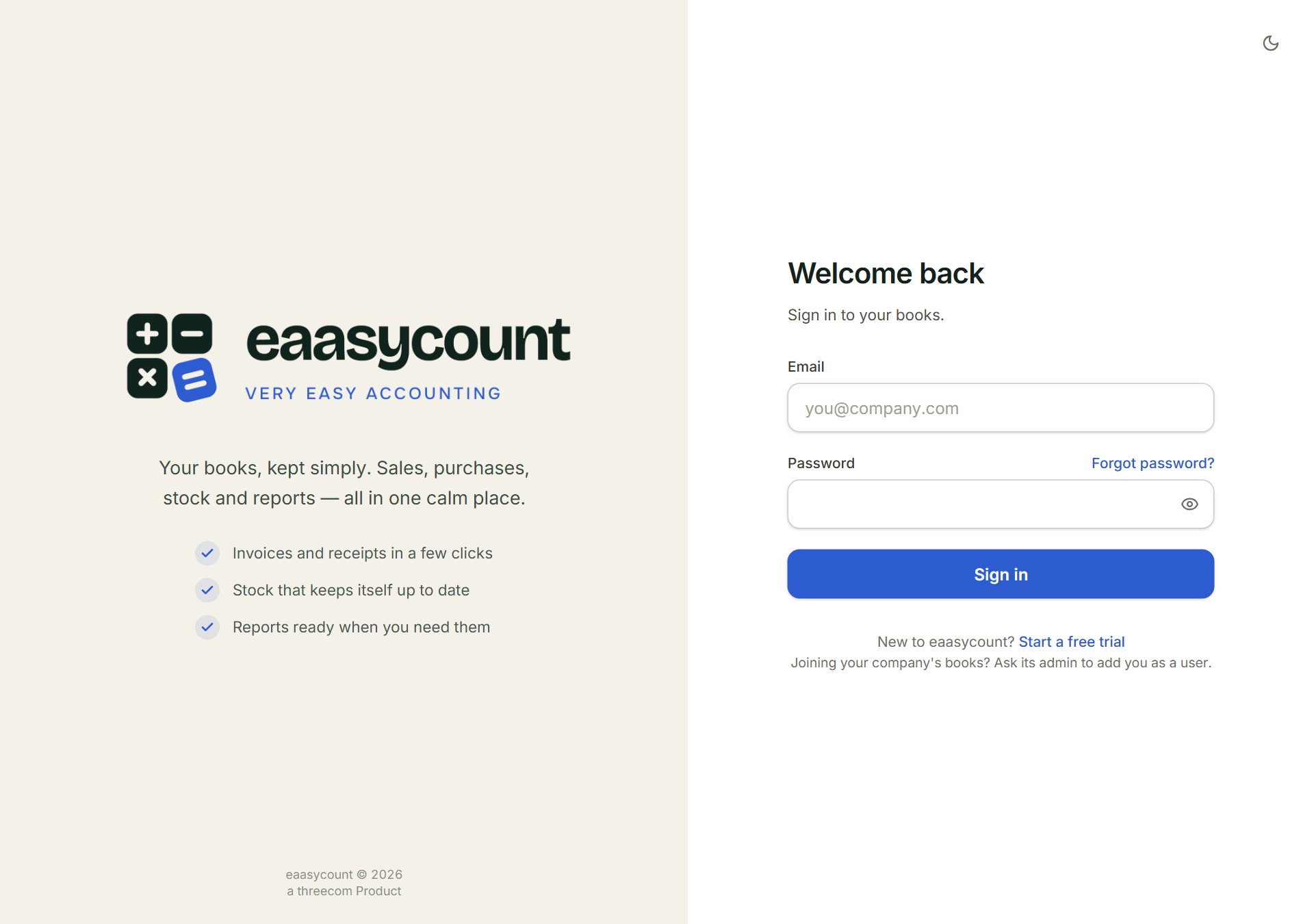
- Email: the address you signed up with, or the one your admin added you with.
- Password: the eye button shows what you typed.
- Forgot password?: sends you a link to choose a new password.
- Sign in: opens your books.
- Start a free trial: for a new business. See Create your account.
Sign in
- Go to app.eaasycount.com.
- Key your Email and Password, and click Sign in.
- If you work in more than one company, click the one to open under Pick a company to open.
To change company later, click the company name in the top bar. To sign out, click your initials at the top right, then Sign out.
Forgot your password
Click Forgot password?, key the email you sign in with and click Send reset link. Open the email and choose a new password. The link works for 30 minutes. Changing the password signs you out on every other device.
If something goes wrong
- Wrong email or password.: check both, and that Caps Lock is off. Or use Forgot password?.
- Too many sign-in attempts. Wait a few minutes, then try again.: wait about 15 minutes. An admin can clear the lock sooner under Sign-in locks in Users.
- Your account has no company access. Ask an admin to grant you access to at least one company.: an admin ticks a company for you in Access rights.