Stock by batch
Each batch number you received, item by item, with its quantity, cost and dates.
On this page
Stock by batch lists each batch (lot) number you have received, item by item, with its quantity and cost. Use it for goods that carry a batch code, such as canned food, to trace where a batch came from.
The screen
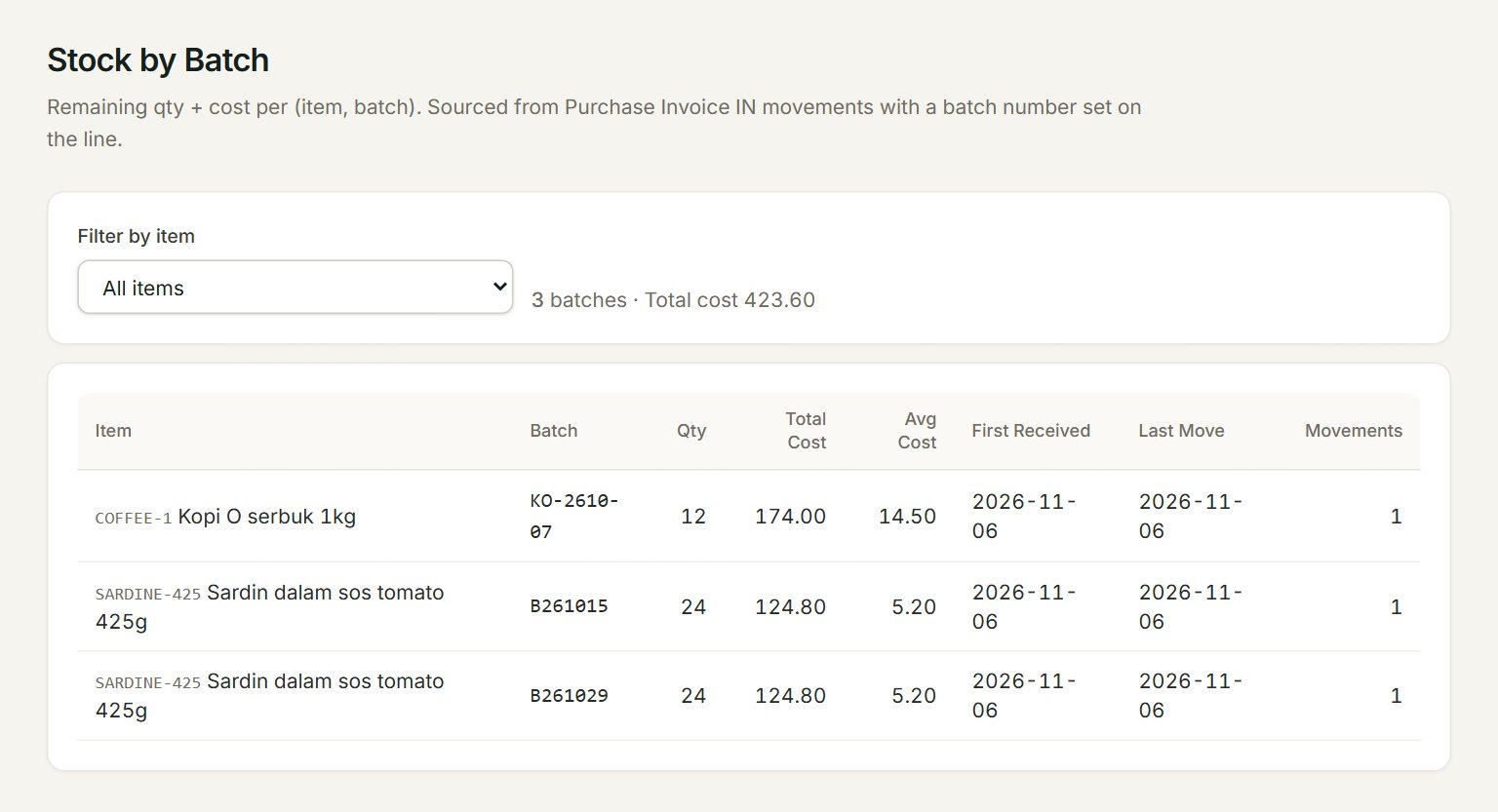
- Filter by item: one item, or All items.
- How many batches are listed, and their total cost.
- Batch: the batch number, as keyed on the purchase invoice or stock adjustment.
- Qty: how many came in under that batch, less any stock adjustments out of it. Total Cost and Avg Cost are what they cost.
- First Received and Last Move: the first and the last date the batch moved.
- Movements: how many times the batch has moved in or out.
Record a batch
- Make the purchase invoice for the goods as usual.
- In each line of a stock item, key the batch code from the carton in the Batch column.
- Two batches of one item? Put each on its own line, with its own quantity.
- Post the invoice.
- In the menu, open Reports, then Stock by batch: the batches are listed.
To take a batch off, for example when it expires, make a stock adjustment with a minus quantity and the same Batch.
If something goes wrong
- No batches yet. Add a batchNo on a Purchase Invoice line to start tracking.: no line has a batch number yet. Key one in the Batch column of a purchase invoice.
- The Batch box shows —: the item is not a stock item. Only items with Stock control take a batch.