Company profile
Your company's name, address and tax numbers, and the accounts eaasycount uses when a document does not name its own.
On this page
The Company profile holds the details that print on every invoice, receipt and voucher: your company's name, address, registration and SST numbers. Further down, it holds the accounts eaasycount posts to when a document does not name its own.
The screen
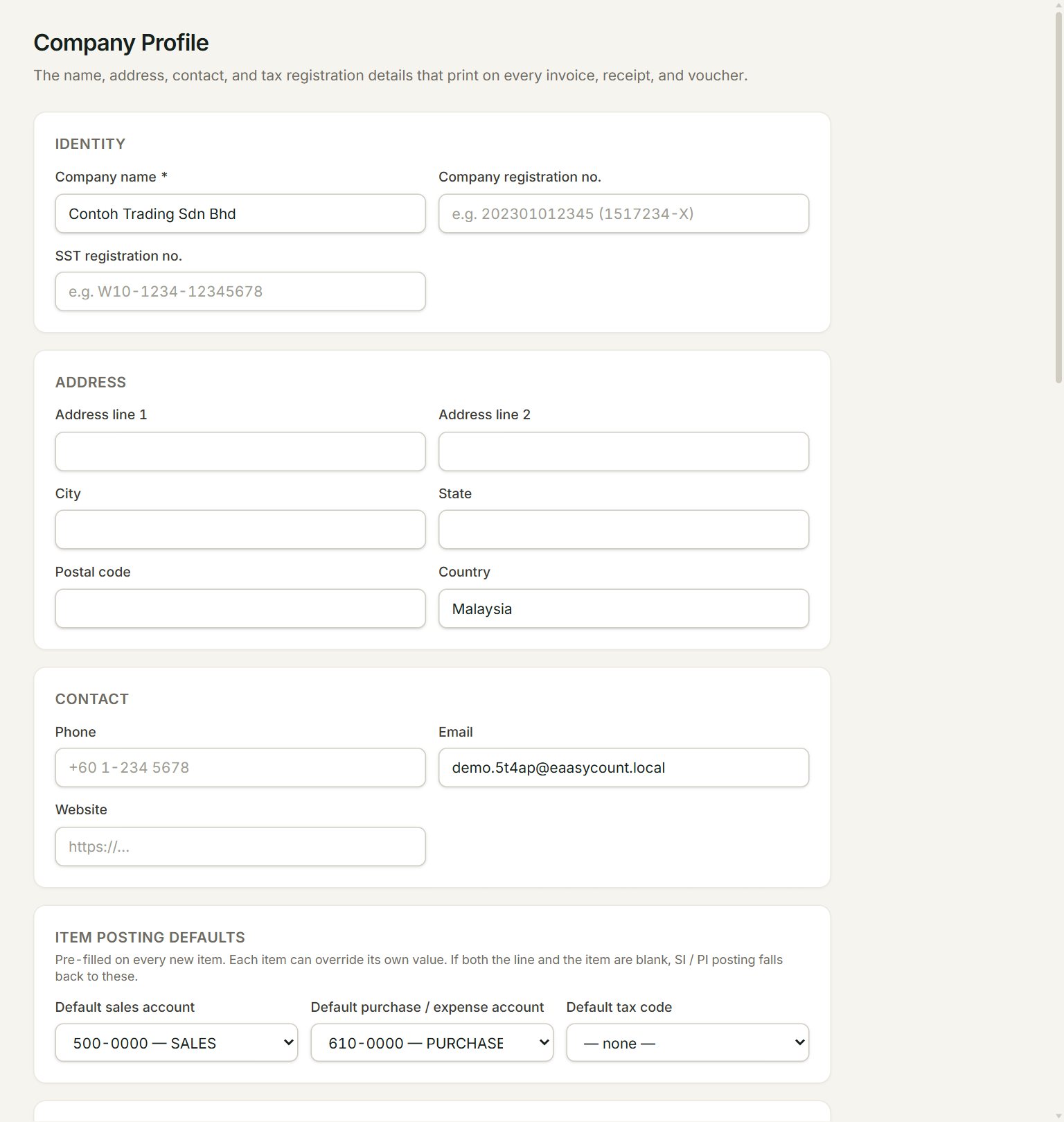
- Company name: prints at the top of your documents. It cannot be blank.
- Company registration no.: your SSM number.
- SST registration no.: your sales and service tax number, if you are registered.
- Address line 1 and Address line 2, then City, State, Postal code and Country.
- Phone, Email and Website: how customers reach you.
- Default tax code: filled in on every new item. Each item can have its own.
Further down the page
- Item posting defaults: the sales account, purchase account and tax code a new item starts with.
- Stock movement timing: move stock on the delivery order or goods received, instead of on the invoice.
- Stock and POS posting defaults: the stock, cost of sales and rounding accounts, 5-sen cash rounding, and the Retained earnings account (year-end close).
- POS receipt: the POS name and your Returns / exchange policy.
- Printed-doc footer: your Bank / payment instructions and Footer note / terms.
- Global report header & footer: a letterhead and a footer on every printed document.
Change your details
- In the menu, open Settings, then Company profile.
- Change what you need, for example the Phone or the Bank / payment instructions.
- Scroll to the bottom and click Save.
- A green note at the top says Saved. Changes show on the next printed document.
Only an admin can save here. With more than one company, each has its own profile.
If something goes wrong
- Company name is required.: type your company's name, then click Save again.
- Switching cash rounding on needs a rounding account.: choose a Rounding account before you turn on 5-sen cash rounding.
- No retained earnings account is configured for this company… when you close a year: choose the Retained earnings account (year-end close) here, save, then close the year again.