Cash flow
Where your cash came from and where it went, between two dates.
The cash flow shows how the money in your bank and cash accounts changed between two dates: what came in, what went out, and why. It starts from the opening cash and ends at the closing cash.
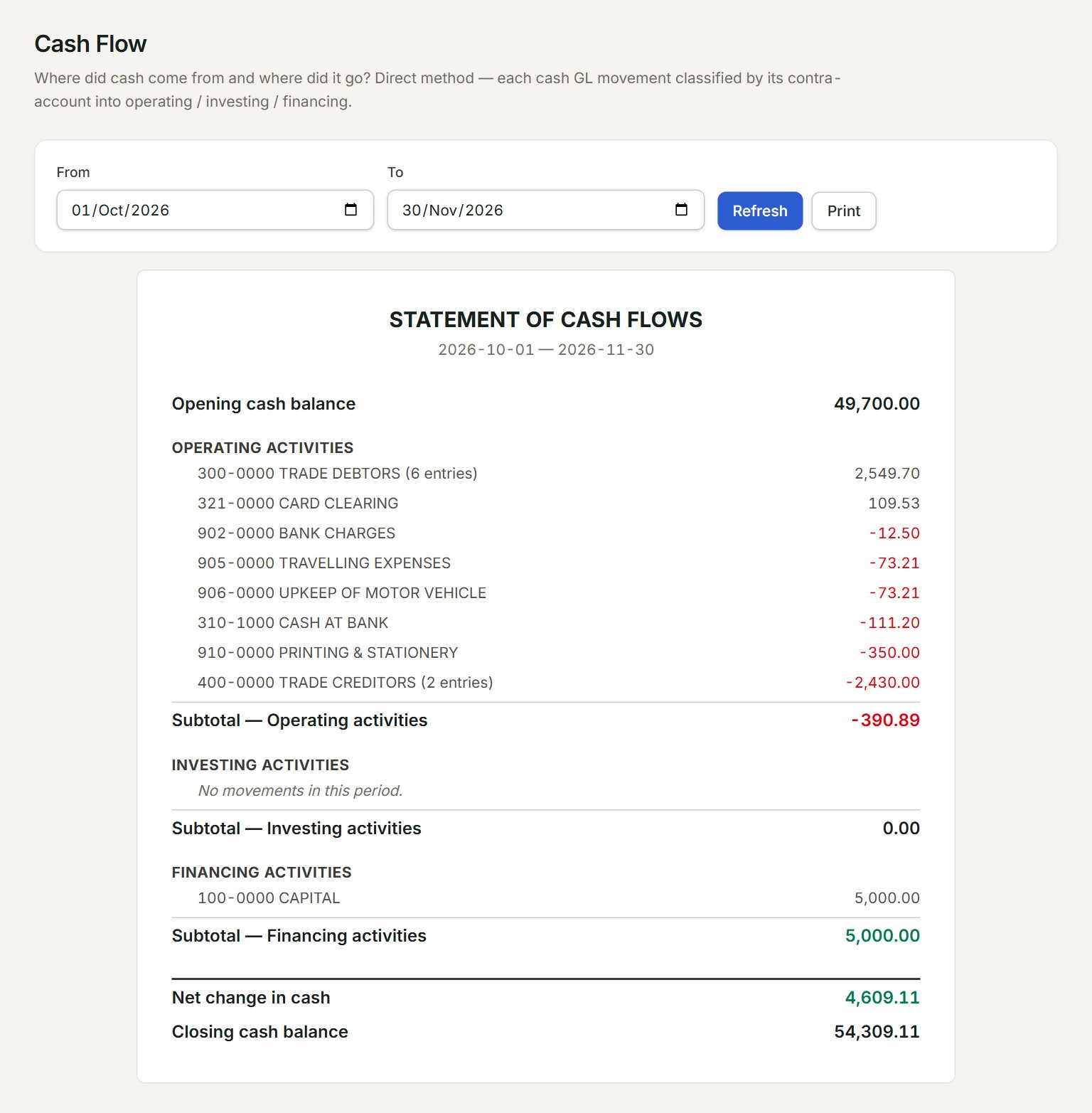
- From and To: the period.
- Refresh: runs the report again with the latest postings. Print prints it.
- Opening cash balance: the cash in your bank and cash accounts before the From date.
- Operating activities: money from customers, to suppliers, for expenses and the like.
- Financing activities: capital paid in or taken out. Money for fixed assets shows under Investing activities, above it.
- Closing cash balance: the opening cash plus the Net change in cash.
Run the report
- In the menu, open Reports, then Cash flow.
- Set From and To. The report runs as soon as you change a date.
- Read each group. A line names the account on the other side, such as 300-0000 TRADE DEBTORS for money from customers.
- Click Print to print it.
Each amount is money in when it is above zero and money out when it has a minus. The Subtotal under each group adds it up.
If something goes wrong
- No movements in this period.: no money moved that way between the two dates. That is normal for Investing activities in most months.
- The opening cash looks wrong: check your bank balances in Opening balances, and the entries in Account inquiry.