Document numbering
Choose how your invoice, receipt and voucher numbers look, and when the counter starts again.
On this page
Document numbering sets how the numbers of new documents look: the letters in front, the date in the middle, and how many digits the counter has. Use it when you want, say, INV instead of SI on your invoices.
The screen
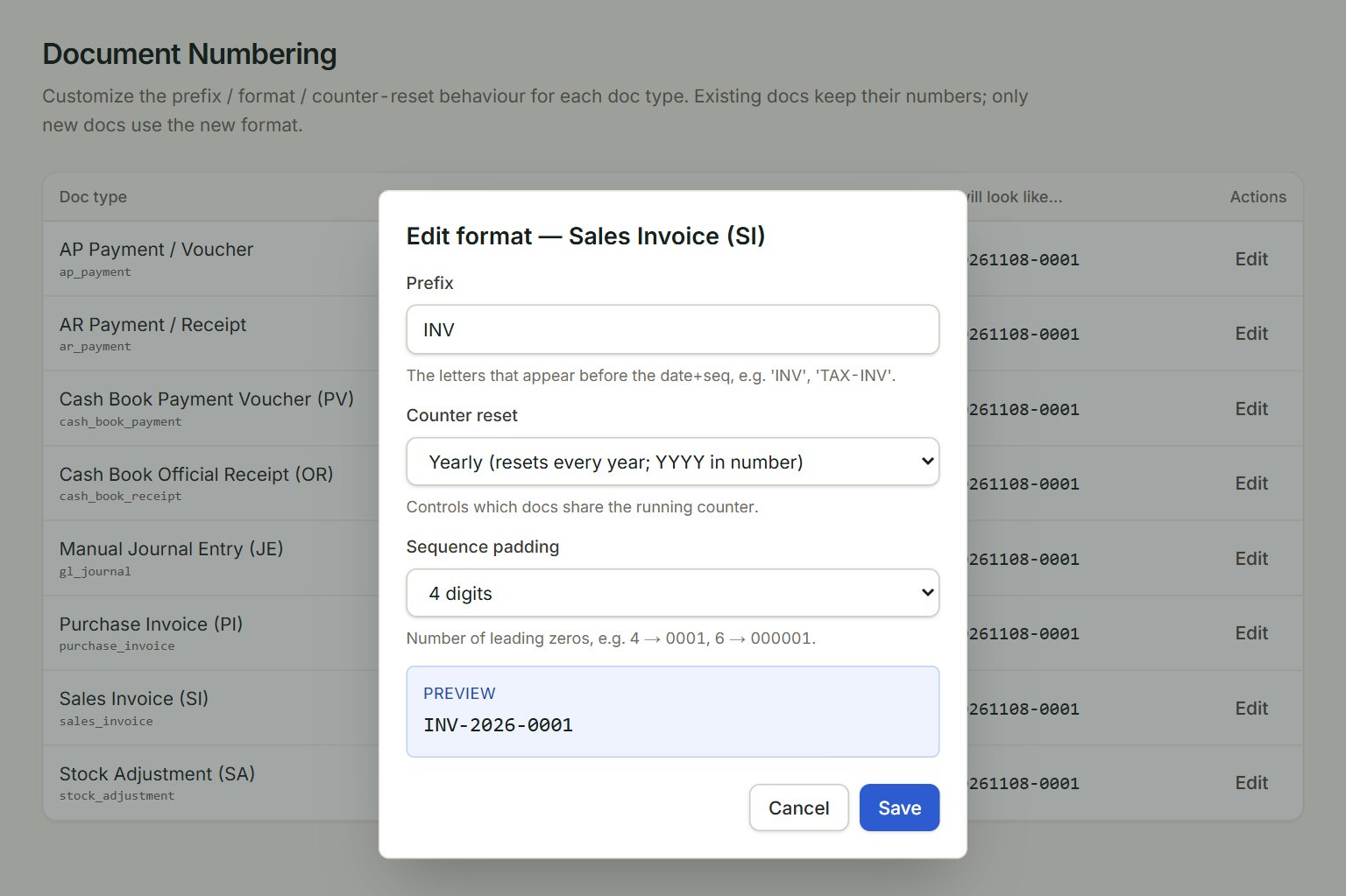
- Prefix: the letters in front, for example INV or TAX-INV.
- Counter reset: when the counter goes back to 1, and the date it puts in the number.
- Sequence padding: how many digits the counter has: 4 gives 0001.
- Preview: what the next number will look like.
- Save: keeps the new format.
Behind the box is the list: one row for each kind of document, such as Sales Invoice (SI) or Cash Book Payment Voucher (PV). Next will look like… shows its next number.
Change a format
- In the menu, open Settings, then Document numbering.
- Click Edit on the document's row.
- Type the Prefix and choose the Counter reset and Sequence padding.
- Check the Preview and click Save.
The counter reset choices:
- Daily: SI-20261108-0001. Starts at 1 every day.
- Monthly: SI-202611-0001. Starts at 1 every month.
- Yearly: SI-2026-0001. Starts at 1 every year.
- Never: SI-0001. One counter that only goes up.
Documents you already have keep their numbers. Only new documents use the new format. Each company keeps its own formats, and only an admin can change them.
If something goes wrong
- Save is grey: type a Prefix.
- The list is empty: no formats have been set for this company yet. Documents get the standard numbers, for example SI-20261108-0001.