Mail templates
Change the subject and the words of the emails eaasycount sends for each kind of document.
On this page
Mail templates hold the subject and the message of each email eaasycount sends: one for invoices, one for quotations, one for statements, and so on. Change the words once here, and every email of that kind uses them.
The list
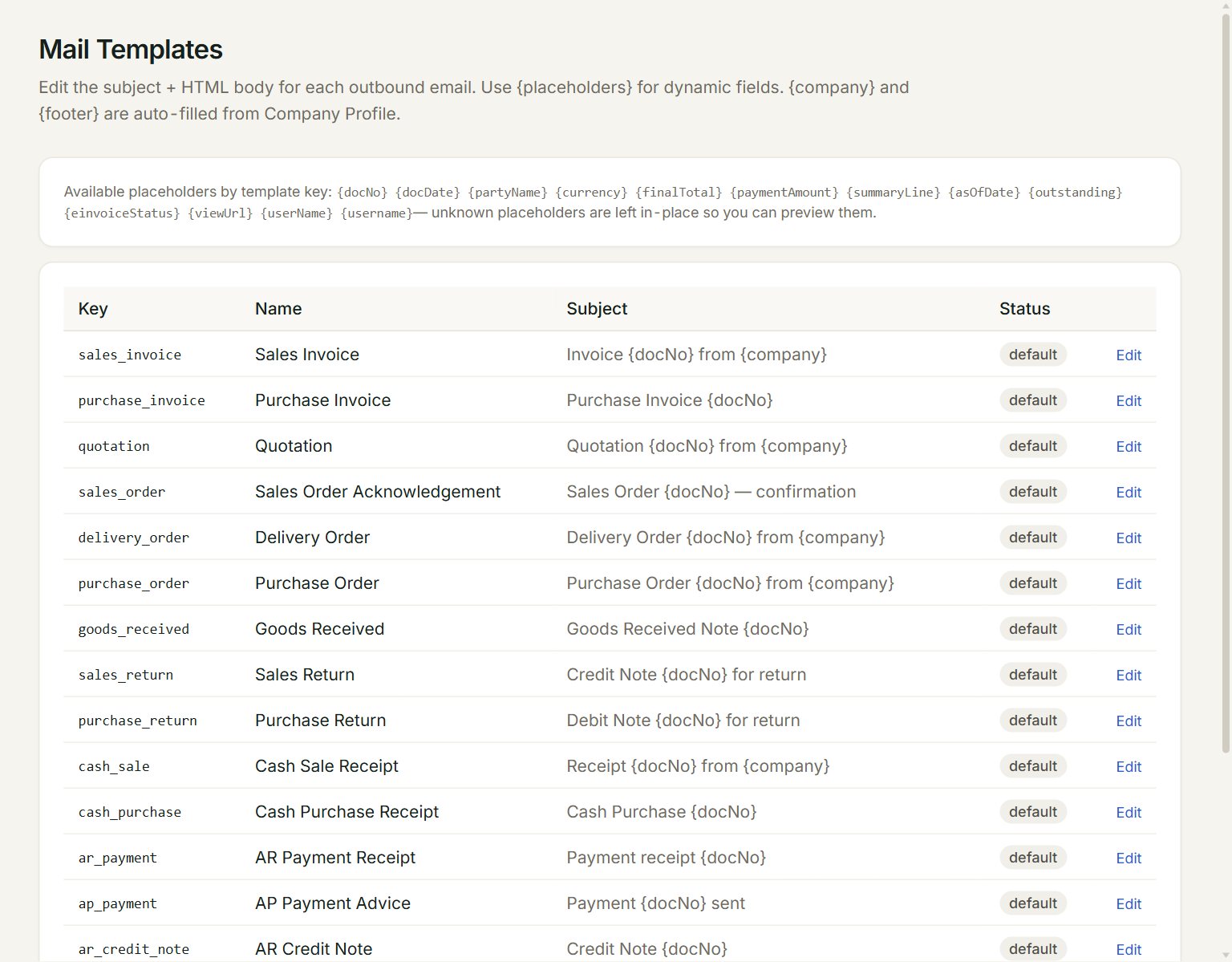
- The placeholders you can use, such as {docNo} and {partyName}. eaasycount fills them in when it sends the email.
- Name: the kind of document the email is for.
- Subject: the email's subject line.
- Status: default is eaasycount's own wording; customised is yours.
- Edit: changes the subject and the message. A customised one also has Reset, which goes back to eaasycount's wording.
Change an email
- In the menu, open Settings, then Mail templates.
- Click Edit on the email you want to change, for example Sales Invoice.
- Change the Subject. Keep a placeholder such as {docNo} where the document number should go.
- Change the words in Body (HTML). Leave the parts in angle brackets as they are: they set the layout.
- Click Save. The Status becomes customised.
{company} and {footer} fill in by themselves: your company name and the Footer note / terms from your Company profile.
When you email a document, the Send email box opens with this subject and message already filled in. You can still change them there, for that one email, before you click Send.
If something goes wrong
- A placeholder shows in the email as written, for example {docNo}: check its spelling and capitals against the list at the top. A placeholder eaasycount does not know is left as it is.
- You want eaasycount's own words back: click Reset on that email.