Fiscal periods
Your financial years and their months. Close a month when it is done, and close the year at year end.
On this page
Fiscal periods shows your financial years, each split into monthly periods. Close a month once its figures are final, so nobody posts into it by mistake. At year end, close the year: the year's profit moves to retained earnings.
The screen
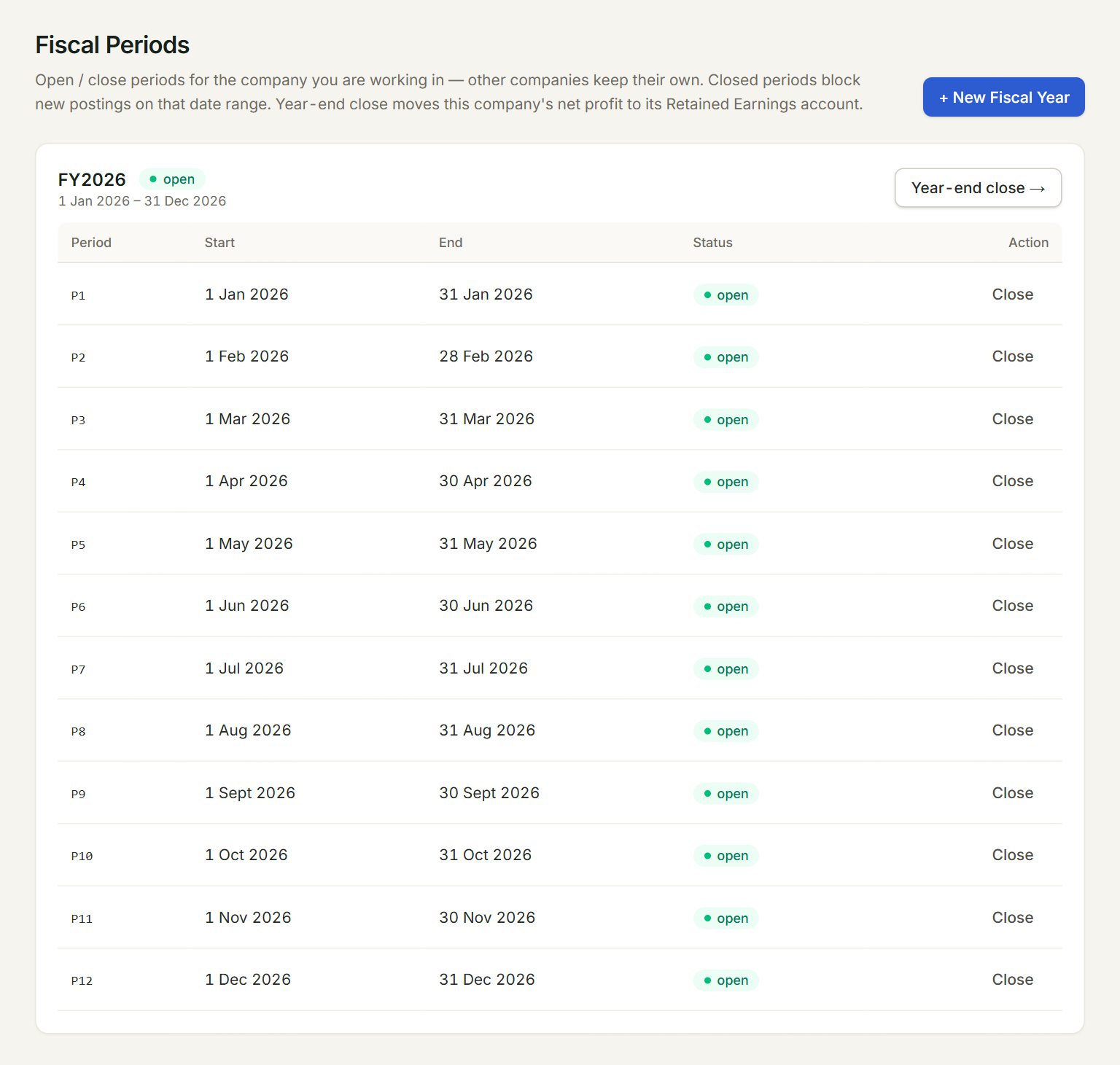
- + New Fiscal Year: adds a year, with its monthly periods.
- The year, its dates, and whether it is open or closed.
- Year-end close →: closes the whole year.
- A period: P10 is the tenth month of the year.
- Status: open takes postings; closed refuses them.
- Close: closes that month. On a closed month the button reads Reopen.
Close a month
- In the menu, open Settings, then Fiscal periods.
- Find the month and click Close on its row.
- Its Status turns closed. Nothing dated in that month can be posted or changed now.
For a late bill, click Reopen, post it, and close the month again.
Close the year
- Set the Retained earnings account (year-end close) in Company profile, if it is not set yet.
- Click Year-end close → on the year, and click OK in the box that asks.
- eaasycount posts a closing journal that moves the year's profit or loss to retained earnings, and closes the year and all its months.
Reopen year undoes it: the closing journal is voided and the year takes postings again.
A new year
A year that ends on 31 December starts the next one by itself, with the same monthly periods, the first time you post into the new year. For any other year end, click + New Fiscal Year, key the Code (for example FY2027), the Start date and End date, and click Create + auto-generate monthly periods.
If something goes wrong
- Cannot … dated …: … is closed for this company: use a date in an open month, or reopen that month here.
- No retained earnings account is configured for this company…: set it in Company profile, then close the year again.
- … the financial year for … has not been set up yet: add that year with + New Fiscal Year.