Card settlements
Record the card company's payout, so card takings move into your bank, less its charge.
When a customer pays by card at the counter, the money does not reach your bank at once. The card company (the acquirer) pays it out a day or two later, less its charge. Until then it waits in a clearing account. A card settlement records the payout from the terminal's batch report.
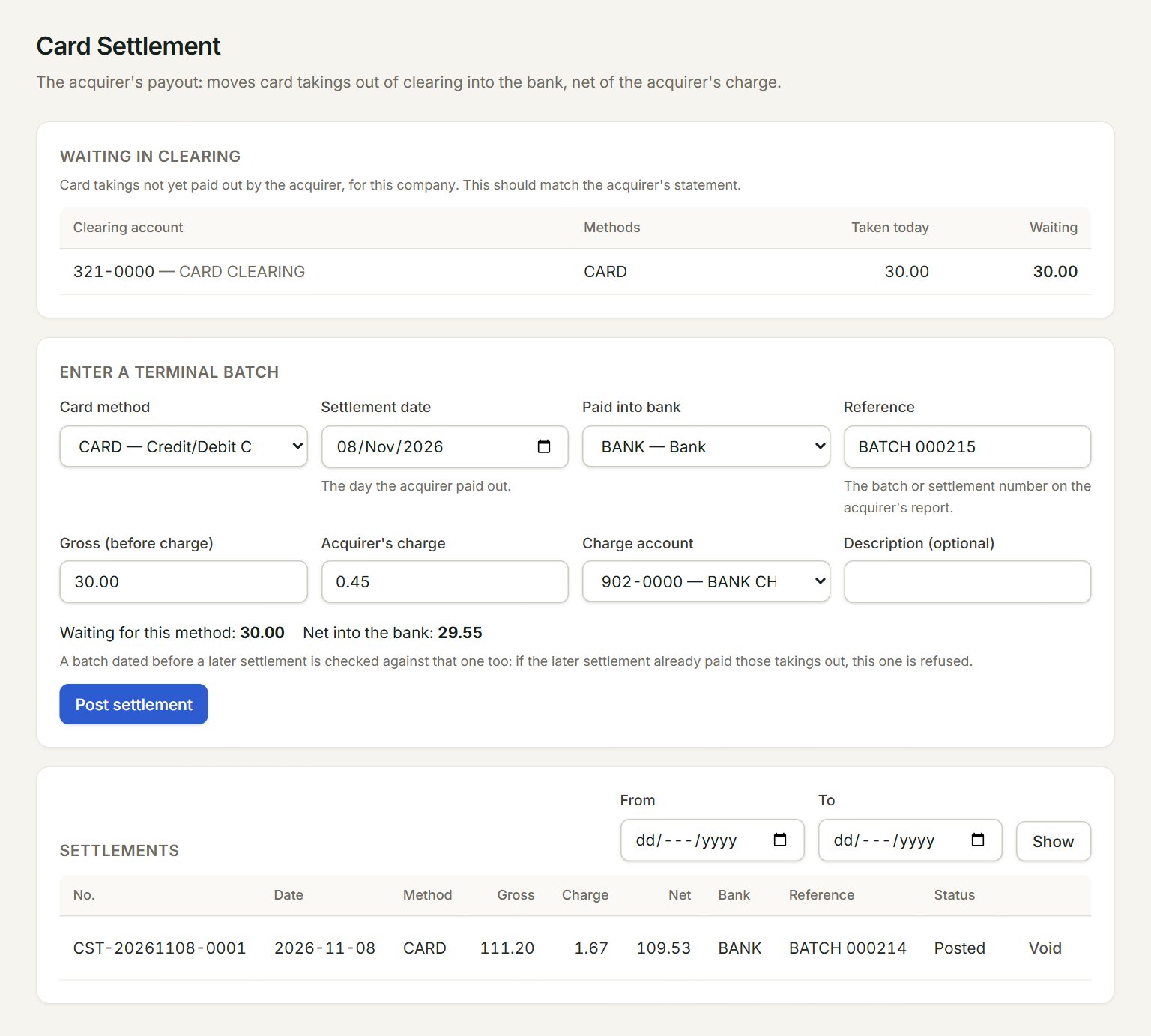
- Waiting in clearing: card takings not paid out yet. Waiting should match the acquirer's statement.
- Card method: the card method being settled.
- Gross (before charge): the batch total on the terminal's report.
- Acquirer's charge: what the card company kept. Net into the bank works out below.
- Post settlement: moves the gross out of clearing, the net into the bank and the charge to expenses.
- Settlements: the batches posted so far. Pick From and To and click Show to look further back.
Settle a batch
- In the menu, open Sell, then Card settlements.
- Under Enter a terminal batch, choose the Card method and the Settlement date: the day the acquirer paid out.
- Choose Paid into bank and key the batch number in Reference.
- Key the Gross (before charge) and the Acquirer's charge, and pick the Charge account, for example BANK CHARGES.
- Check that Net into the bank is what your bank statement shows, then click Post settlement.
To take a settlement back, click Void on its row under Settlements. Its takings go back to waiting, ready to settle again.
If something goes wrong
- "That is more than is waiting in clearing for this method. Check the batch total.": the gross is more than the card takings not yet settled. Check the batch report, and that its bills are in Cash sales.
- "Pick the account the charge is booked to (bank charges).": choose the Charge account.
- "The charge must be less than the gross amount.": key the charge, not the net.