Sales invoices
Bill a customer. One invoice records what they owe, the sale, the tax and the stock that leaves.
On this page
A sales invoice bills a customer. When you post it, eaasycount records what the customer owes, the sale and the tax, and takes stock items off the shelf at cost.
The list
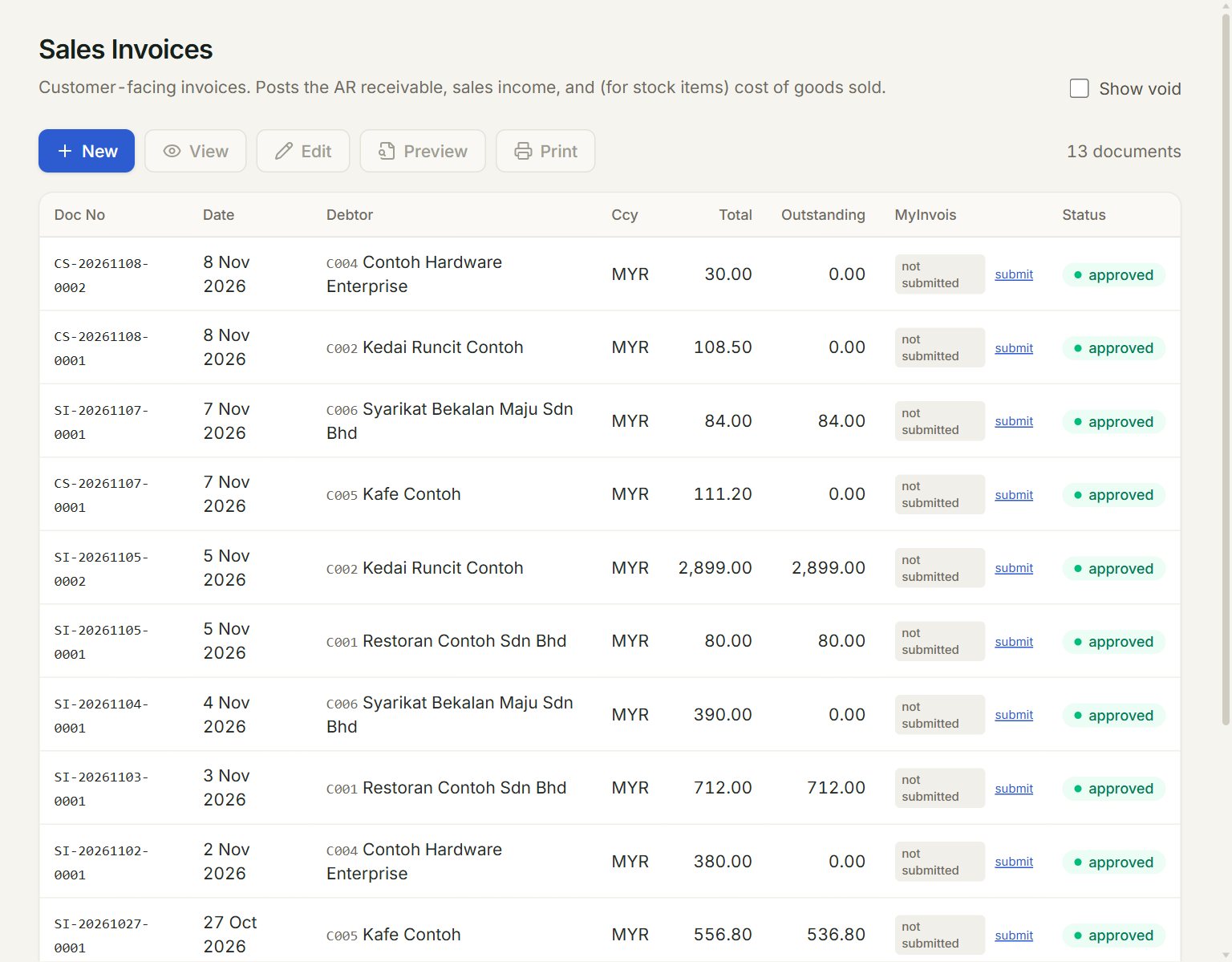
- New: starts a new invoice.
- A row: click it to select the invoice. Double-click it to preview.
- View, Edit, Preview and Print act on the selected invoice. Email shows here once mail is set up.
- Outstanding: what the customer still owes on the invoice.
- MyInvois: the e-Invoice status, with submit to send it to LHDN.
- Show void: lists the old, voided versions too.
Make an invoice
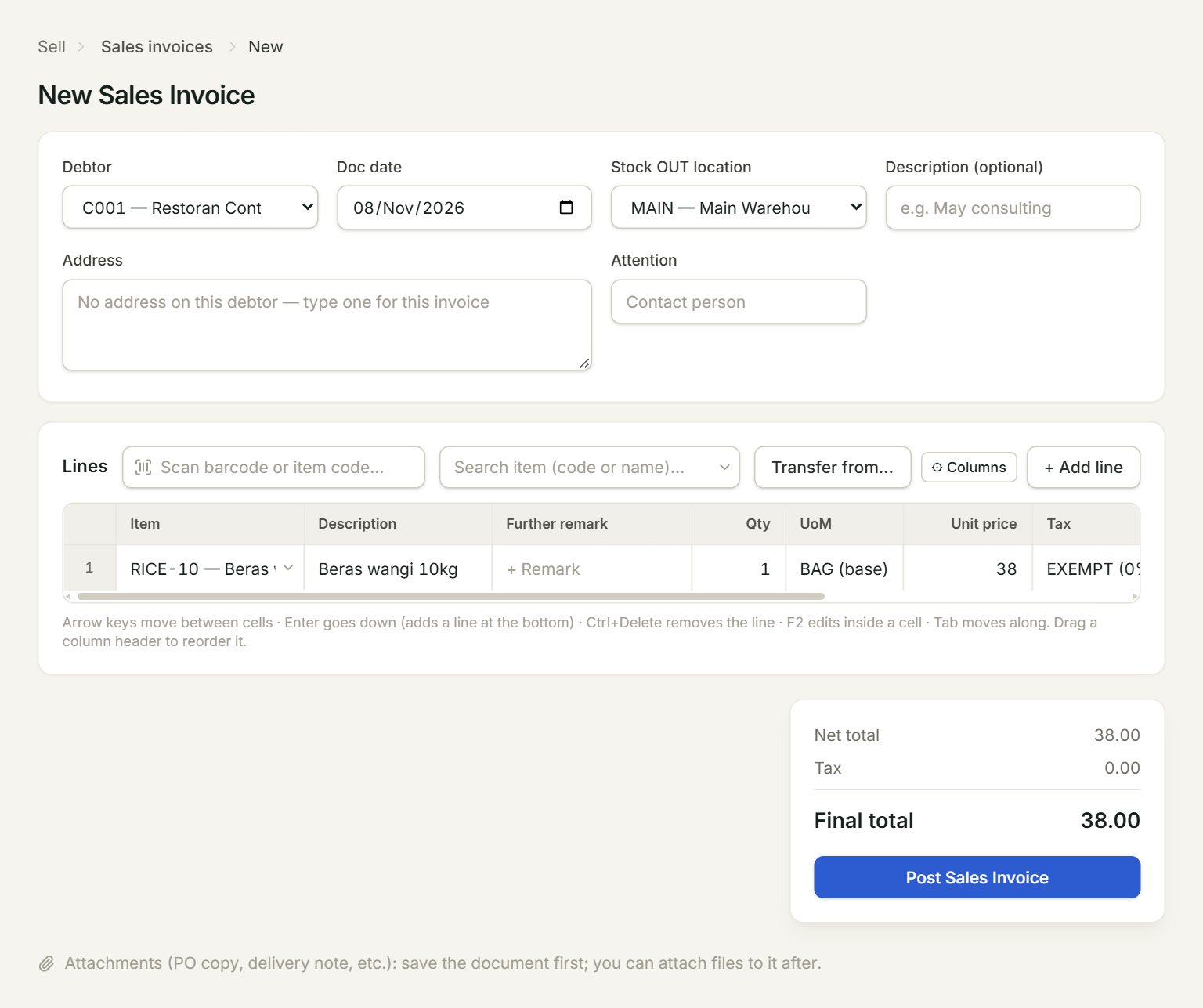
- Debtor: the customer. Their address fills in below; change it for this invoice if you need to.
- Stock OUT location: where stock items leave from. The ★ one is your main location.
- Transfer from…: brings in lines from the customer's open quotations, sales orders and delivery orders.
- Scan a barcode or type an item code here and press Enter: the line is added.
- Tax: the tax code of each line, for example SST6 or SST8.
- Post Sales Invoice: saves and posts the invoice.
- In the menu, open Sell, then Sales invoices, and click New.
- Choose the Debtor and check the Doc date.
- Add the lines: scan or type each item code, or click + Add line. Key the Qty and the Unit price, and pick the Tax code.
- Click Post Sales Invoice.
- In the box that opens, click Preview or Print, or Close to carry on.
To bill what you already quoted, ordered or delivered, choose the debtor first, then click Transfer from… and tick the lines. The orders are drawn down, so they show only what is left to bill.
Change an invoice
Select it in the list and click Edit. The number stays the same and the old version is kept as void. There is no Delete: to take an invoice back, give the customer a credit note, or a sales return when goods come back.
If something goes wrong
- Post Sales Invoice is grey: choose the debtor and add at least one line with a quantity.
- Cannot edit if any payment has been knocked off: open that payment in Receive payment, click Edit and take this invoice off it, then edit the invoice.
- "… is serialized — click Serials and pick … serial(s)": click Serials on that line and pick one serial number for each unit.