Customer invoices
Everything your customers owe, from every source, in one list with what is paid and what is outstanding.
On this page
Customer invoices lists every invoice a customer owes you, whatever made it: your sales invoices, the bills paid at the counter, and the unpaid invoices you brought in when you started with eaasycount. For each one it shows what has been paid and what is still outstanding. The screen's title is AR Invoices.
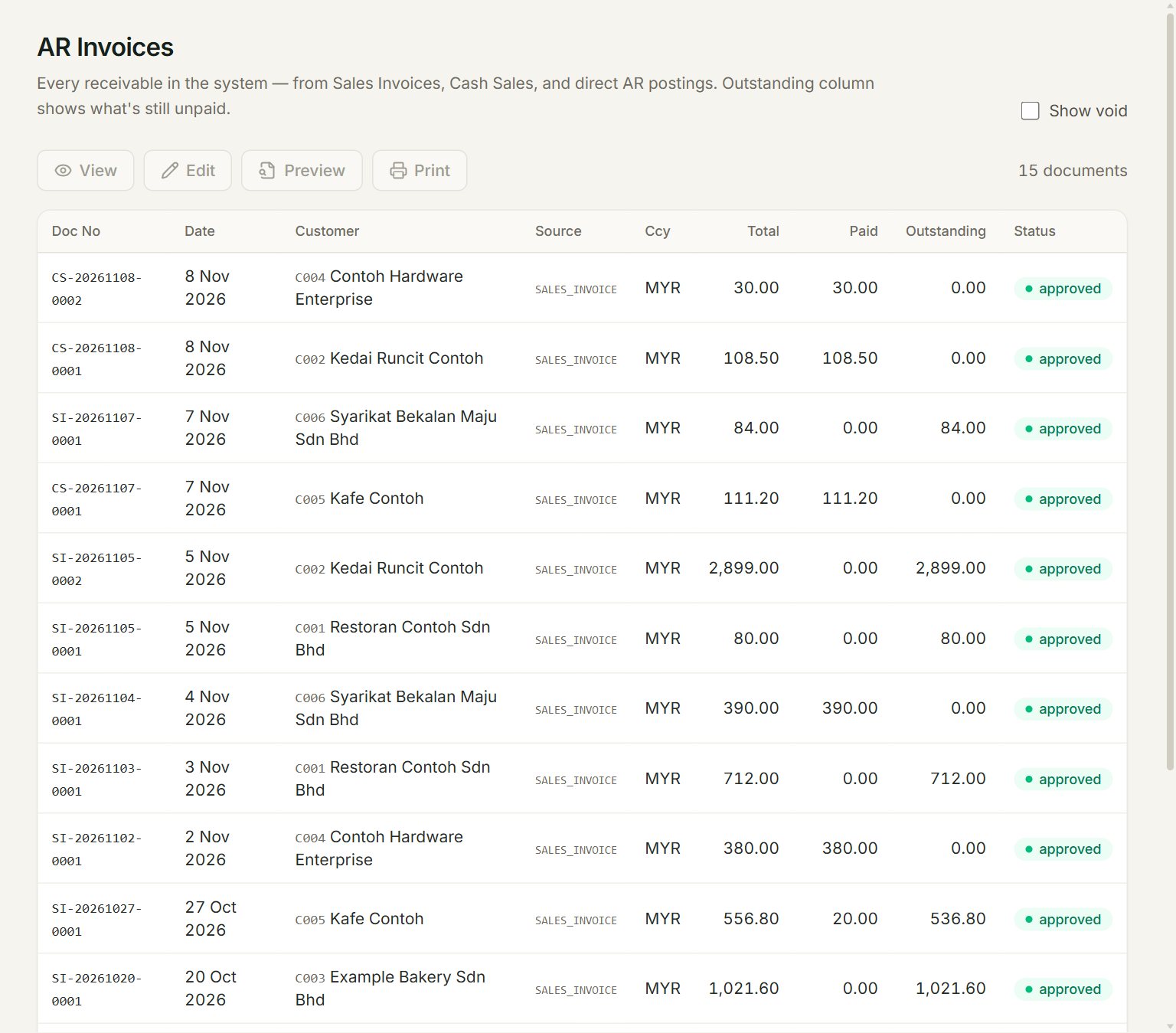
- An invoice: its number, date, customer and Total. A credit note has settled 20.00 of this one.
- Source: what made it. SALES_INVOICE is a sales invoice or a bill from the counter. OPENING, at the bottom of the list, is an unpaid invoice from before you started, keyed in Opening balances.
- Paid: what has been knocked off it so far, by payments, credit notes and contras.
- Outstanding: what the customer still owes on it. 0.00 means it is settled.
- Show void: lists voided invoices too.
How it differs from Sales invoices
| Sales invoices | Customer invoices | |
|---|---|---|
| What it is for | Making, changing and printing invoices | Seeing what each customer still owes |
| Open, change, print an invoice | Yes | No |
| Bills from the counter (CS numbers) | Yes | Yes |
| Invoices from before you started | No | Yes |
To open, change or print an invoice, find it in Sales invoices. To collect it, use Receive payment.
Find what a customer owes
- In the menu, open Customers, then Customer invoices.
- Look down the Customer column for the customer. The newest invoices are at the top.
- Read the Outstanding column. Anything above 0.00 is still to be paid.
For one customer on one page, run their customer statement. To see who is late, run Aged receivables.
If something goes wrong
- Preview or Print does nothing: this list cannot open an invoice. Open it in Sales invoices.
- An invoice is not in the list: it may have been voided. Tick Show void to see voided invoices too.