Mail gateway
Connect eaasycount to your company's email account, so you can email invoices and other documents.
On this page
The Mail gateway is the email account eaasycount sends from: your own address, through your email provider's outgoing (SMTP) server. Once it is set up and switched on, the document lists get an Email button.
The screen
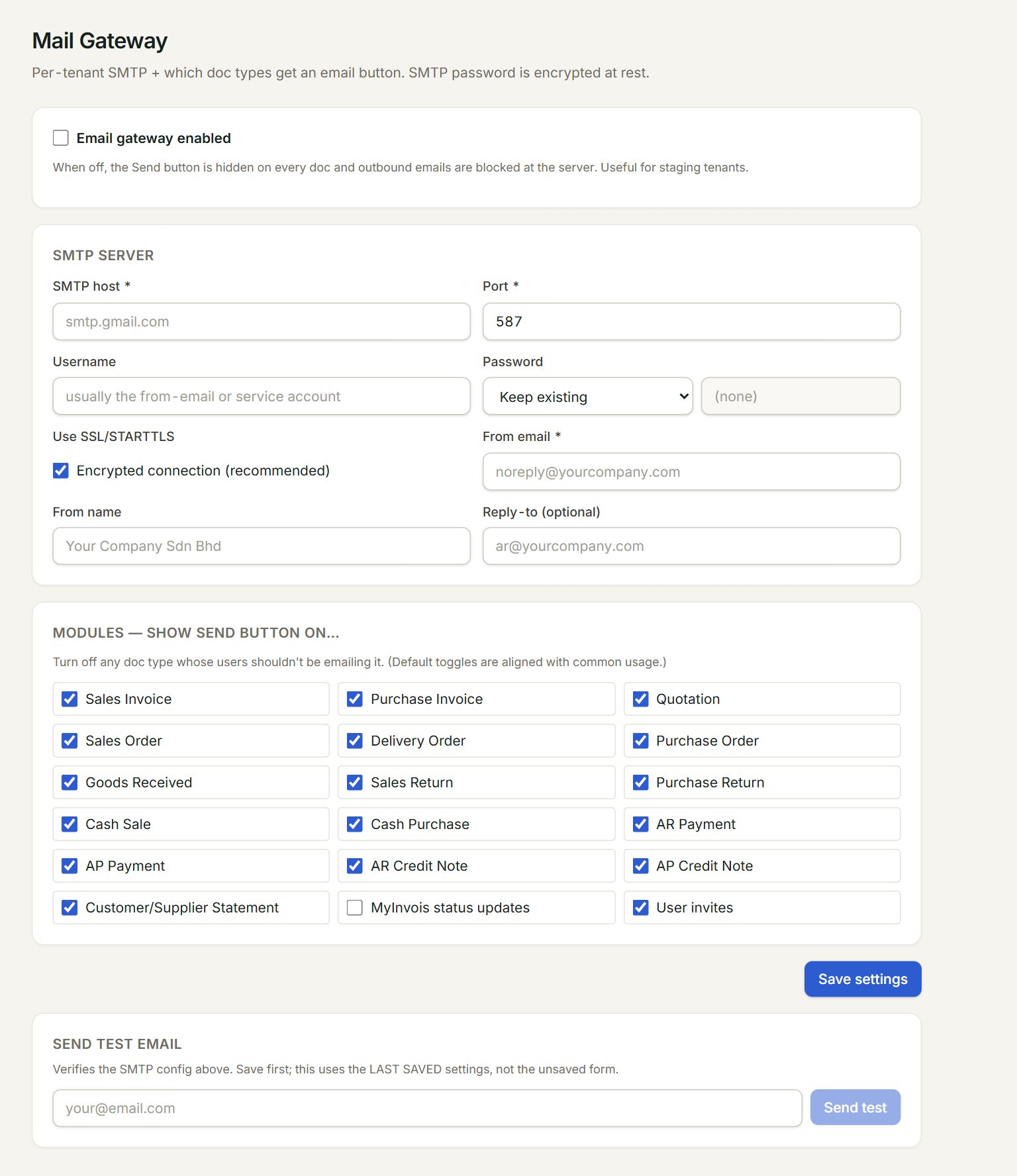
- Email gateway enabled: the main switch. When it is off, no email goes out and the Email buttons are hidden.
- SMTP host and Port: your provider's outgoing server, for example smtp.gmail.com and 587.
- Password: choose Set new to type one. It is kept encrypted and never shown again.
- From email: the address your customers see. From name and Reply-to (optional) go with it.
- Modules — show Send button on…: tick the documents that may be emailed.
- Save settings: saves everything on the screen.
Set up email
- In the menu, open Settings, then Mail gateway, and tick Email gateway enabled.
- Fill in SMTP host, Port and Username. Leave Use SSL/STARTTLS ticked.
- Under Password, choose Set new and type the password. For Gmail, use an app password, not your normal one.
- Type the From email and From name. Untick any document under Modules that should not be emailed.
- Click Save settings.
- Under Send test email, type your own address, click Send test, and check your inbox.
Your email provider gives you the server, the port and the password. Every email eaasycount sends, and every failure with its reason, is listed in Mail log.
If something goes wrong
- SMTP settings are incomplete.: fill in SMTP host, Port and From email, click Save settings, then test again.
- Email gateway is not enabled.: tick Email gateway enabled and click Save settings.
- Sending email needs the Standard plan: the Free plan does not send email. See Plans and the Free plan.