Quotations
Quote your prices to a customer, then turn the quote into an order, a delivery or an invoice.
On this page
A quotation tells a customer what you will charge. It does not touch your books or your stock. When the customer agrees, you transfer it onward, so nothing is keyed twice.
The list
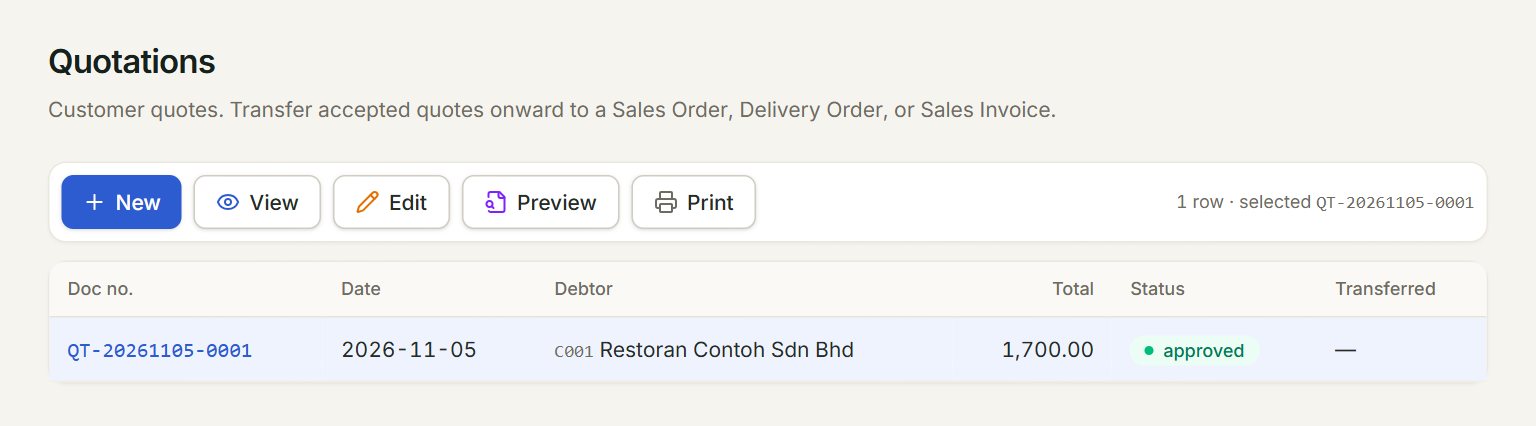
- New: starts a new quotation.
- A row: click it to select the quotation. Double-click it to open it.
- View opens the selected quotation to look at; Edit opens it to change.
- Preview and Print show the quotation as the customer gets it, on A4 or A5.
- Status: approved is open, partial is partly transferred, transferred is done and locked.
- Transferred: the document it went to, for example a sales order.
Make a quotation
- In the menu, open Sell, then Quotations, and click New.
- Choose the Debtor (the customer). Their address fills in.
- Set Valid until: the last day the prices hold.
- Add the lines: scan or type an item code and press Enter, or click + Add line. Check the Qty, Unit price and Tax.
- Click Save Quotation, then Preview or Print to send it.
Turn it into an order or an invoice
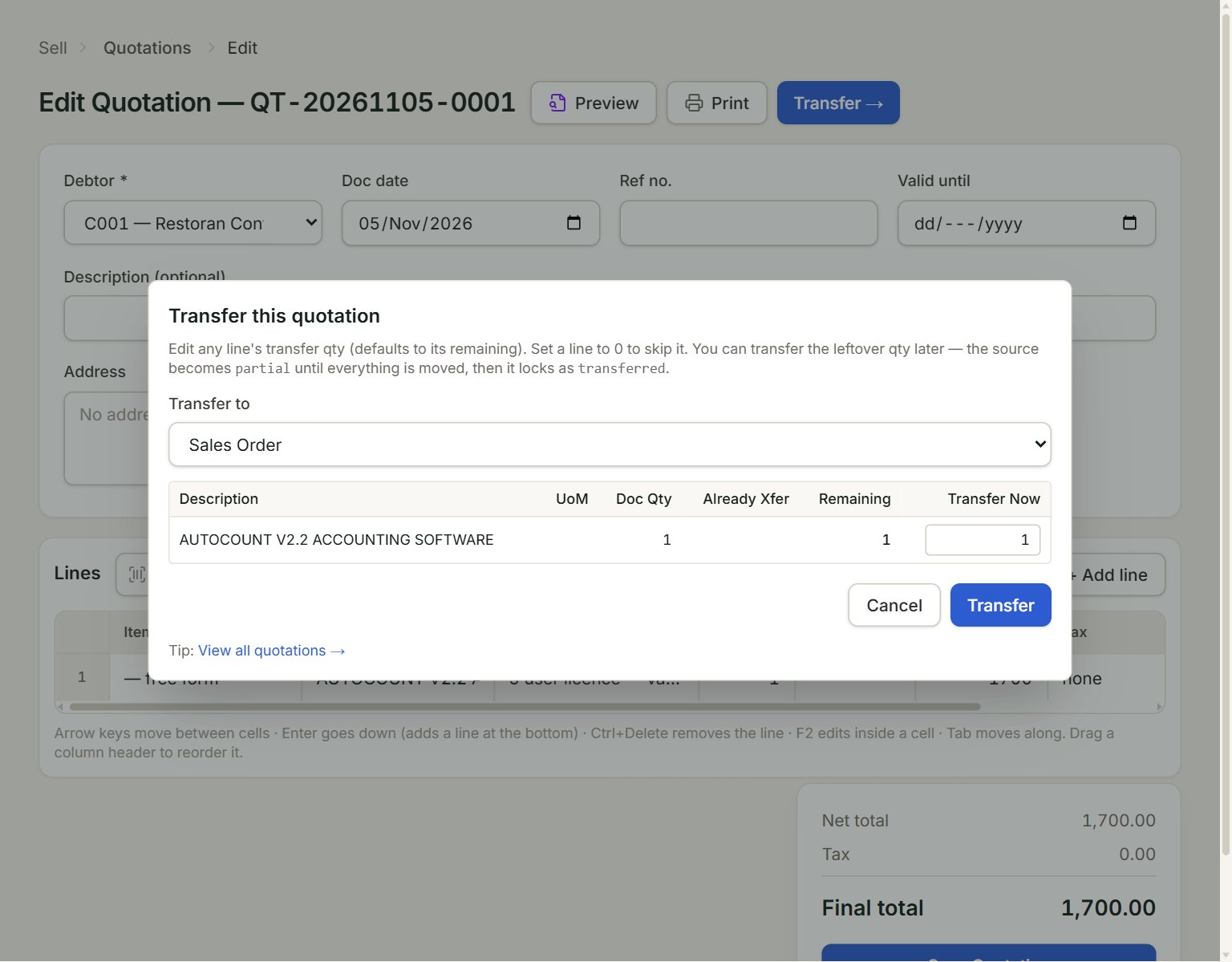
- Transfer to: Sales Order, Delivery Order or Sales Invoice.
- Transfer Now: how much of each line goes this time. It starts at what is Remaining; set a line to 0 to leave it.
- Transfer: makes the new document and opens it.
- Select the quotation and click Edit.
- Click Transfer → at the top.
- Choose Transfer to, and lower Transfer Now on any line the customer only wants part of.
- Click Transfer.
The quotation becomes partial until everything on it is transferred. Then it is transferred and locked: change the new document instead.