Employees
Everyone you pay through payroll, with their salary, statutory numbers and tax details.
On this page
Employees lists everyone you pay through payroll, with what the payroll run and the statutory files need: the salary, NRIC, EPF, SOCSO and tax numbers, and bank account.
The list
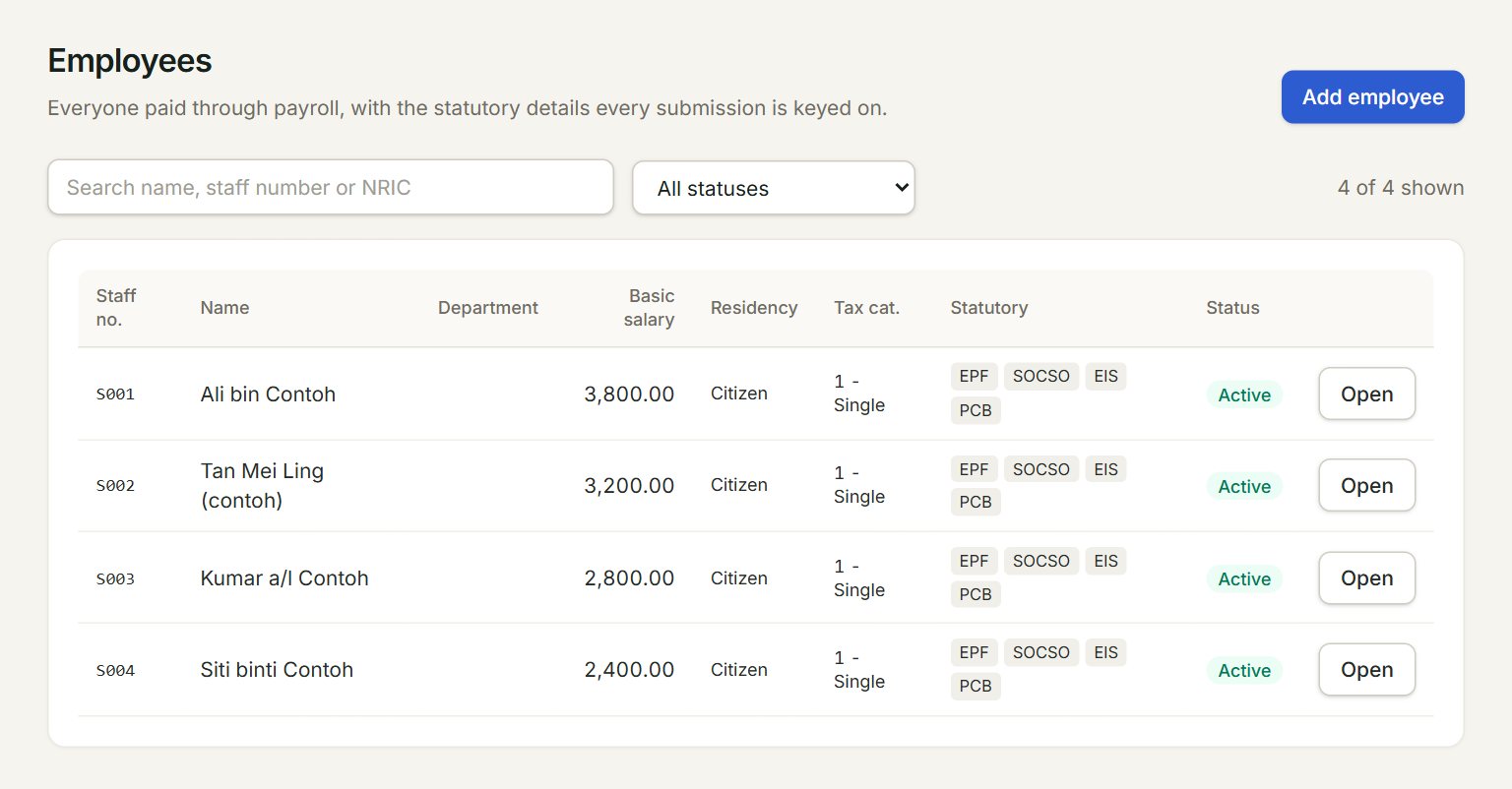
- Add employee: opens a blank employee form.
- Search by name, staff number or NRIC.
- Show one status only, for example Active or Resigned.
- A row. Double-click it to open the employee. A yellow missing tag means a number is not keyed yet: point at it to see which.
- Statutory: what applies to the employee: EPF, SOCSO, EIS and PCB.
- Open: opens the employee.
Add an employee
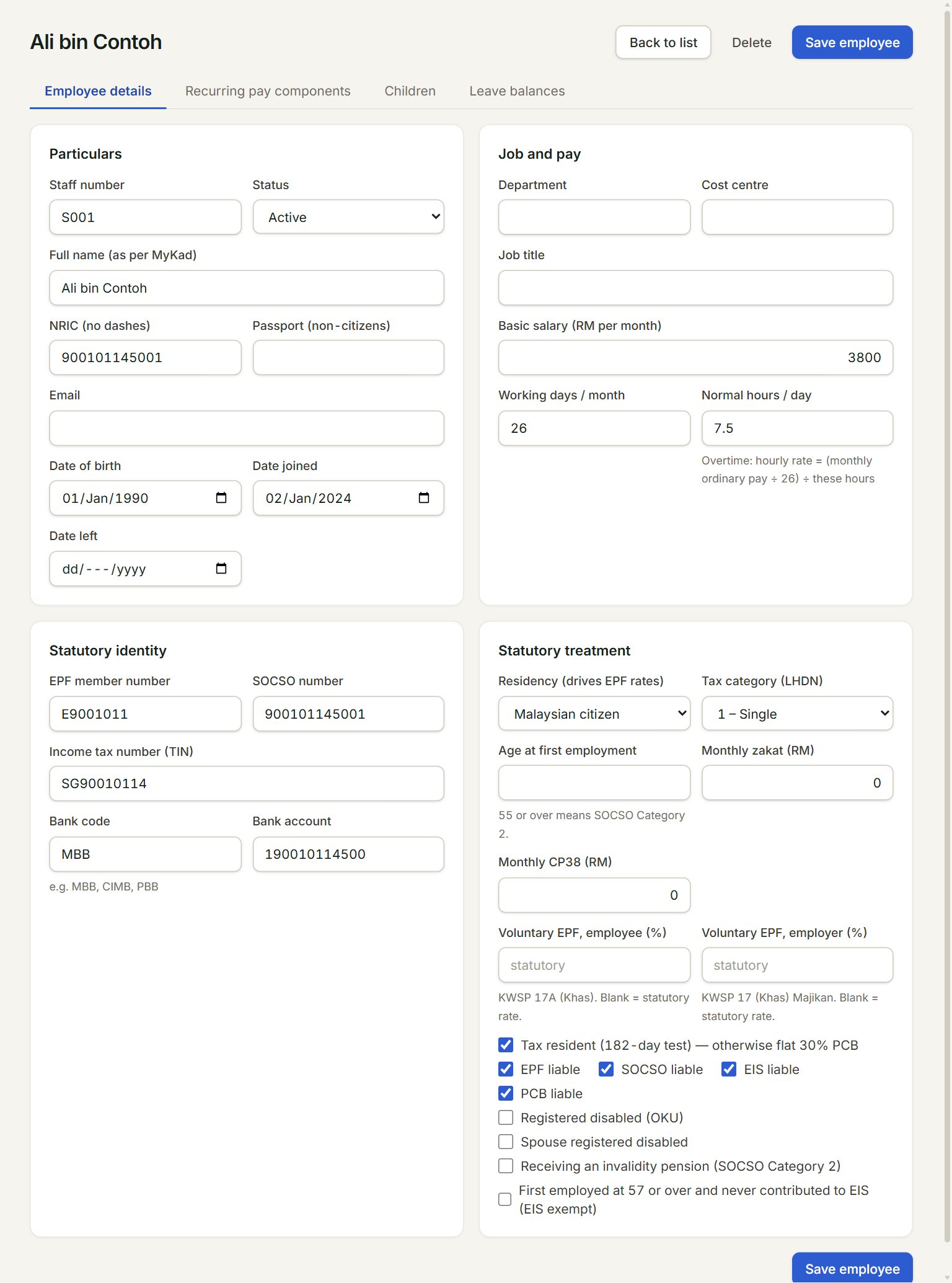
- Employee details: name, NRIC, dates, job, salary and statutory details.
- Recurring pay components: fixed amounts paid or deducted every month, such as a fixed allowance or a PTPTN deduction.
- Children: the children claimed for PCB child relief.
- Leave balances: this year's leave: entitled, taken and left.
- Basic salary (RM per month): the monthly basic pay.
- Save employee: saves all four tabs together.
- In the menu, open Payroll, then Employees, and click Add employee.
- Key the Staff number, Full name (as per MyKad), NRIC (no dashes) (or the passport for a non-citizen), Date of birth and Date joined.
- Key the Basic salary (RM per month).
- Under Statutory identity, key the EPF, SOCSO and income tax numbers and the bank account.
- Under Statutory treatment, check the Residency (drives EPF rates), the Tax category (LHDN) and the EPF liable, SOCSO liable, EIS liable and PCB liable ticks.
- Click Save employee.
When someone leaves, set the Date left and the Status. Delete works only for someone who has never been on a payroll run: anyone who has been paid stays on record.
Who can see payroll
Payroll has its own access. Your account's admin gives each person a role in Settings, Users, under Payroll access: Viewer (looks only), Approver (also approves runs and makes the statutory files) or Admin (also adds employees and prepares runs). Without a role, the Payroll menu does not show. Payroll is an add-on to your plan.
If something goes wrong
- Not saved. Please fix these …: each line names a field. Fix it, or click Go to … to reach its tab.
- Another employee in this company already has staff number …: a staff number or NRIC is used once in a company.
- Below the national minimum wage of RM1,700…: a warning only. Check the salary before you run payroll.