Supplier invoices
Every bill you owe suppliers in one list, with what is paid and what is still outstanding.
On this page
Supplier invoices lists every supplier's bill in one place: purchase invoices, cash purchases, and the unpaid bills you brought in when you started with eaasycount. The screen is titled AP Invoices. Use it to see at a glance what is paid and what you still owe.
The list
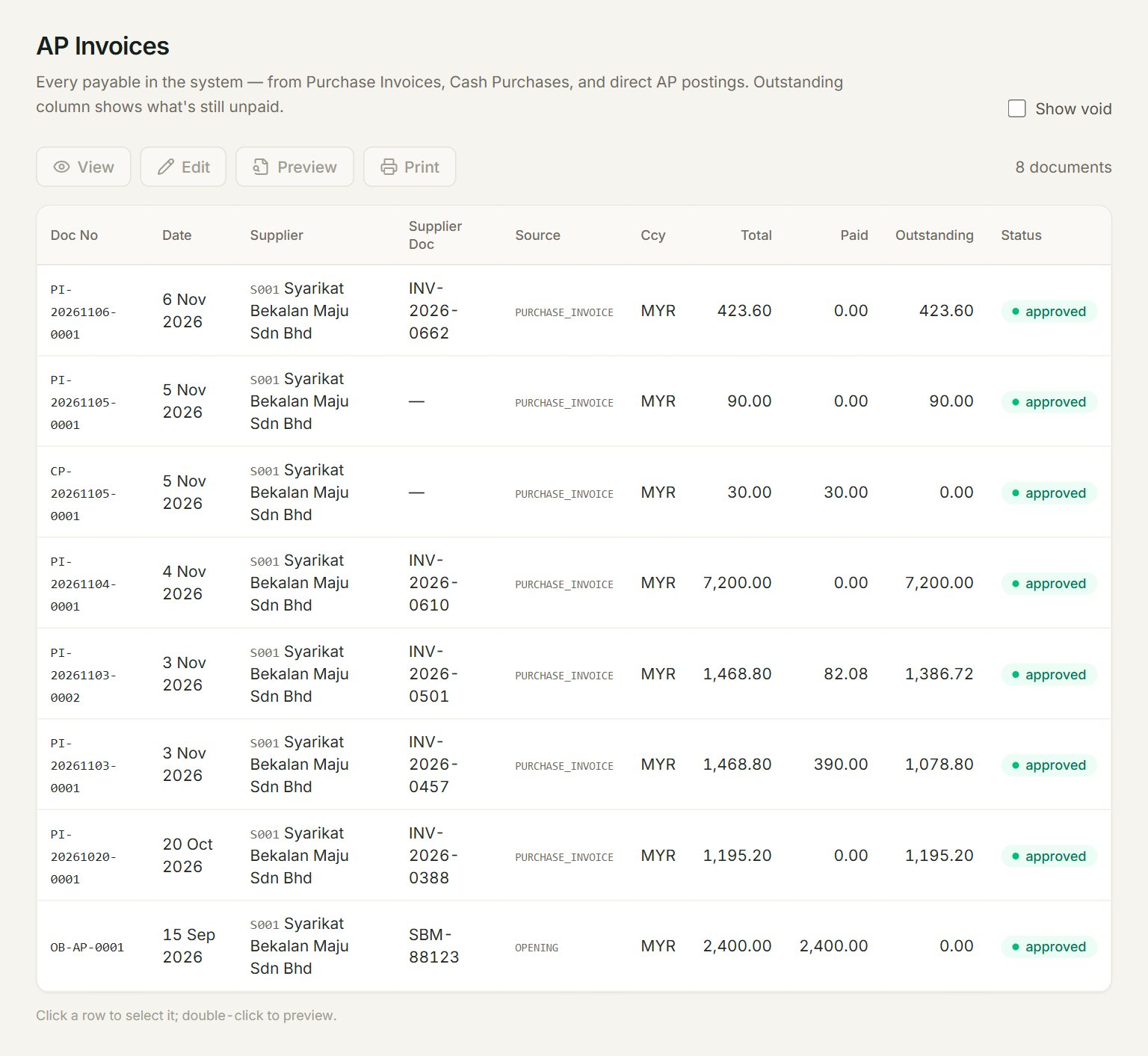
- Supplier Doc: the number on the supplier's own bill.
- Source: where the bill came from, for example OPENING for a bill you owed when you started.
- Paid: what has come off the bill so far: payments, and supplier credit notes applied to it.
- Outstanding: what you still owe on it.
- Show void: lists the old, voided versions too.
Read the list
Total is the whole bill, and Paid plus Outstanding make up the total. A cash purchase is paid in full the moment you post it.
This list is for looking only. To open, print or change a bill, find it in Purchase invoices. To pay it, use Pay supplier.
- In the menu, open Suppliers, then Supplier invoices.
- Look down Outstanding for the bills still to pay.
- Note their Doc No, then pay them in Pay supplier.
If something goes wrong
- Outstanding did not go down after a payment: the payment was not applied to this bill. Edit the payment in Pay supplier and key the amount under Apply.
- A bill you changed shows twice with Show void ticked: that is right. The old version stays as void; only the other one counts.