Overview
Your business at a glance: cash, what customers owe, what you owe, and this month's sales.
On this page
The Dashboard shows today's figures for the company you are working in, in MYR. Open it from Overview, at the top of the menu. Nothing is keyed here: it reads from your posted documents.
The screen
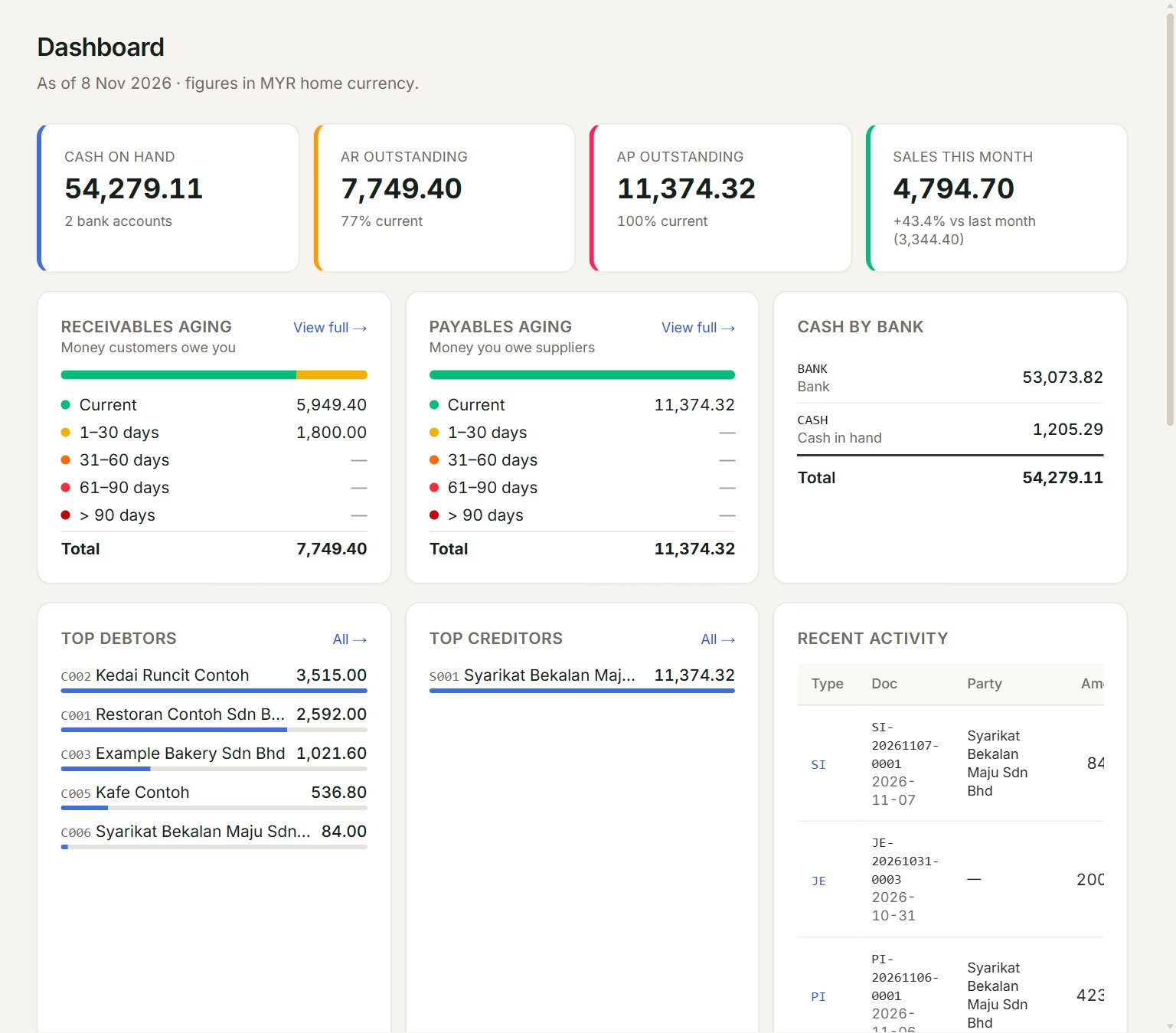
- Cash on hand: the balance of all your bank and cash accounts together. Cash by bank splits it.
- AR outstanding: what customers still owe you, and how much of it is current.
- AP outstanding: what you still owe suppliers.
- Sales this month: this month's sales invoices so far, against the whole of last month.
- View full →: opens the full ageing report. Receivables aging splits what customers owe by how old it is.
- Recent activity: the last documents posted. Click a type, such as SI, to open its list.
Read the ageing
Each bar shows what is owed, by age from the invoice date. Current is up to 30 days old. The rows below it are older, and the red ones are the oldest. All clear. means nothing is owing.
Top debtors and Top creditors list the five customers and suppliers with the most owing. Click All → to open the full list.
Use it every morning
- Click Overview at the top of the menu.
- Check Cash on hand against what you expect in the bank.
- Look at the red rows of Receivables aging and click View full → to see who to chase.
- Check Payables aging for bills that are due.
If something goes wrong
- A figure looks out of date: the Dashboard reads when it opens. Close its tab and open Overview again.
- Cash on hand looks wrong: check the bank and cash accounts in Account inquiry, and that every receipt and payment is posted.