Document templates
Change how your invoices, receipts and other documents look when you preview, print or email them.
On this page
Document templates set the layout of each kind of document: invoices, receipts, orders, vouchers. Each one comes with eaasycount's own layout. To use your own, copy it, design the copy, and make the copy the one that prints.
The list
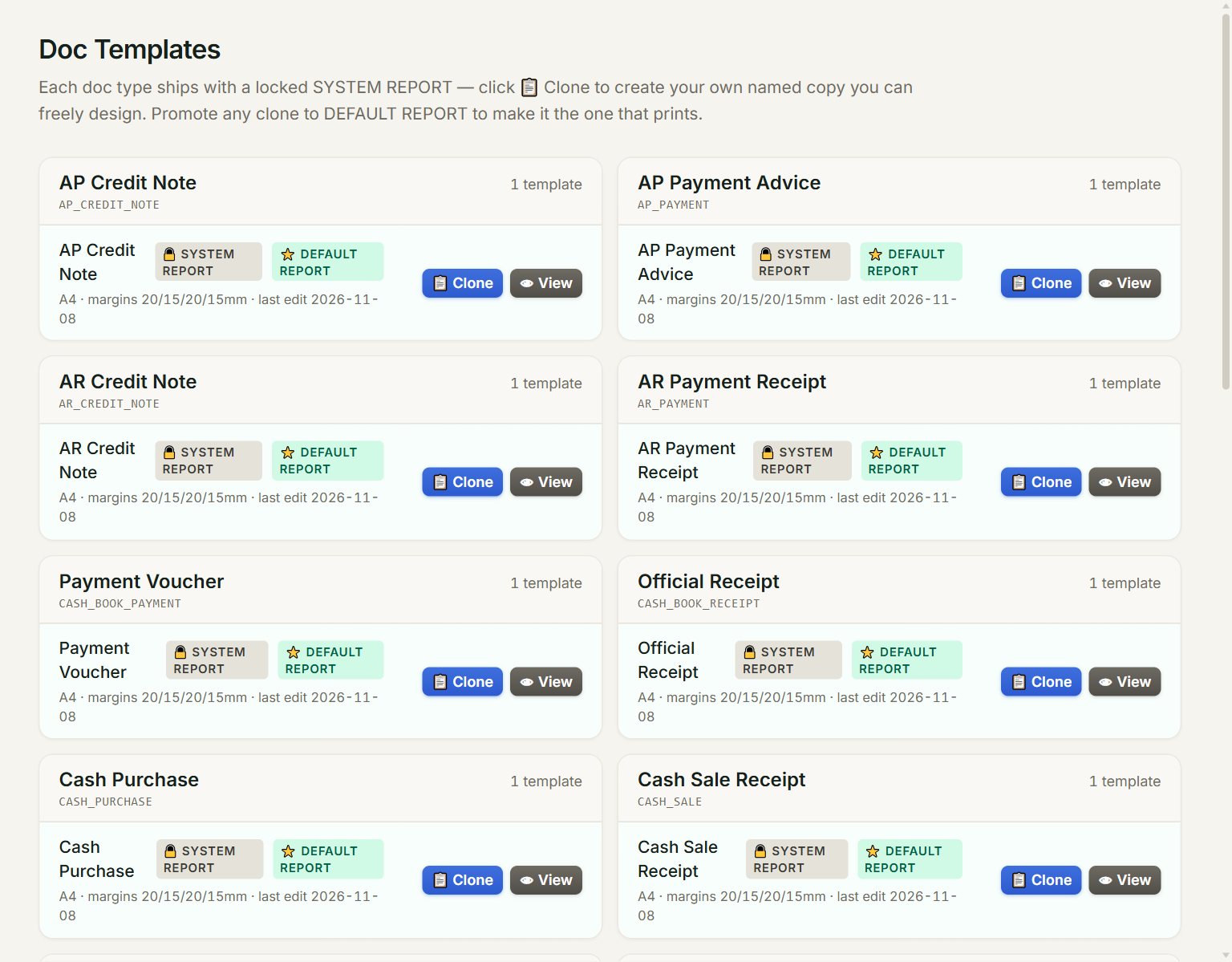
- 🔒 SYSTEM REPORT: eaasycount's own layout. You can view it and copy it, not change it.
- ⭐ DEFAULT REPORT: the layout that prints for this kind of document.
- 📋 Clone: makes your own named copy, which you can design.
- 👁 View: opens the layout in the designer, read-only.
Your own copies have 🎨 Design, ⭐ Set Default, and 🗑 to delete a copy that is not the default.
Make your own layout
- In the menu, open Settings, then Document templates.
- Find the document, for example Sales Invoice, and click 📋 Clone.
- Type a Template name and click Clone & Design. The designer opens on an empty page.
- Place everything the document should show (see below), then click Save.
- Click ← Back, then ⭐ Set Default on your copy.
- Open a document of that kind and click Preview to check it.
The designer
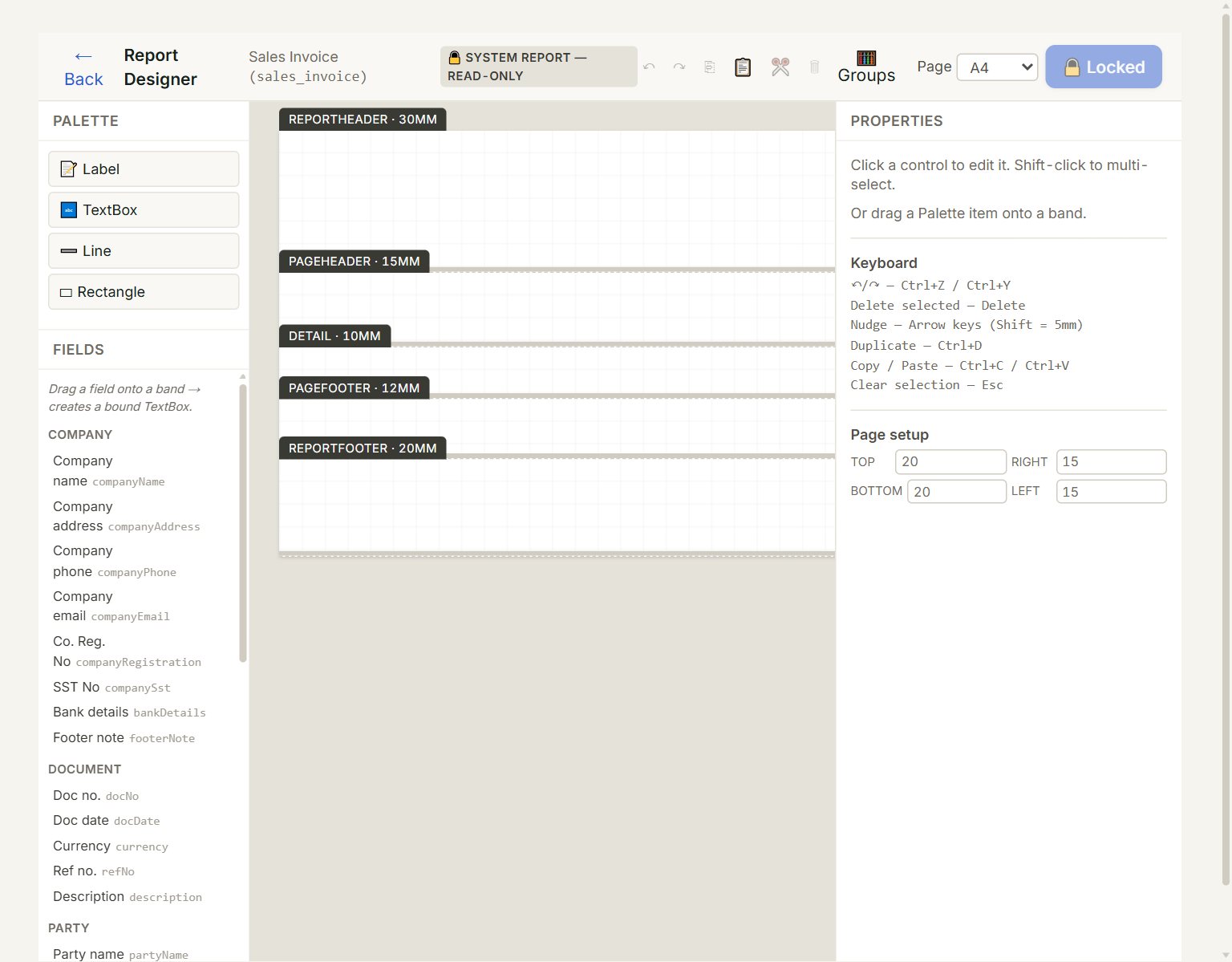
- Palette: drag a Label, TextBox, Line or Rectangle onto the page.
- Fields: drag a field, such as Doc no. or Final total, onto the page. It prints that document's value.
- The page, in bands. What you put in Detail repeats for each line of the document; the other bands print once.
- Properties: click something on the page to change its place, size, text, font and alignment.
- Save: saves your copy. On eaasycount's own layout it shows 🔒 Locked.
The company's name, address and other details in Fields come from your Company profile.
If something goes wrong
- Save shows 🔒 Locked: you opened eaasycount's own layout. Click ← Back, then 📋 Clone, and design the copy.
- Your changes do not print: only the ⭐ DEFAULT REPORT prints. Click ⭐ Set Default on your copy.
- Documents print almost empty: your copy prints only what you placed on its page. Add the missing fields, or click ⭐ Set Default on the 🔒 SYSTEM REPORT to go back to eaasycount's layout.