Budget vs actual
Your monthly budget for each income and expense account, next to what was really posted.
Budget vs actual puts your budget for each income, cost of sales and expense account beside what was really posted, month by month, so you can see where you are ahead and where you are behind.
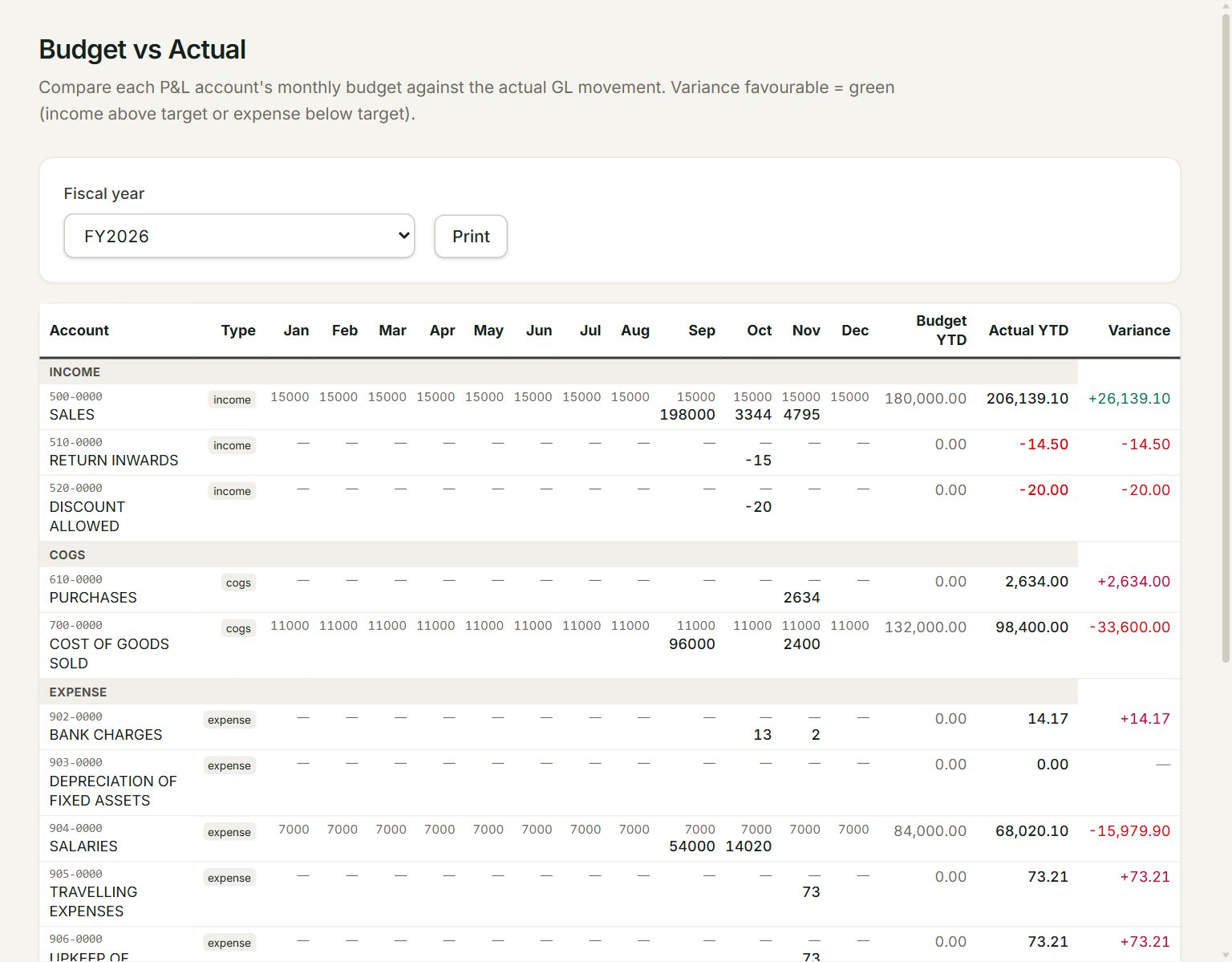
- Fiscal year: the year to compare.
- A month: each cell shows the budget on top, in grey, and the actual below, in bold.
- Budget YTD: the budgets of all the months added up.
- Actual YTD: what was posted in the year so far.
- Variance: Actual YTD less Budget YTD. A minus means the actual is below the budget: good for costs, not for income.
- Print: prints the report.
Compare with your budget
- Key your budget first: in the menu, open Settings, then Budgets. Choose the Fiscal year, key an amount for each month and account, and click Save.
- In the menu, open Reports, then Budget vs actual.
- Choose the Fiscal year.
- Read across each account, then look at Variance.
Before the year ends, Actual YTD has fewer months in it than Budget YTD, so most variances show a minus. Compare month by month until the year is over.
If something goes wrong
- Budget YTD is 0.00 for every account: there is no budget for that year yet. Key it in Budgets.
- An account is missing: a row shows only when the account has a budget or a posting in that year.