Purchase returns
Send goods back to a supplier. The goods leave your stock and you owe the supplier less.
On this page
A purchase return records goods you send back to a supplier: damaged, wrong, or more than you ordered. When you post it, the goods leave your stock at their average cost, and eaasycount makes a supplier credit note for the amount, so your balance with the supplier goes down.
The screen
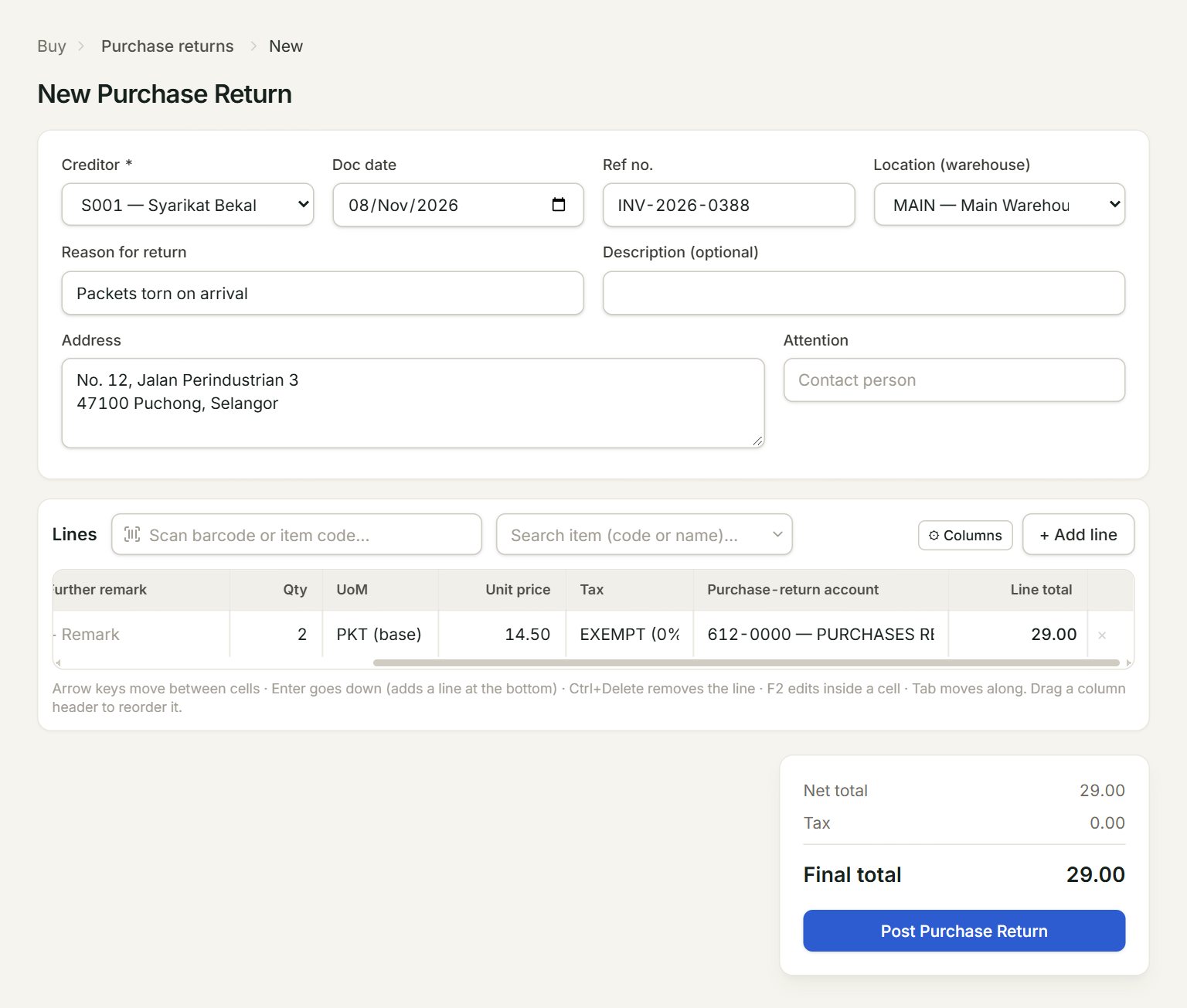
- Creditor: the supplier you are returning to.
- Location (warehouse): where the goods leave from. The ★ one is your default location.
- Reason for return: for example, damaged in transit. It shows in the list.
- Scan a barcode or type an item code here and press Enter: the line is added.
- Purchase-return account: pick one on every line, for example 612-0000 PURCHASES RETURN.
- Post Purchase Return: saves and posts the return.
Return goods
- In the menu, open Buy, then Purchase returns, and click New.
- Choose the Creditor, and check the Doc date and the Location (warehouse).
- Type the Reason for return. The supplier's bill number can go in Ref no.
- Add the lines. Key the Qty, the Unit price you paid, and pick the Purchase-return account.
- Click Post Purchase Return.
- In the box that opens, click Print to give the supplier a copy, or Close (Esc).
What it makes
The list shows each return with its Reason. The credit note it made is in Supplier credit notes, with the same reason and total. The goods' movement out shows in Item inquiry.
If something goes wrong
- Post Purchase Return is grey: choose the creditor first.
- "Add at least one line with qty + unit price > 0.": each line needs a description, a quantity and a unit price.
- "Line 1: purchase-return account required.": pick a Purchase-return account on that line.