Recurring documents
Templates for the invoices and journals you post again and again, such as monthly rent or depreciation.
On this page
Recurring documents keeps templates for documents you post on a schedule: a monthly rental invoice, or the monthly depreciation journal. The screen is called Recurring Transactions. Each template knows when it is next due, and posts with one click.
The list
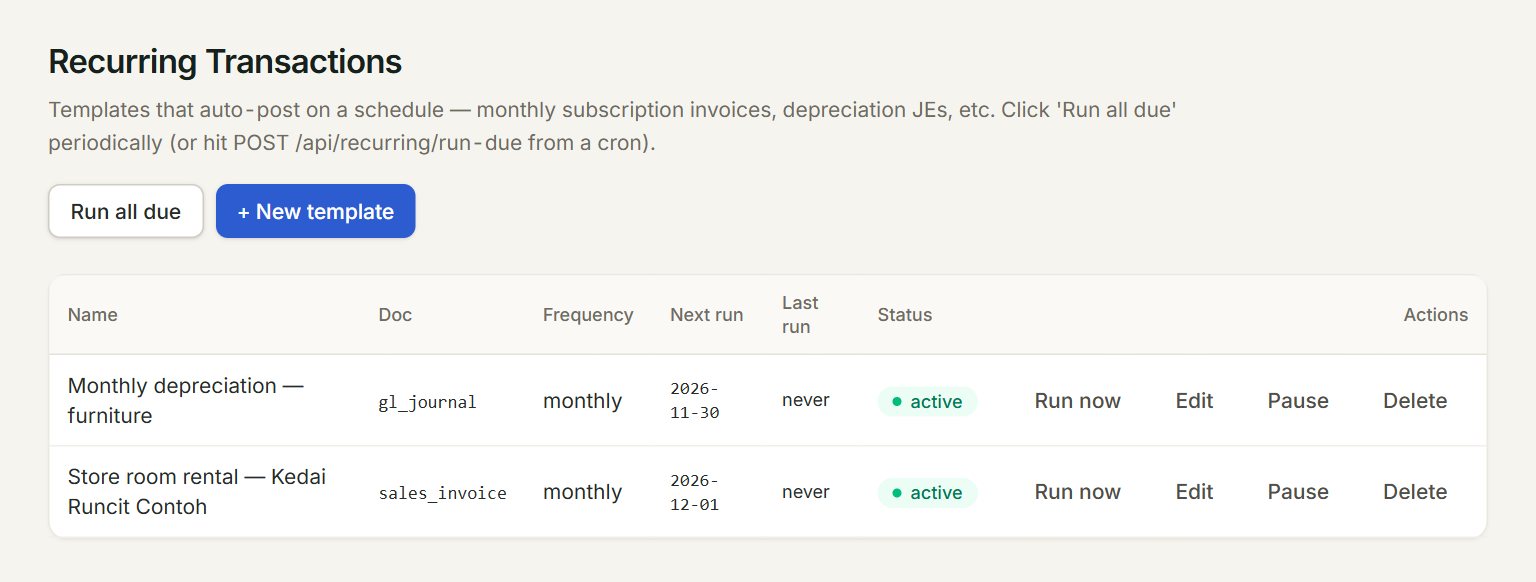
- + New template: adds a template.
- Run all due: posts every active template whose Next run date is today or earlier.
- A template: its name, the kind of document, and how often it runs.
- Next run: when it is next due. Last run shows the last date and document number.
- Run now: posts this one today, due or not.
- Pause stops a template until you click Resume. Edit and Delete are beside it.
Make a template
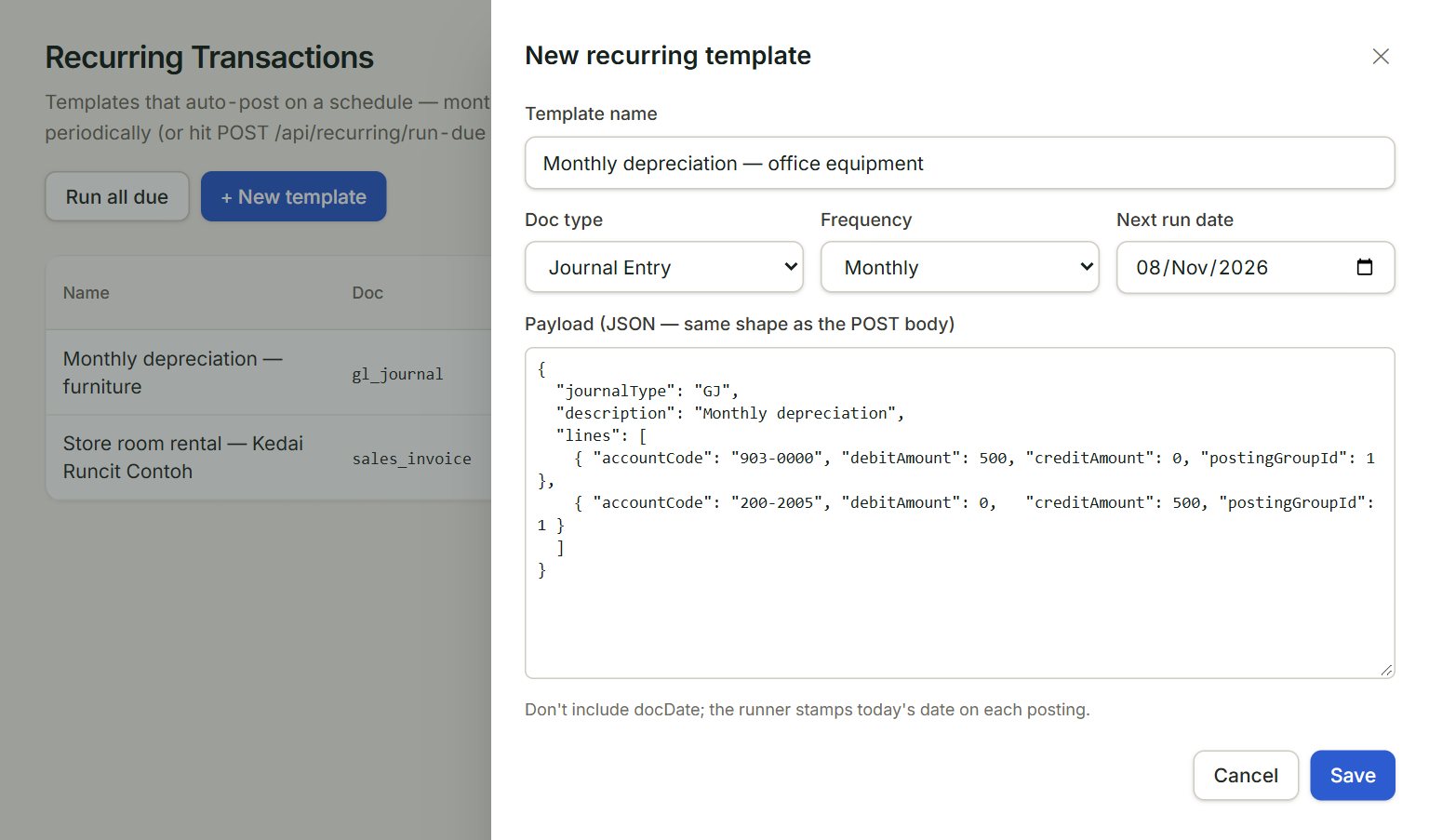
- Template name: so you know it in the list.
- Doc type: Sales Invoice or Journal Entry.
- Frequency: Daily, Weekly, Monthly or Yearly.
- Next run date: the first date it is due.
- Payload (JSON — same shape as the POST body): what to post, written as code. It starts with an example to change.
- Save: keeps the template. Nothing is posted yet.
- In the menu, open Settings, then Recurring documents, and click + New template.
- Type the Template name and choose the Doc type and Frequency.
- Set the Next run date.
- In the payload box, change the example's accounts, amounts and description to yours.
- Click Save.
Post what is due
Click Run all due, then OK. Each template posts a document dated today, and its Next run moves on by its frequency: a month for a monthly template. A note says how many posted.
If something goes wrong
- payloadJson is not valid JSON.: a comma, quote or bracket is missing in the payload box. Compare it with the example.
- Ran … — … posted, … errored.: click Run now on each template that did not post to see why, then fix its payload.
- Name required.: type a Template name.