Annual returns
The year-end forms: Form EA for each employee, and CP8D and Form E for LHDN.
Annual returns gives you the year-end forms. As the screen reminds you, Form EA goes to every employee by the last day of February, and Form E and CP8D go to LHDN by 31 March. All three come from the year's approved payroll runs.
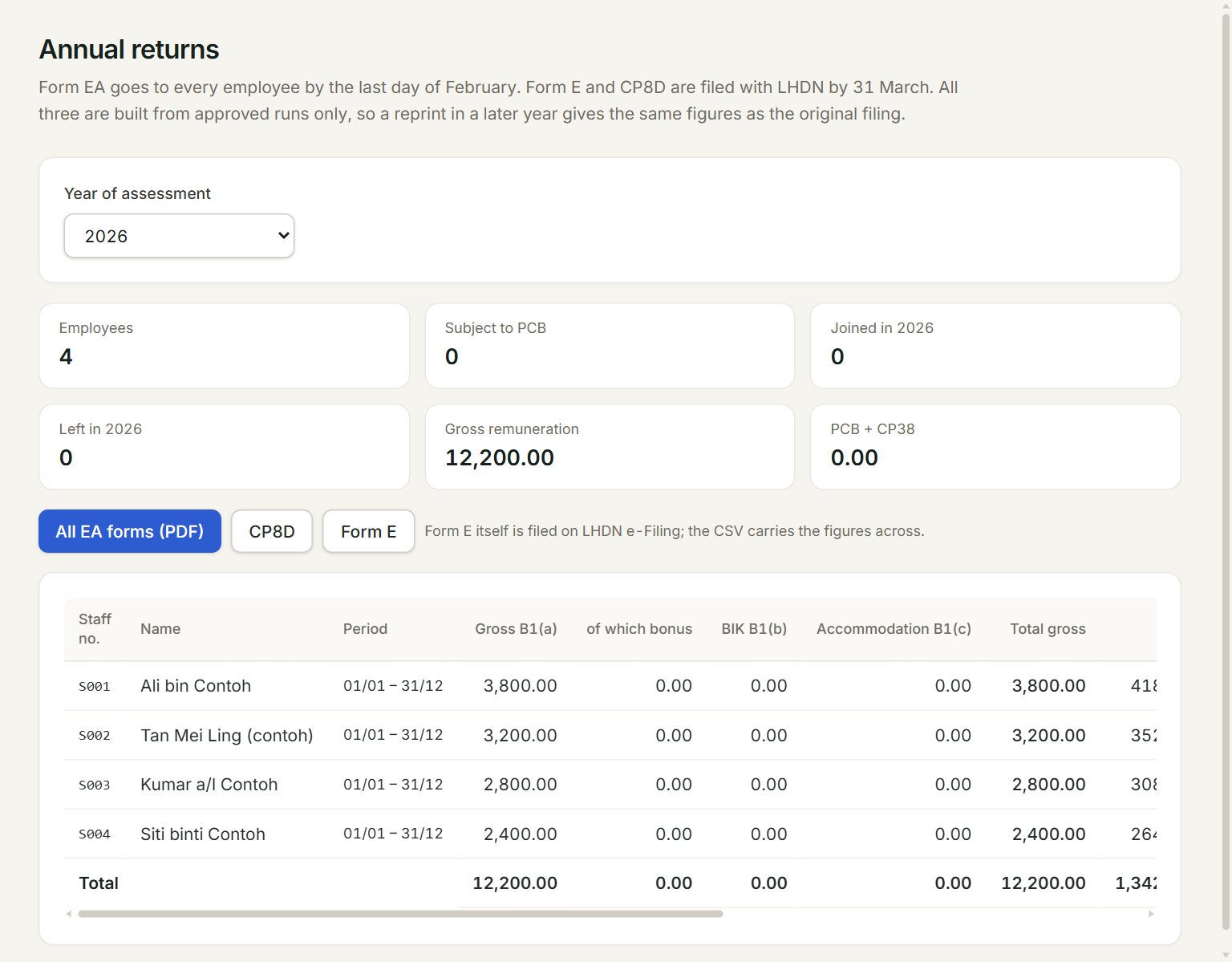
- Year of assessment: the year. Only years with an approved run are listed.
- The year's totals, as Form E needs them: employees, those who joined and left, gross pay and PCB.
- All EA forms (PDF): every employee's Form EA, ready to print.
- CP8D: each employee's pay and tax for the year, as a file for LHDN.
- Form E: the Form E figures, as a file. Form E itself is filed on LHDN e-Filing.
- A row: one employee's Form EA figures. At the end of the row, EA opens that employee's form alone.
The columns follow Form EA: gross pay, bonus, benefits in kind and accommodation, then EPF, SOCSO, EIS, PCB, CP38, zakat, TP1 reliefs and tax-exempt amounts. Point at a column heading to see which box of the form it is.
Prepare the year-end forms
- In the menu, open Payroll, then Annual returns.
- Choose the Year of assessment.
- Check each employee's line against your records.
- Click All EA forms (PDF), print the forms and give one to each employee.
- Click CP8D and Form E to download the files for LHDN.
Every payroll user can print Form EA. The CP8D and Form E files need the payroll approver or admin role.
If something goes wrong
- No approved payroll runs yet.: approve at least one month in Payroll runs first.
- … employees have no income tax number.: register them with LHDN and key the number on the employee before you file.
- The browser blocked the new tab.: click Open the PDF, or let your browser open pop-ups for eaasycount.