Item inquiry
One item on one page: what is on hand in each location, what it cost, recent prices, and every movement in and out.
On this page
Item inquiry shows everything about one item on one page: how many you have in each location and what they cost, the last prices you bought and sold at, and every movement in and out. Use it when a count looks wrong, or before you quote a price.
The screen
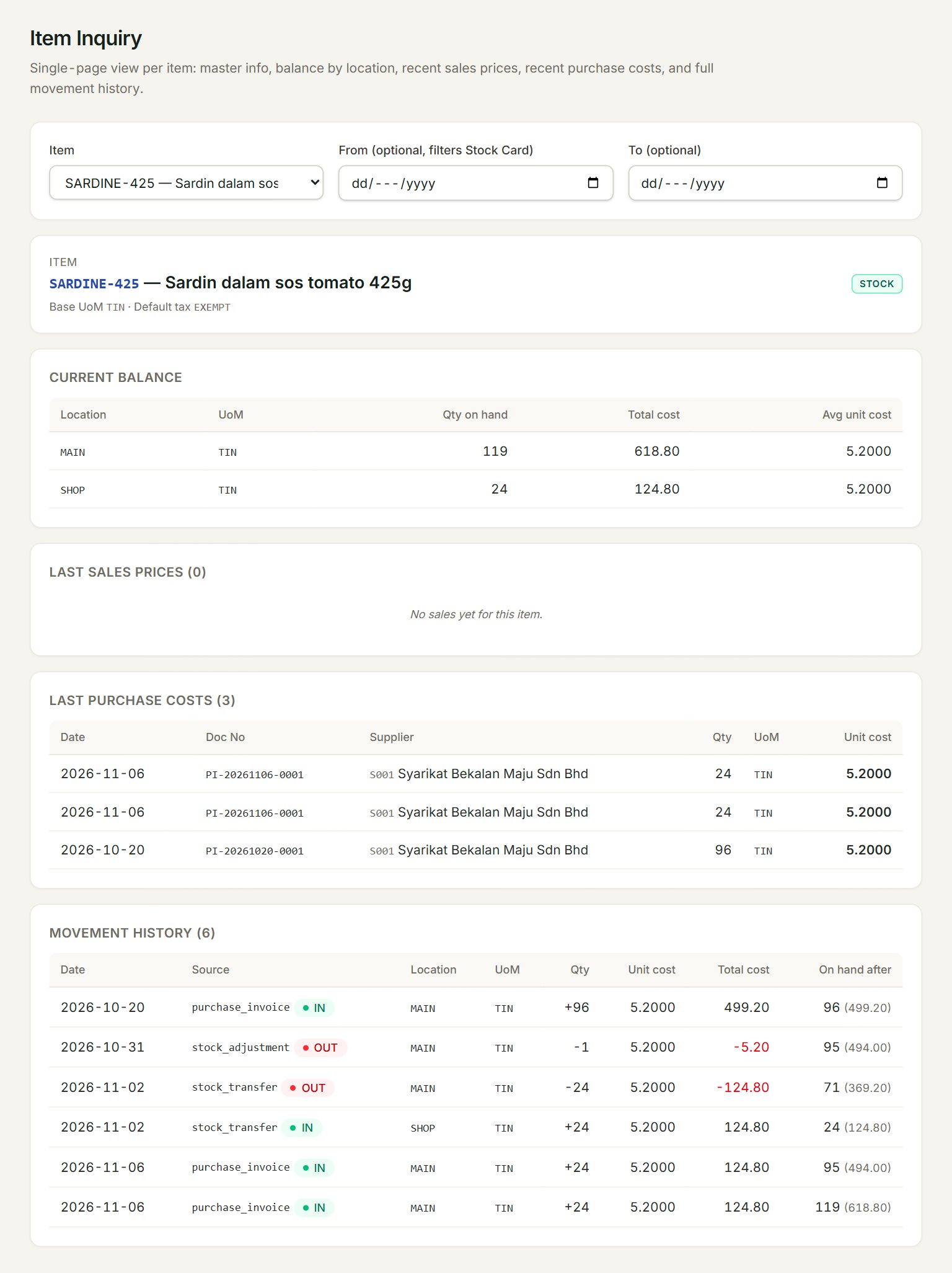
- Item: choose the item to look at.
- From and To: show the movements of one period only. Leave them empty for all of them.
- Current balance: the Qty on hand in each location, its Total cost and its Avg unit cost.
- Last purchase costs: the last 20 purchases, with the supplier and the Unit cost. Last sales prices, beside it, shows the last 20 sales.
- Movement history: every document that moved the item, IN or OUT, in date order.
- On hand after: the balance after each movement, with its cost in brackets.
Check an item
- In the menu, open Stock, then Item inquiry.
- Choose the Item.
- Read the Current balance for each location.
- To see one month only, set From and To.
Read the movement history
Source says what moved the item: a purchase invoice, a sale, a stock adjustment, a return. A stock transfer shows twice, OUT of one location and IN to the other, so the total on hand stays the same.
A non-stock item, one without Stock control, has no balance or movements: you see No stock on hand for this item.
If something goes wrong
- Qty on hand is below zero: more went out than came in. Post the missing purchase invoice, or count the shelf and make a stock adjustment.
- Avg unit cost looks wrong: check Unit cost under Last purchase costs. A price keyed wrongly on a purchase invoice moves the average; correct the invoice with Edit.
- "No stock on hand for this item." for goods you hold: the item is not a stock item. See Items.