Leave
Each employee's leave entitlement, the leave they take, and the balance left.
On this page
Leave keeps each employee's leave for the year: what they are entitled to, what they took and what is left. Unpaid leave comes off that month's wages in the payroll run.
Balances
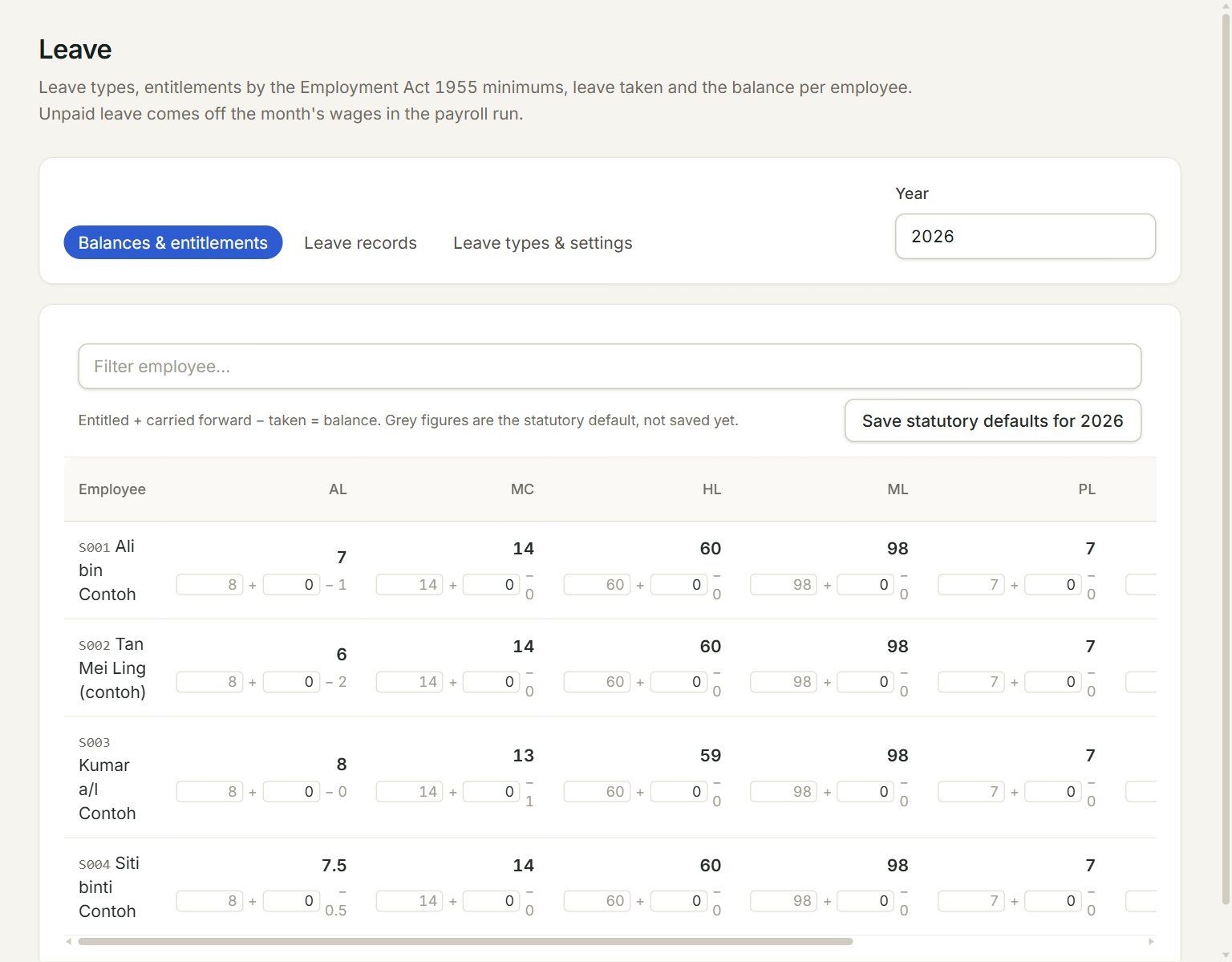
- Balances & entitlements: each employee's balance for each leave type (AL is annual leave, MC sick leave, and so on).
- Leave records: the leave taken, one line each time.
- Leave types & settings: the leave types, and how an unpaid day is worked out.
- Year: the leave year.
- Save statutory defaults for 2026: saves the Employment Act minimums as this year's entitlements. Grey figures are these defaults, not saved yet.
- A balance, and under it the entitlement plus the days carried forward, less the days taken. Change the two boxes, then click Save entitlements.
Record leave
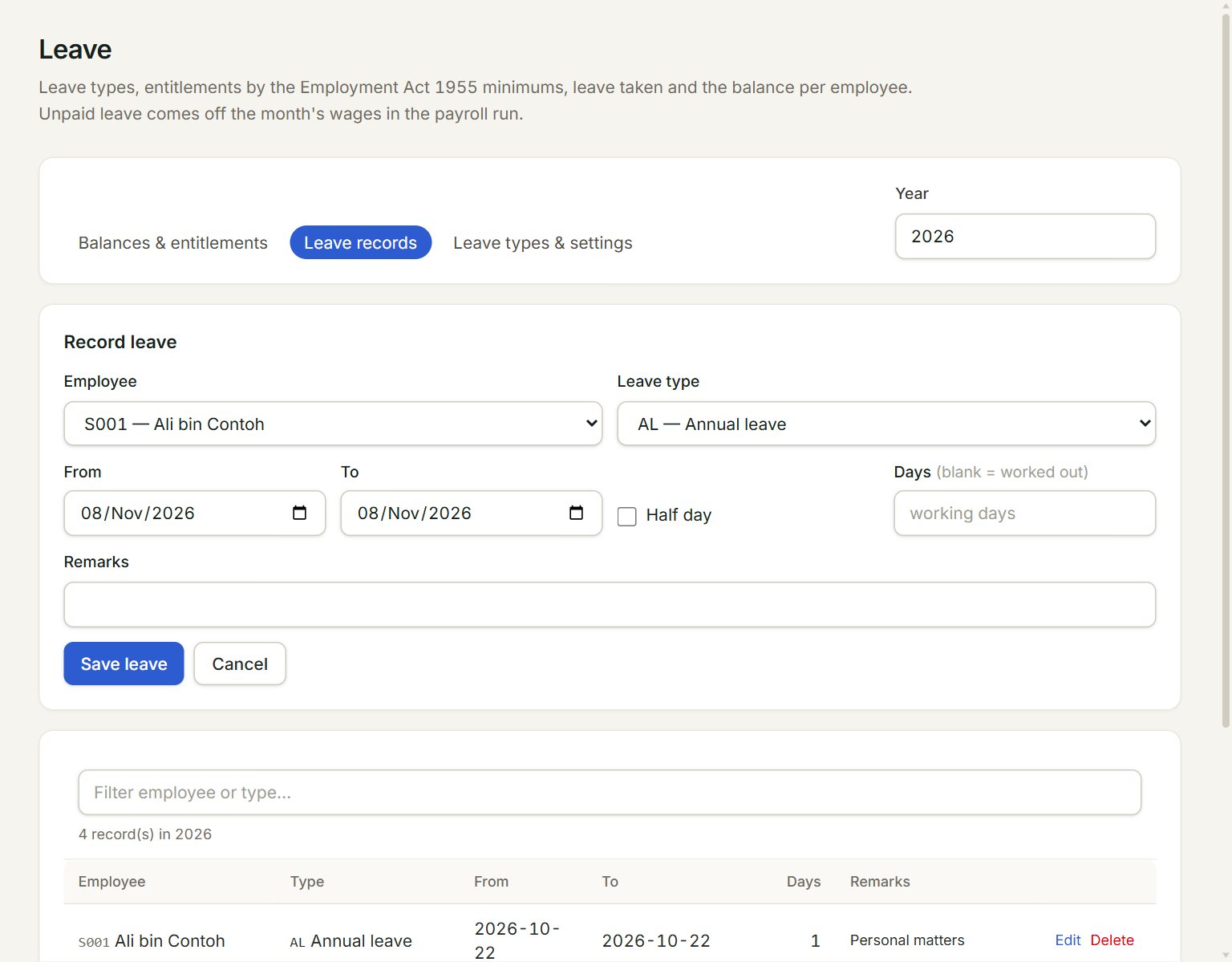
- Employee: who is on leave.
- Leave type: unpaid types are marked (unpaid).
- From and To: the first and last day.
- Half day: for half a day, on the From date.
- Days: leave it blank and the working days between the dates are counted for you.
- Save leave: saves it, and the balance goes down.
- In the menu, open Payroll, then Leave, and click Leave records.
- Click Record leave.
- Choose the Employee and the Leave type.
- Set From and To, or tick Half day.
- Click Save leave.
On Leave types & settings you choose how an unpaid day is worked out (Divisor) and your Working week. The usual leave types are there already, and Add leave type adds your own. The Employment Act minimums are listed below them.
If something goes wrong
- Those dates are all rest days: no leave days to record.: check the dates, or key the Days yourself.
- Payroll … is approved, so its unpaid leave and attendance can no longer change.: record it in a later month.
- … was not employed for those dates.: check the employee's Date joined and Date left.